In NewViews, transactions can be added to ledgers via journals, or directly to account ledgers. When you add a transaction to a journal, NewViews automatically adds entries to the corresponding account ledgers. When you add a transaction to an account ledger, NewViews automatically adds an entry to the specified journal. The end result is identical, regardless of where the transaction is actually added.
We recommend adding transactions using journals, and this is the method explained in this guide.
There are two main types of transactions, simple and complex.
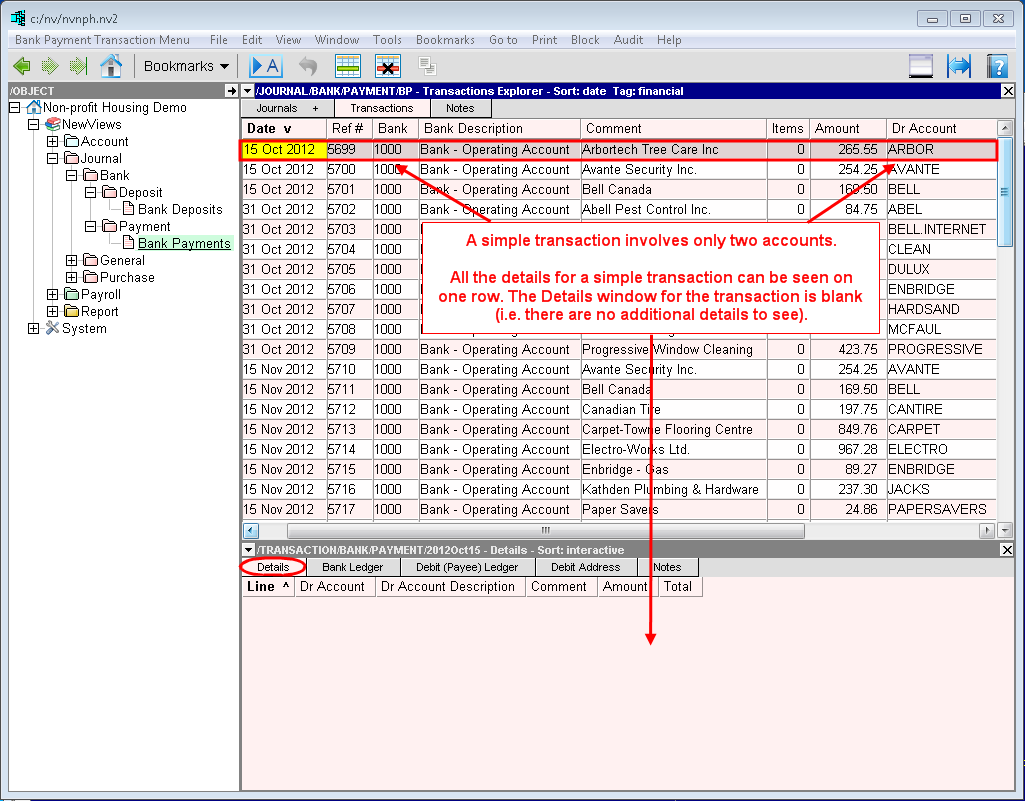
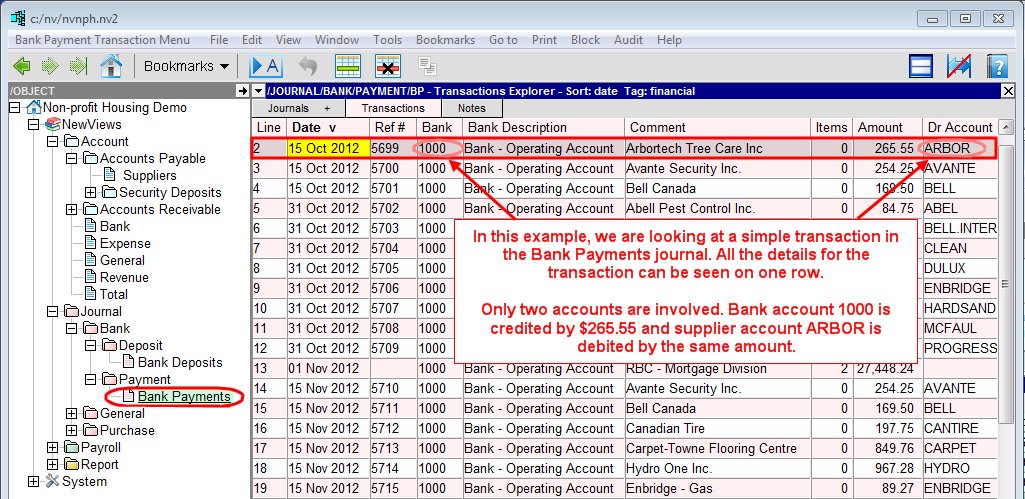
A simple transaction involves only two accounts; one account is debited and one account is credited by the same amount.
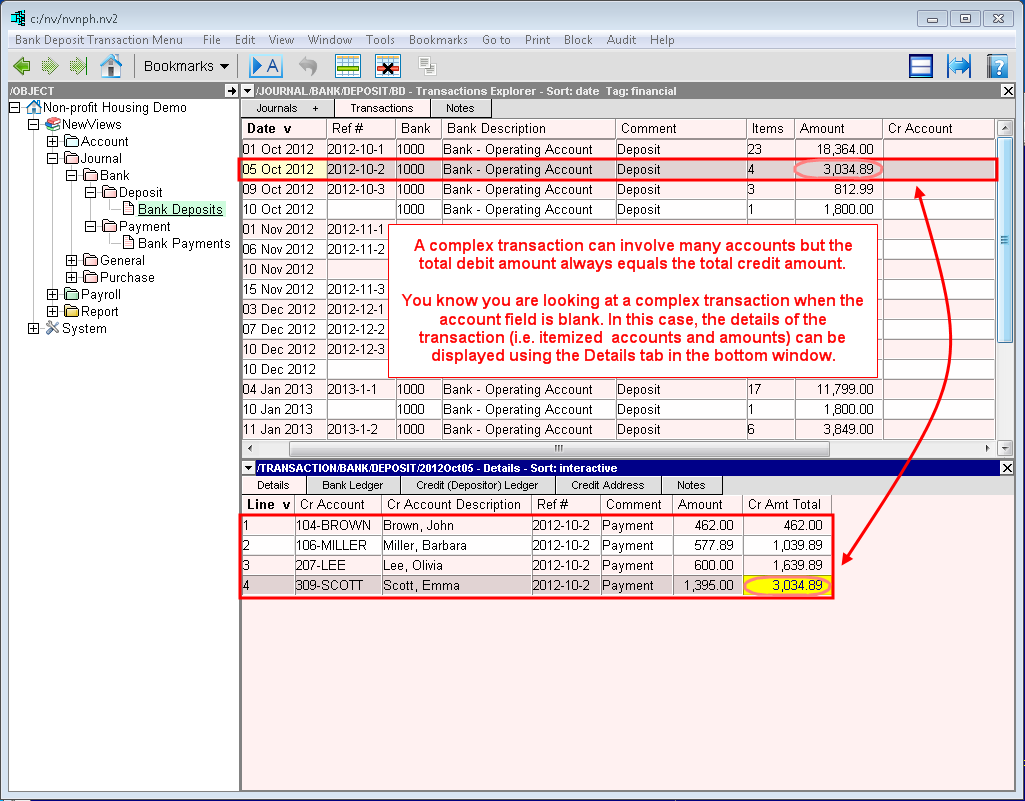
A complex transaction can involve any number of accounts but the total amount debited must equal the total amount credited.
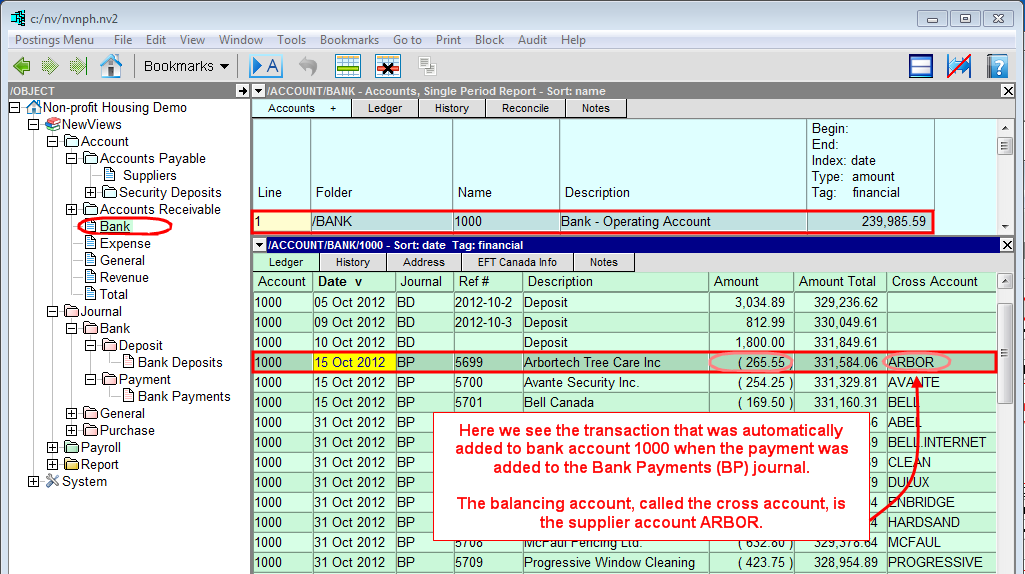
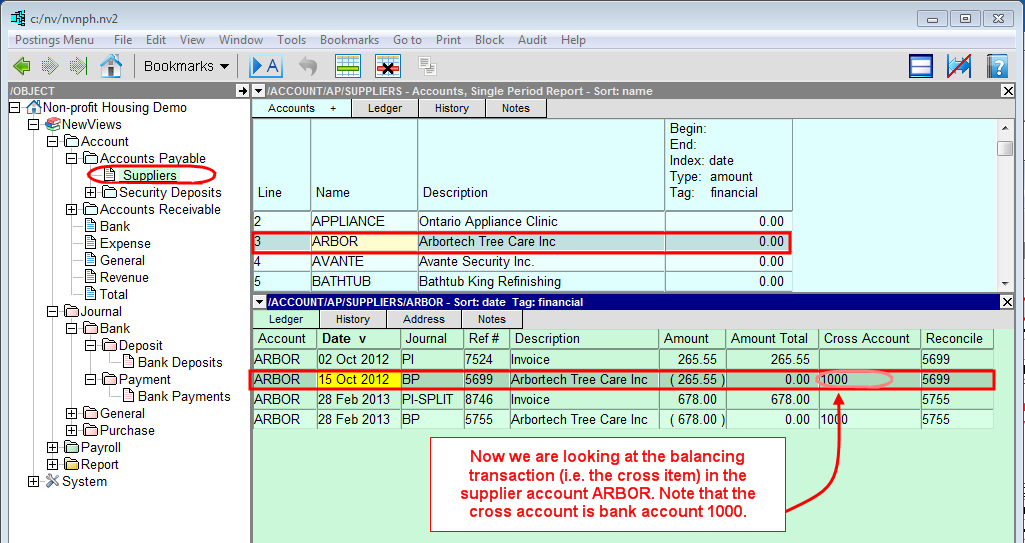
When you add a simple transaction to a journal, two corresponding items are added to account ledgers. One item is added to the ledger of the account that is debited and one item is added to the ledger of the account that is credited.
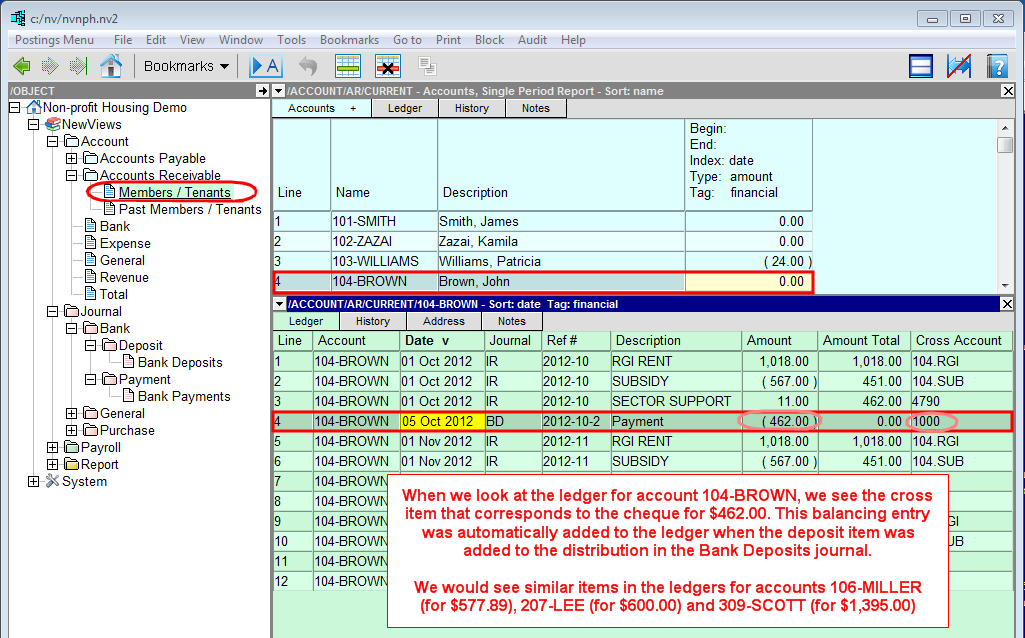
When looking at transactions in ledgers, the balancing account is called the cross account. The balancing transaction in the cross account is called the cross item. Cross items have the same date, reference and description. They also have the same amount, but NewViews uses the normal balances of the two accounts to determine the sign (+/-) of the amount to comply with standard double entry accounting.
When an item is added, changed or deleted, the corresponding cross-item is automatically added, changed or deleted. This process is referred to as "cross talk".
When you add a complex transaction to a journal, either:
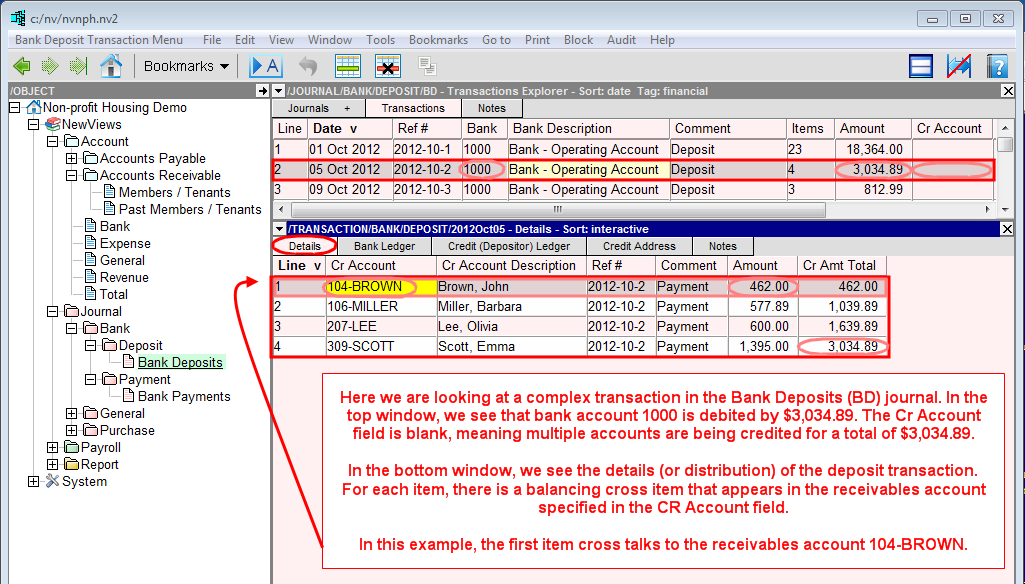
One account is debited for the total amount of the transaction and multiple accounts are credited for individual amounts that make up the total. An example of this is a bank deposit, in which the bank is debited by the total amount of the cheques deposited and individual receivable accounts are credited by the amount of each cheque.
One account is credited for the total amount of the transaction and multiple accounts are debited for individual amounts that make up the total. An example of this is a purchase invoice, in which a supplier account is credited by the total amount of the purchase and individual expense accounts and tax accounts are debited by the amount specified in the invoice.
When looking at a complex transaction in a journal, either the Cr Account or Dr Account is blank, indicating that the credit or debit side of that transaction consists of multiple items impacting different accounts. These items are recorded in the detail window for the that transaction, also referred to as the distribution.
Each item cross talks to a balancing item in the account specified in the Cr Account or Dr Account field. As a result, changes made to the detail item or to its corresponding cross-item will be reflected in both.