Invoice Aging
The Invoice Aging view is used to display an aged analysis of open
invoices as of the current date. This view consists of a split pane window that
enables you to view open invoice amounts by aging period, as well as the invoice details that
make up those amounts.
Aging reports can also be produced for periods in the past. See Historic - Aged Payables for details.
Important! In order for invoice aging to be accurate, invoices from suppliers must be reconciled with payments. This is done
automatically when invoices are paid using the Tools>Pay Account command.
Viewing Aged Invoices
-
In the Database Explorer, activate (click on) Suppliers.
Suppliers can be found by expanding the following folders: NewViews/Account/Accounts Payable
-
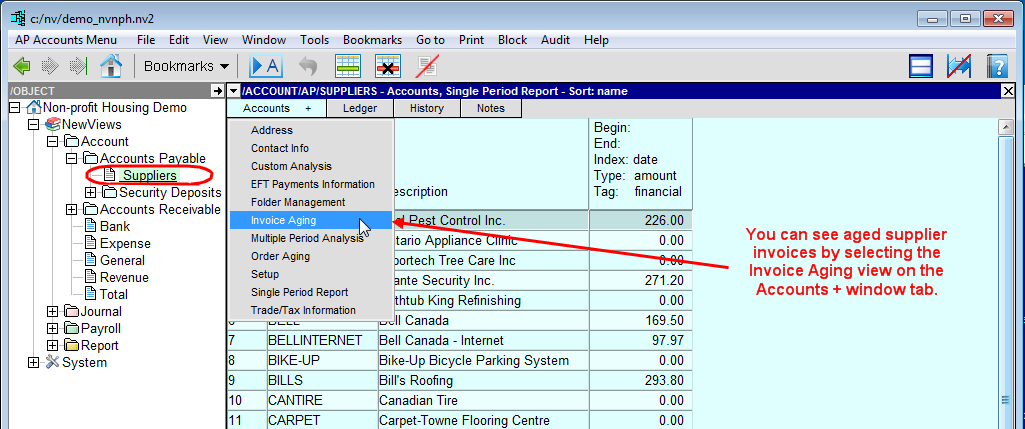
Click the Accounts + tab and choose the Invoice Aging view.
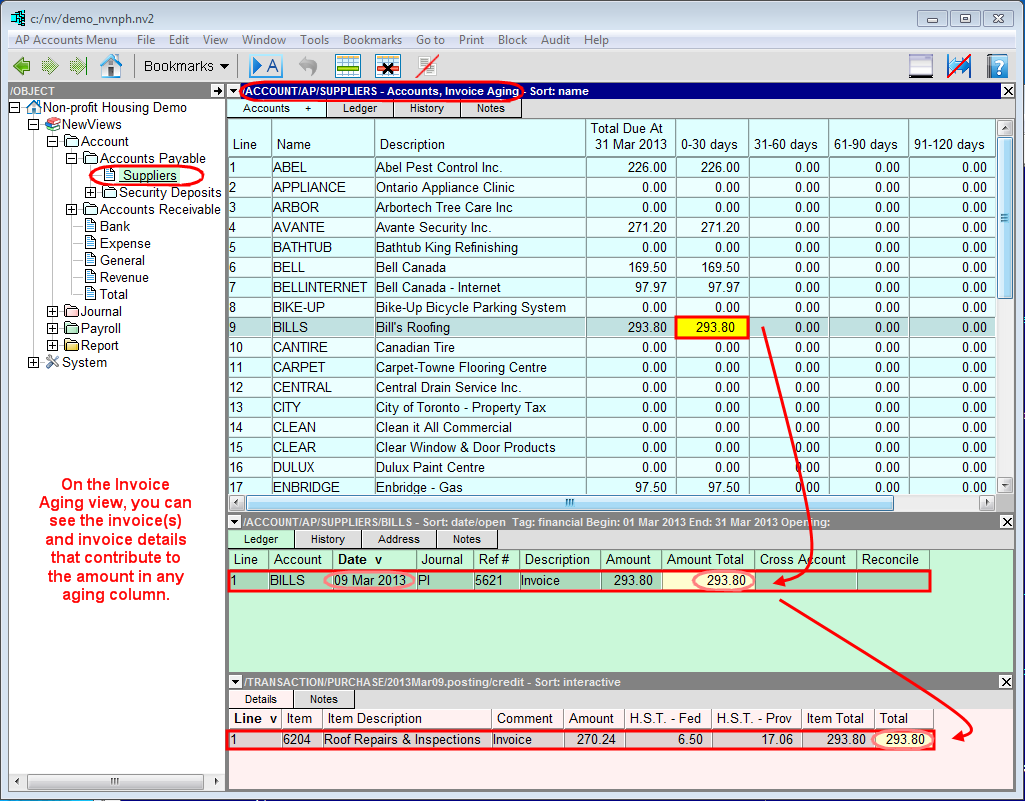
The title bar for the top window on the right should read /ACCOUNT/AP/SUPPLIERS - Accounts, Invoice Aging.
The Invoice Aging view consists of a split pane window (3 panes). The top pane displays a table of supplier account names and descriptions,
with the following six aging columns:
Total Due At (current date)
| Total for open supplier invoices as of the current date.
|
0-30 days
| Open supplier invoices dated 0-30 days prior to the current date.
|
31-60 days
| Open supplier invoices dated 31-60 days prior to the current date.
|
61-90 days
| Open supplier invoices dated 61-90 days prior to the current date.
|
91-120 days
| Open supplier invoices dated 91-120 days prior to the current date.
|
Over 120 days
| Open supplier invoices dated more than 120 days prior to the current date.
|
Any amount in the top pane can be activated to see open invoices that contribute to that amount in the middle pane. Any invoice in the
middle pane can be activated to see invoice details in the bottom pane.
The middle pane displays open invoices for the supplier account and the aging period that is active. For example, if you activate an amount
in the 31-60 days column, the middle pane will only display invoices that contribute to that amount and not any invoices dated outside that
period.
NOTE: If the supplier account Name or Description field is active in the top pane,
the middle pane will display all postings in the supplier account ledger.
Changing the Current Date for Invoice Aging
If you need to change the date that is used to calculate invoice aging to something other than the current date, this can be done using
the Report As Of Date in User Options. For details, see Setting User Options.
Order Aging
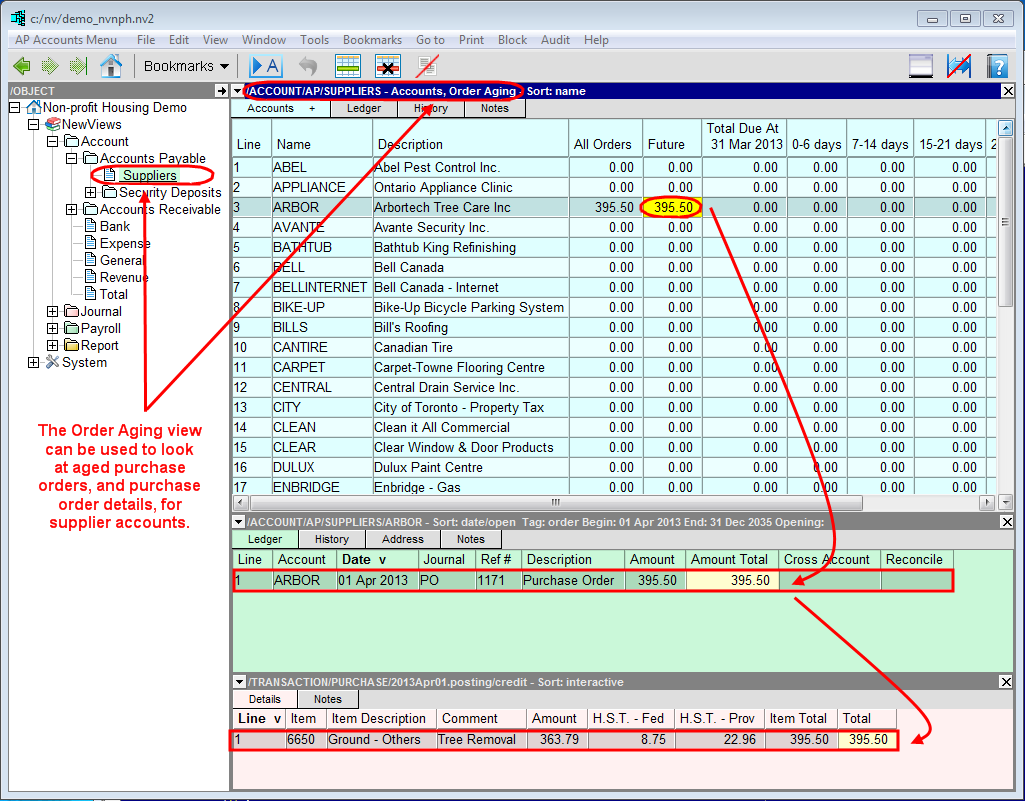
NewViews also provides an aging view for purchase orders. Similar to the Invoice Aging view, the
Order Aging view is a split pane window (3 panes). The top pane displays a table of supplier account names and descriptions,
with the following eight aging columns:
All Orders
|
| All purchase orders, including orders dated in the future.
|
Future
|
| Purchase orders dated beyond the current date.
|
Total Due At (current date)
|
| Total purchase orders as of the current date.
|
0-6 days
|
| Purchase orders dated 0-6 days prior to the current date.
|
7-14 days
|
| Purchase orders dated 7-14 days prior to the current date.
|
15-21 days
|
| Purchase orders dated 15-21 days prior to the current date.
|
22-28 days
|
| Purchase orders dated 22-28 days prior to the current date.
|
Over 28 days
|
| Purchase orders dated more than 28 days prior to the current date.
|
Copyright (c) 2003-2026 Q.W.Page Associates Inc., All Rights Reserved.