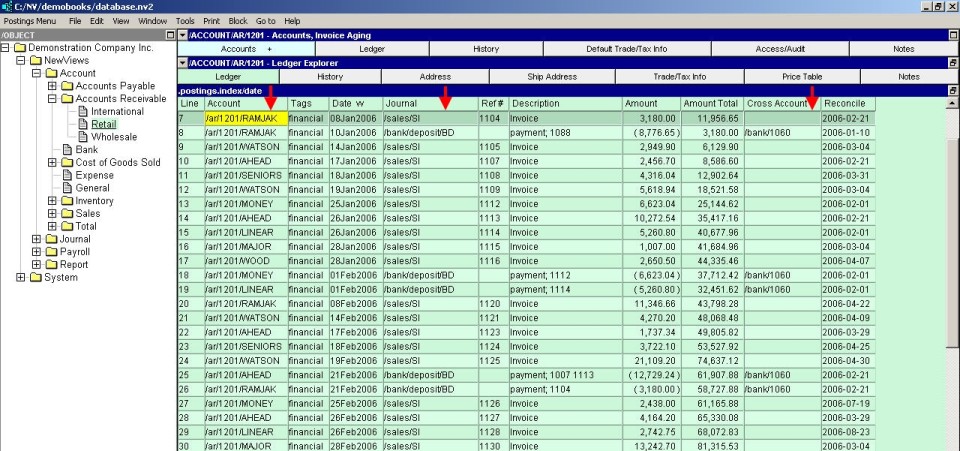
Many columns in NewViews display information about another object. For example, an account or a report can display the folder it's in. A transaction can display the name of an account it posts to, and so on.
In almost all cases, it is rarely helpful to see just the name of the object - you need to see the full path. If a column displays the full path of the folder an object is in, or the account posted to, for example, it's much easier to see what is going on.
On the other hand, too many characters on the screen can actually make it more difficult to focus.
Version 2.09 introduced more Path display formats, and used them by default for many windows. The format of any path can be changed by issuing the Window>Define Columns command (shortcut <F11>), choosing the column of interest, and pressing <F3> to select from the possible formats.
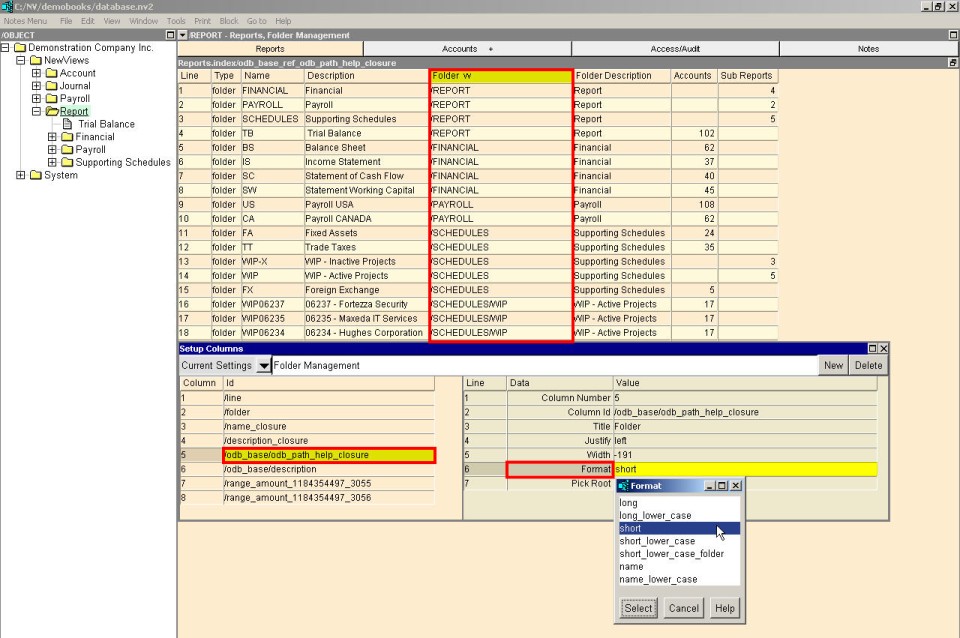
The "short" format strips off the first part of the path (i.e. "/ACCOUNT", "/JOURNAL", "/PAYROLL" or "/REPORT"). This is probably the path format of choice because you can almost always infer the first portion of the path from the context, and it reduces the number of characters and the column width.
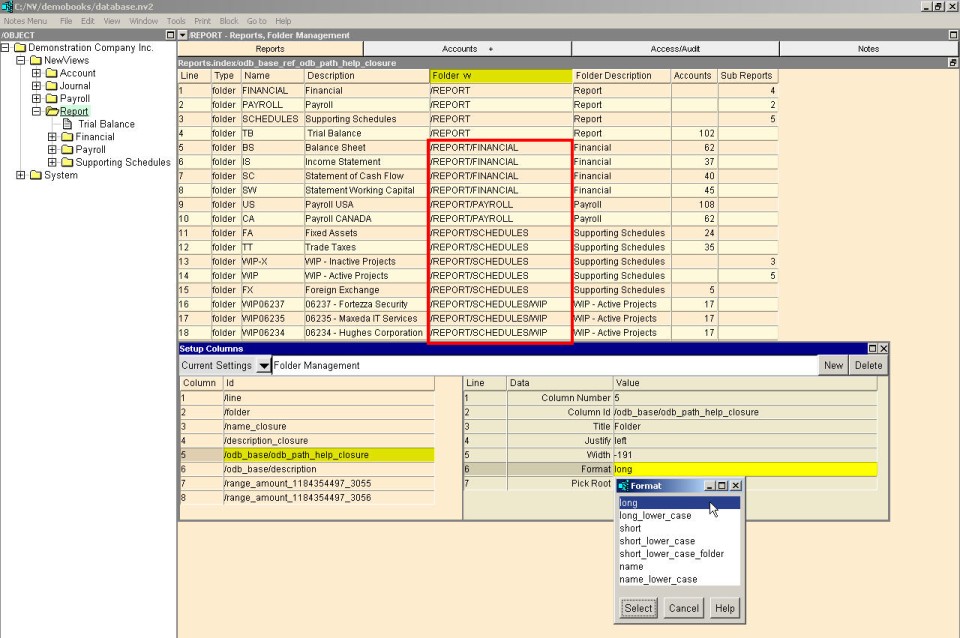
The "long" format displays the entire path. It provides the most information, but, as in the example, you can see the word "/REPORT" repeated over and over isn't helpful.
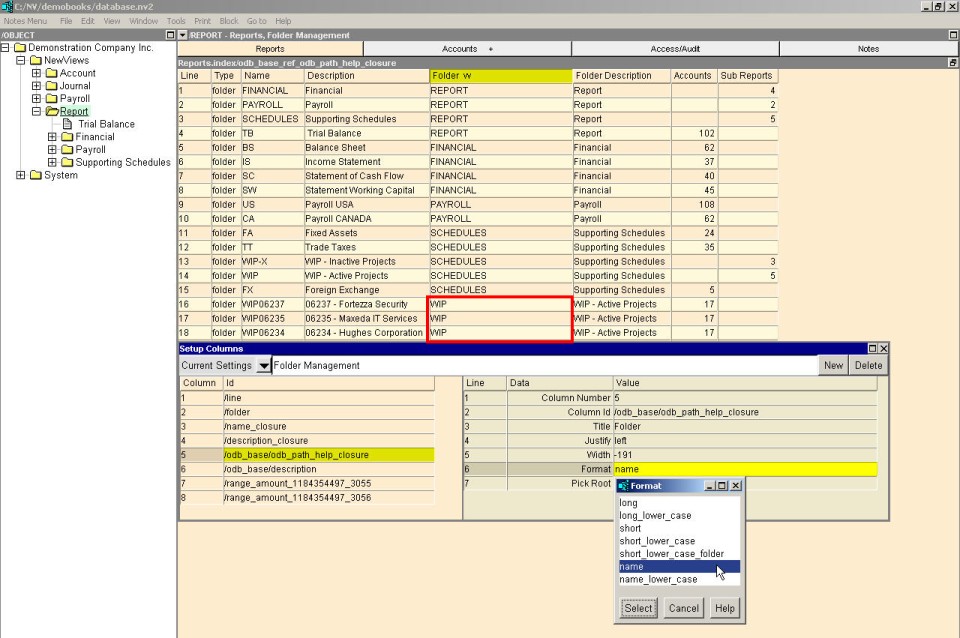
The "name" format displays only the object's name. It may be enough for some databases, but you may be misled. Consider the examples shown below:
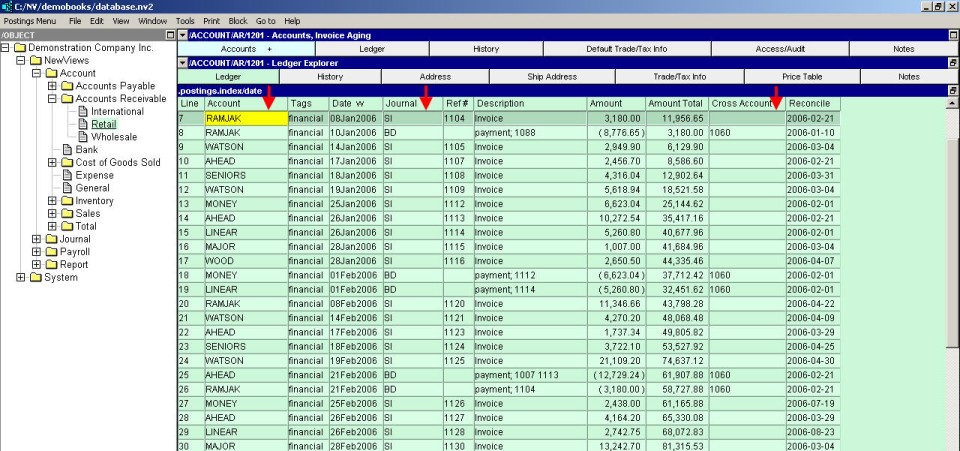
The example above is a ledger which displays the columns for Account, Journal, and Cross Account in a name format.
And the example below is a ledger which displays the same columns in a short_lower_case_folder format. The additional information contained in the path versus the name can be extremely useful.