In the Database Explorer, activate (click on) Suppliers.
Suppliers can be found by expanding the following folders: NewViews/Account/Accounts Payable
Click the Accounts tab and choose the EFT Payments Information view.
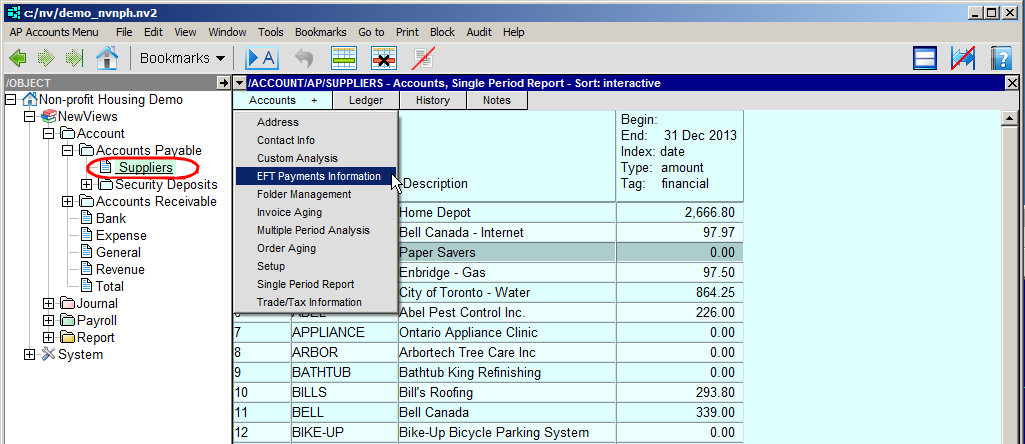
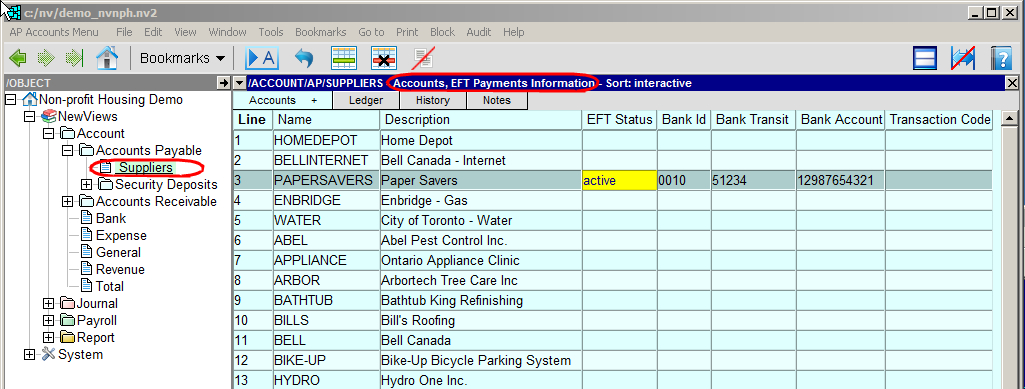
Position on the supplier to be paid by EFT and fill in the information as described below:
| Supplier EFT Payments Information | ||
| EFT Status | When the EFT Payments Status is set to active, EFT transactions are created in the EFT file. The printing of cheques is disabled, and the printing of EFT Payments Advisories is enabled. | |
| Bank ID | The 3 or 4 digit ID number of the supplier's bank. | |
| Bank Transit | The 5-digit transit number of the supplier's bank. | |
| Bank Account | The 7 to 12 digit number of the supplier's bank account. | |
| Transaction Code | This field is left blank. | |