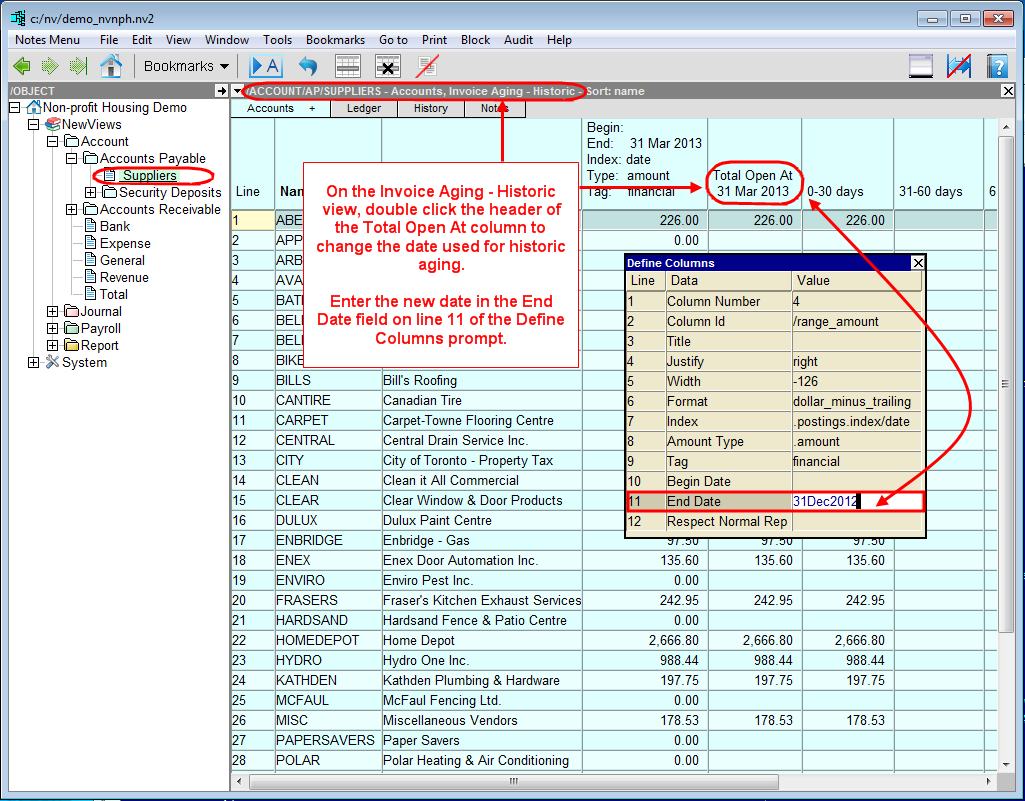
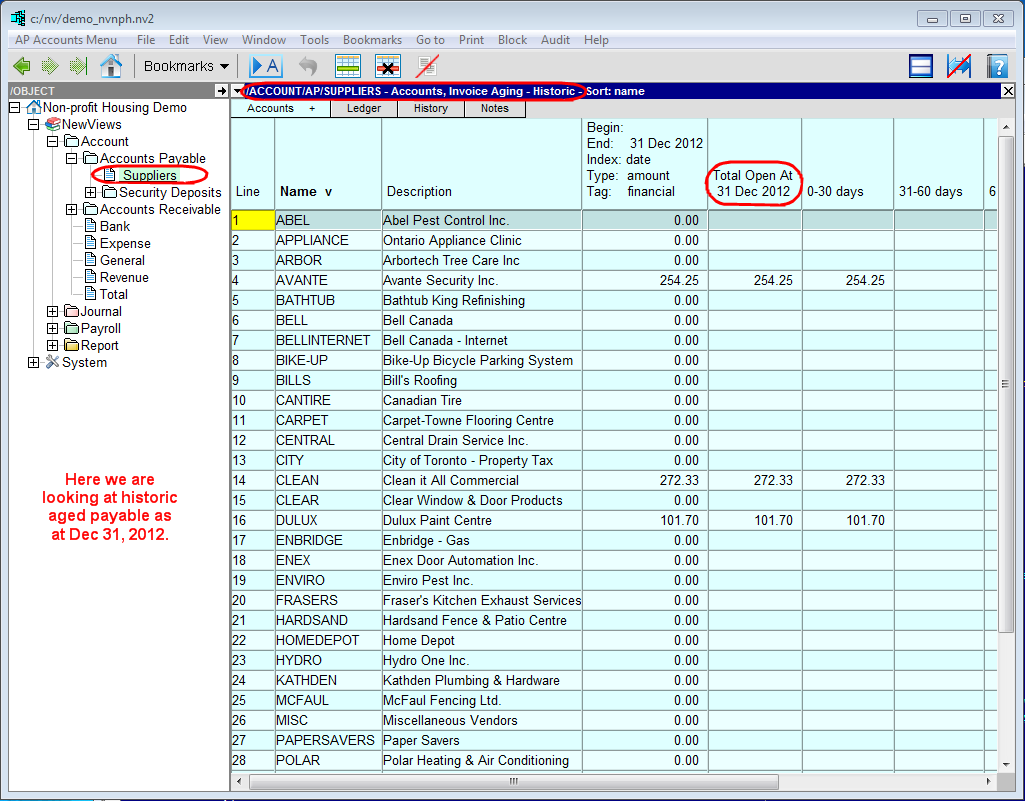
In the Database Explorer, activate (click on) Suppliers.
Suppliers can be found by expanding the following folders: NewViews/Account/Accounts Payable
Click the Accounts tab and choose the Invoice Aging - Historic view.
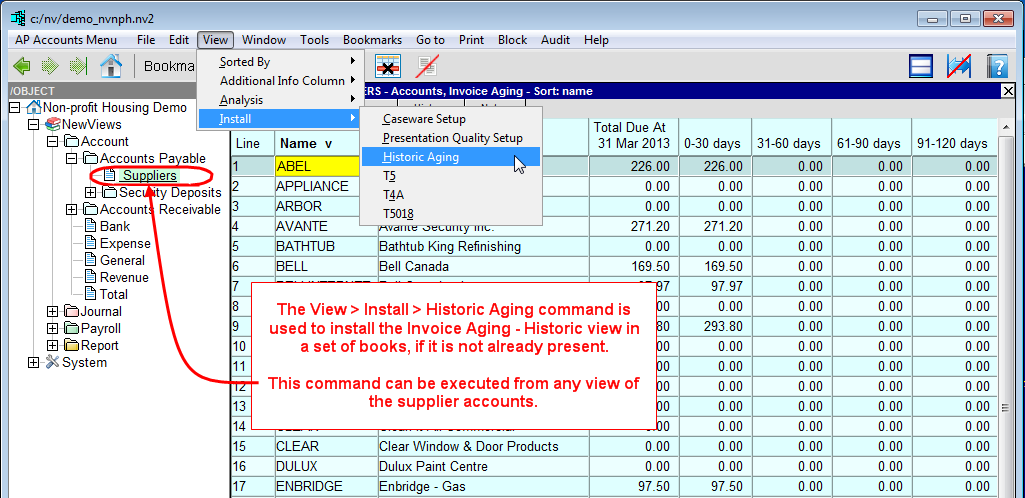
Note: If the Invoice Aging - Historic view is not listed on the Accounts + tab, it may have to be installed in the books. This can be done using the View>Install>Historic Aging command. Once this view is installed it will remain in the list of views accessed with the Accounts + tab.
Change the date used for historic aging by double clicking the header of the Total Open At (date) column. Enter a new date in the End Date field (line 11).