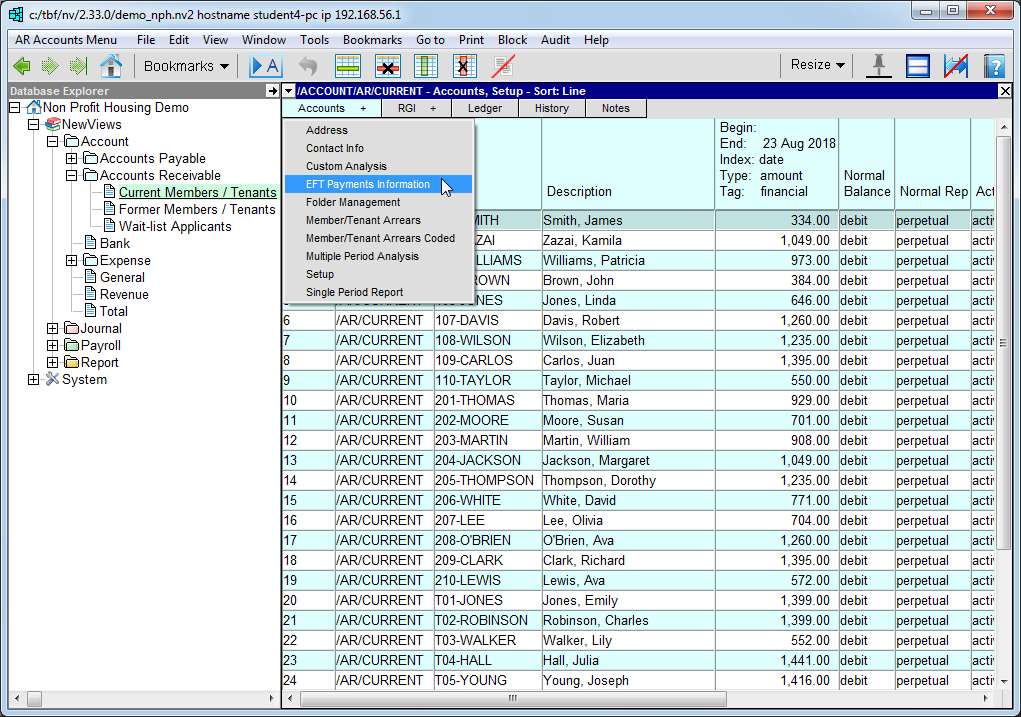
In the Database Explorer, activate (click on) Current Members/Tenants.
Current Members/Tenants can be found by expanding the following folders: NewViews/Account/Accounts Receivable
Click Accounts + and choose EFT Payments Information.
The EFT Payments Information view will be displayed.
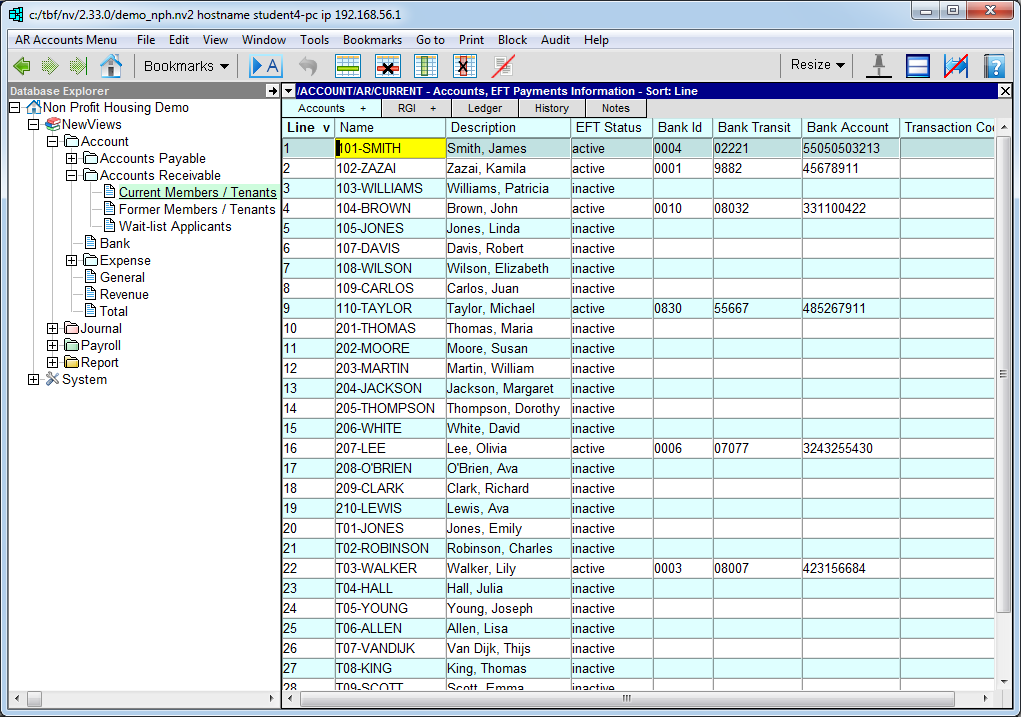
Position on the EFT Status field of the member/tenant account and press <F3> to choose active.
Enter the following details for the account:
- Bank ID
- Bank Transit
- Bank Account
Leave the Transaction Code field blank
Repeat the process for all member/tenants from whom you will be receiving payments for housing charges by PAD.