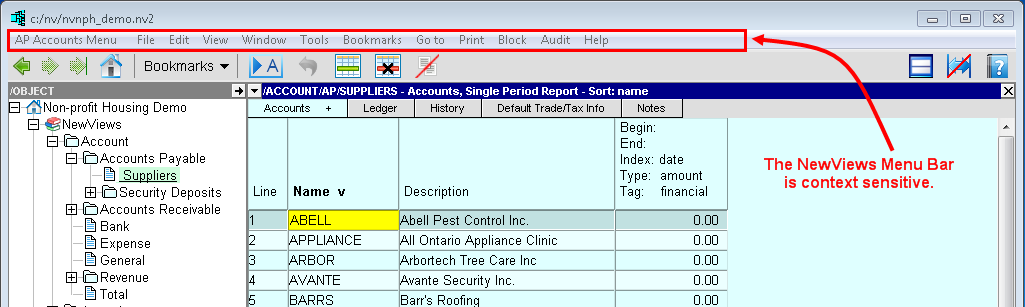
In NewViews, a desktop or work area is a collection of windows that display information that is related in some way.
The context sensitive menu baracross the top of the work area provides access to all NewViews commands. The menu can also be accessed by clicking the right mouse button on any visible table.
For more information on the menu, see Menu Commands and Commands and Shortcut Keys.
The toolbar provides navigation buttons, a bookmarks button and several other button shortcuts.
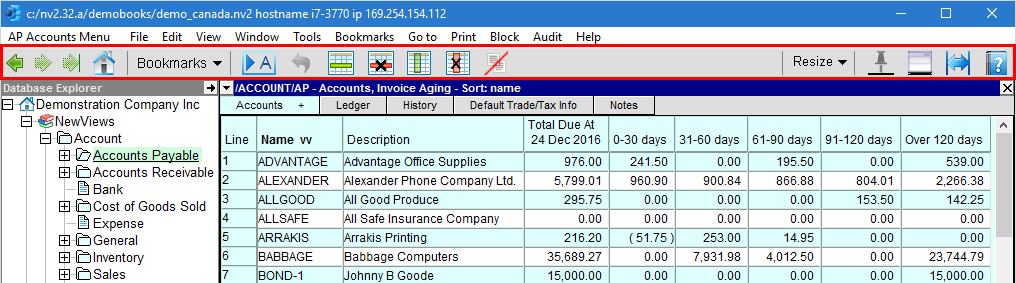
See The Toolbar for details.
A NewViews Desktop is designed to display a collection of accounts (organized by account type or on a report), an account ledger and transaction details at one glance.
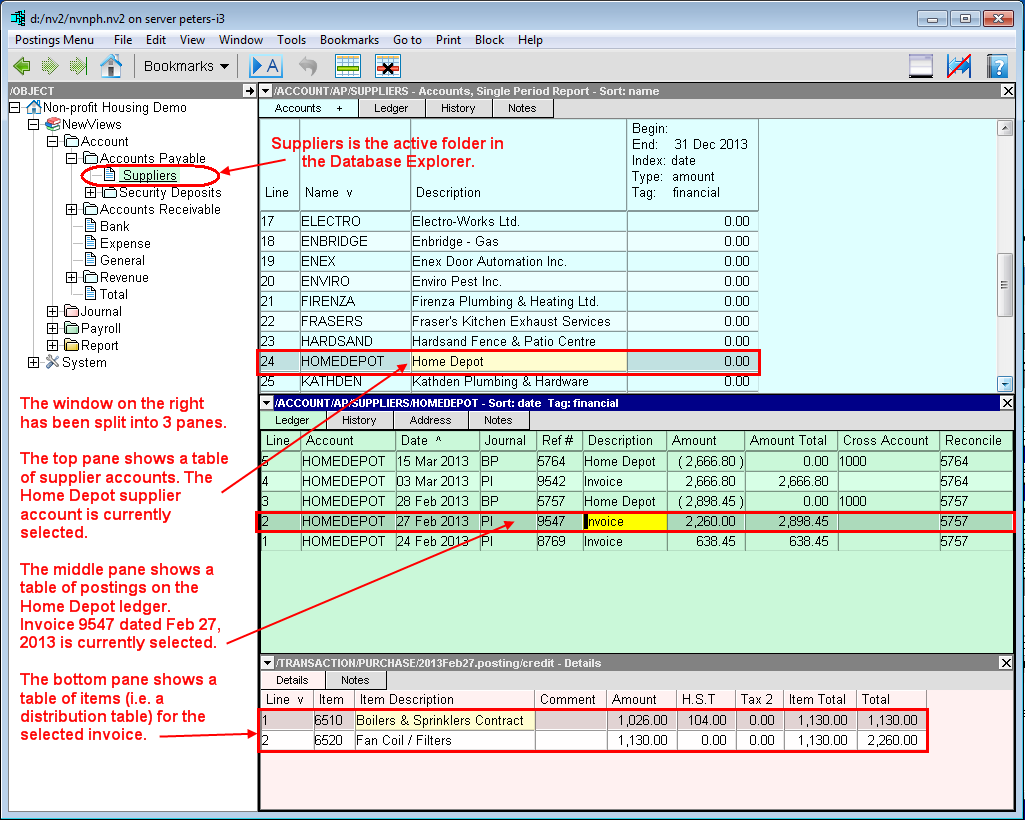
Although it is often beneficial to view several levels of detail on the screen simultaneously, at times you will want to focus your attention on one or two windows only.
Individual windows are mainly controlled using the <Open Window Detail> button on the right hand side of
the toolbar, the close  button in the top right hand corner of individual windows and the
title bar (i.e. to raise or lower the height of the window).
button in the top right hand corner of individual windows and the
title bar (i.e. to raise or lower the height of the window).
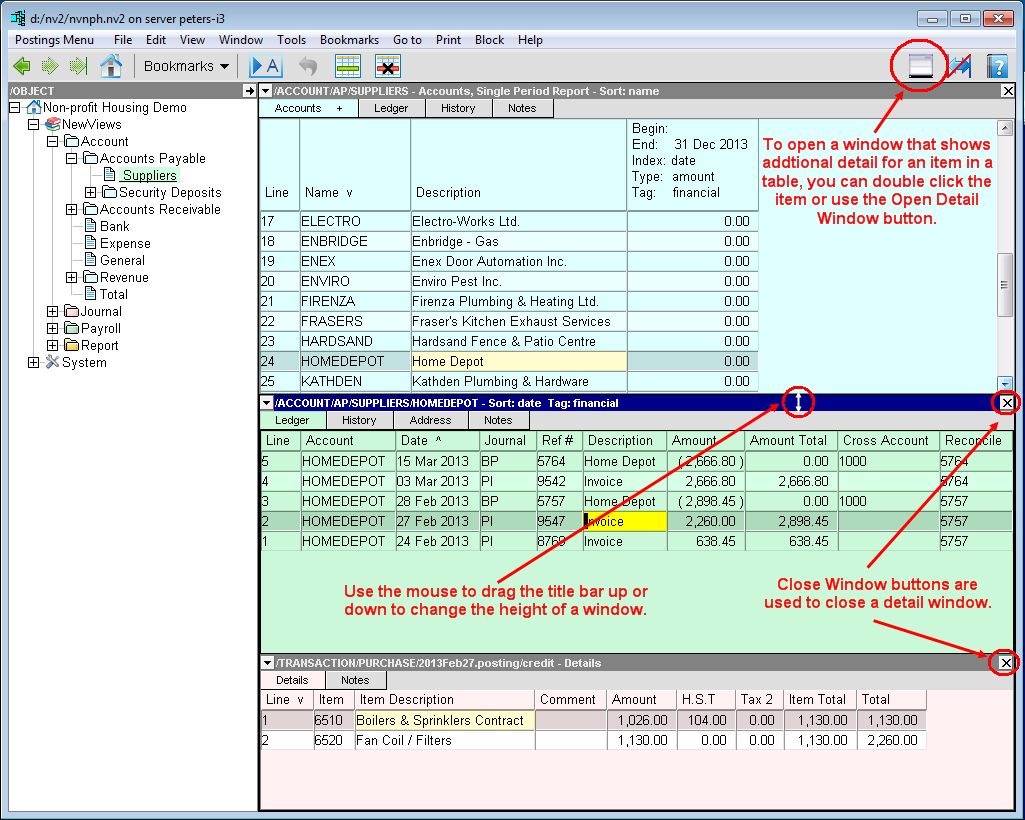
See Customizing Desktops for more information.
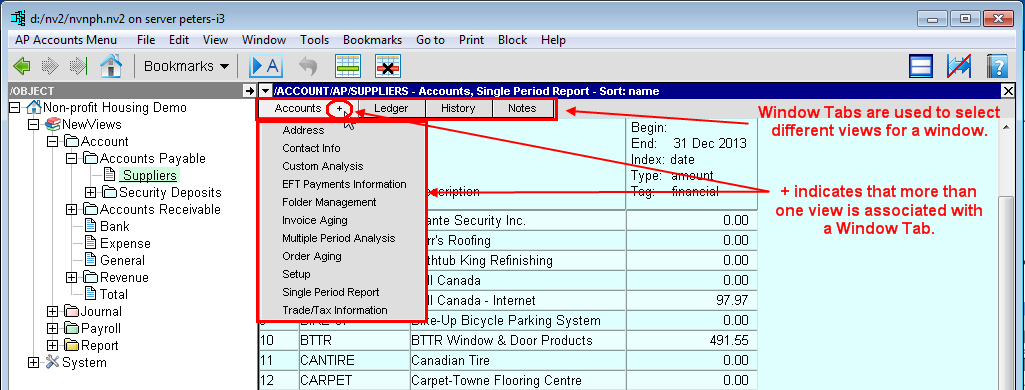
Windows have tabs (displayed across the top of the window) that can be used to select different views for that window. A + indicates that more than one view is associated with that tab.
Clicking the window list button (the triangle located at the left end of the title bar for that window) will also display a pull-down list of available views from which you can choose.
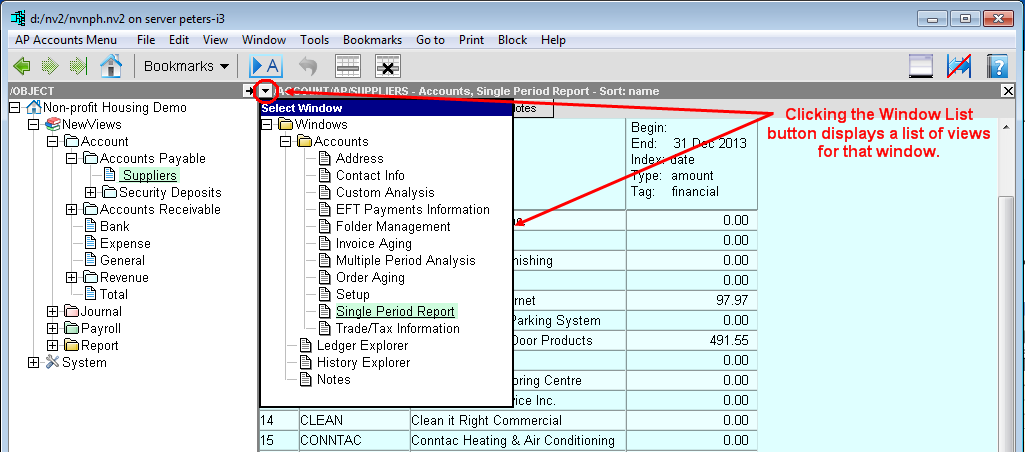
See Window Tabs and the Window List Button for details.
NewViews desktops contain four types of windows:
For more information, see Trees and Tables.
In NewViews, windows are color coded for ease of identification.
The Database Explorer, menus and note windows have a white background.
Report tables (i.e. a list of reports) and Journal tables (i.e. a list of journals) have a beige background.
Account tables (i.e. collections of accounts, grouped by account type or on a report) have a blue background.
Posting tables (i.e. account ledgers) have a green background.
Transaction tables (i.e. journal transactions) have a pink background.
Detail tables (item detail for postings in ledgers or transactions in journal) have a pink background.
These colors have been setup throughout the system for consistency and to aid in orientation. They cannot be modified by the user.
NewViews provides a customizable windows environment where each user may have their own custom interface. Within each window, the size of the text can be enlarged or reduced using the mouse wheel in combination with the control key. Additionally, each table column can be moved, re-sized or hidden. This has no effect how other users view the same table on the same computer, as these changes are stored by user ID within each workstation.