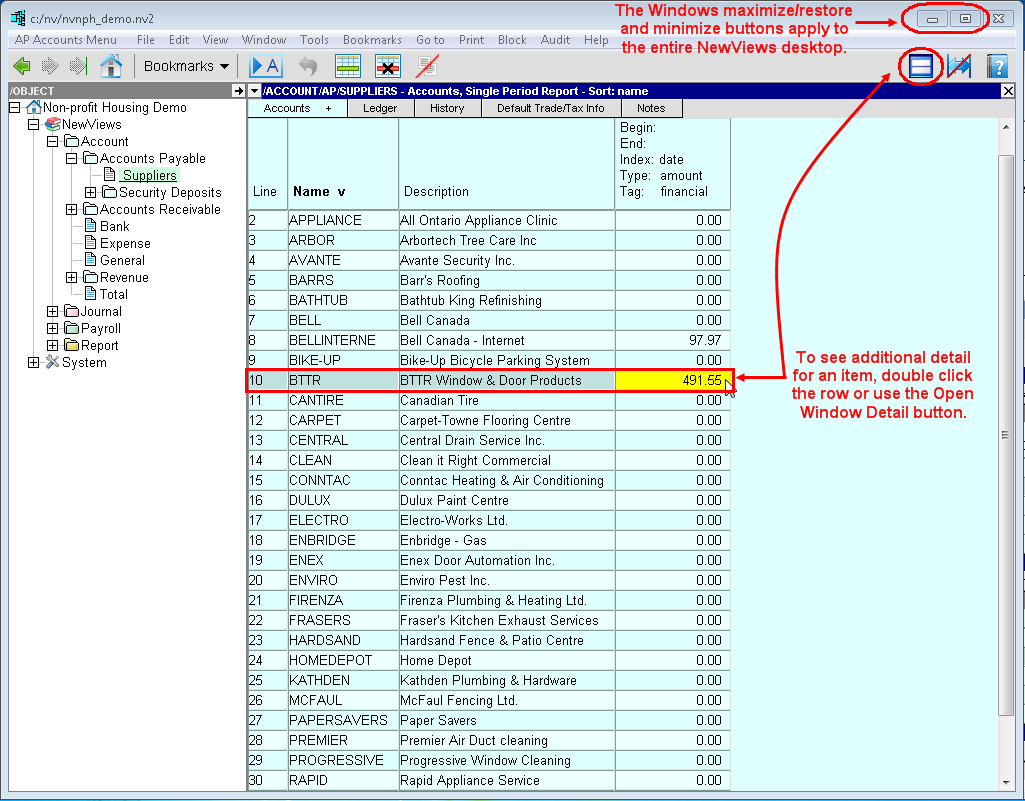
The entire NewViews Desktop can be maximized or restored by clicking the Windows maximize/restore buttons in the top right corner of the desktop.
Whenever additional levels of detail are available for an item in a table, you can open a window to view them by double clicking the item or by clicking the <Open Detail Window> button on the right side of the toolbar.
As an example, a common way to look at reports would be with all levels of detail on the screen, like the Accounts Payable sub-ledger shown below.
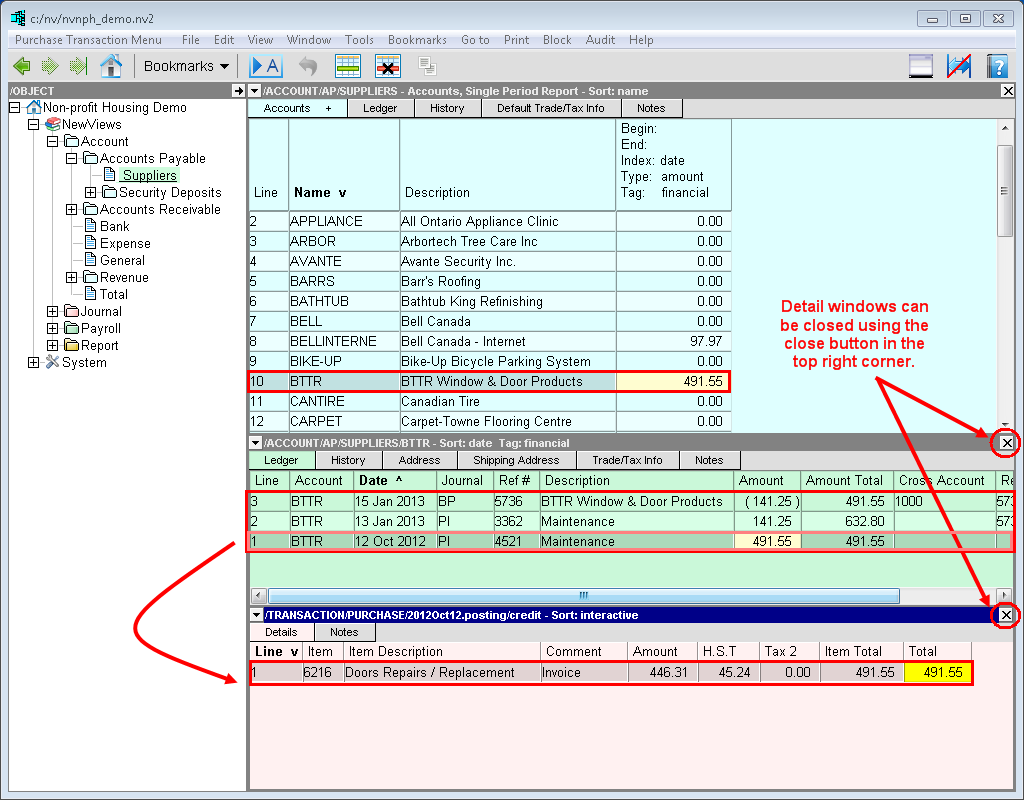
Although it is often beneficial to view several levels of detail on the screen simultaneously, there will also be times when you will want to focus your attention on one or two windows only.
You can close a detail window by clicking the close  button in the top right corner of the window.