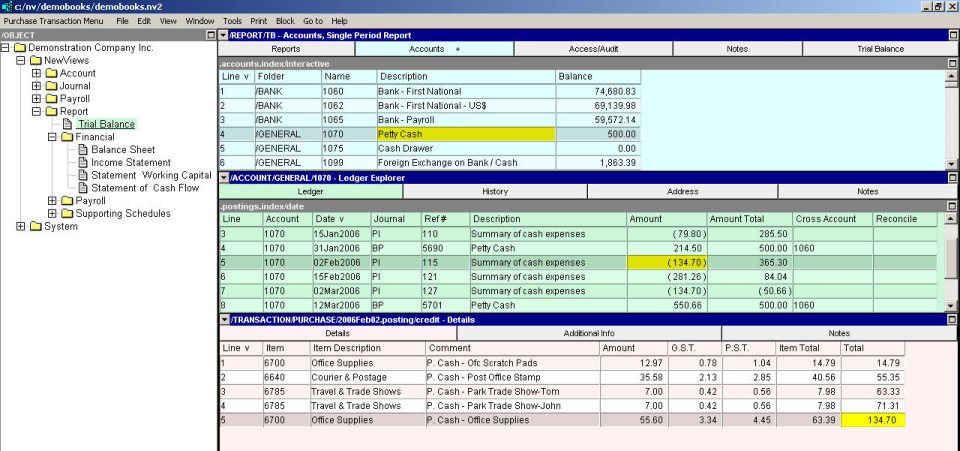
To add a complex transaction to an account ledger:
Activate the account to which the transaction is to be added.
Press <Alt+E+A> or issue the command Edit>Append to add a new item to the table. (NOTE: The line number is generated automatically.)
If the journal specified in the journal field is not the correct one to be used for the journal entry that is automatically generated by NV2, activate the journal field and press <F3> to select another journal (double click to select the journal name). NOTE: If the same journal is used for all transactions on a particular account, you can preset the journal field using the Edit>Default Value>Set command.
Enter the date, reference and description. Do not enter the amount, since it is generated automatically from the items on the distribution. Also, do not enter the cross-account, since transaction detail items cross talk individually to corresponding cross-accounts.
Activate the transaction detail table by clicking anywhere in the transaction detail window or by pressing <F6>.
Add an item to the transaction detail table for each transaction detail. Fill in the cross-account name (type or press <F3> to select), description and amount for each item.