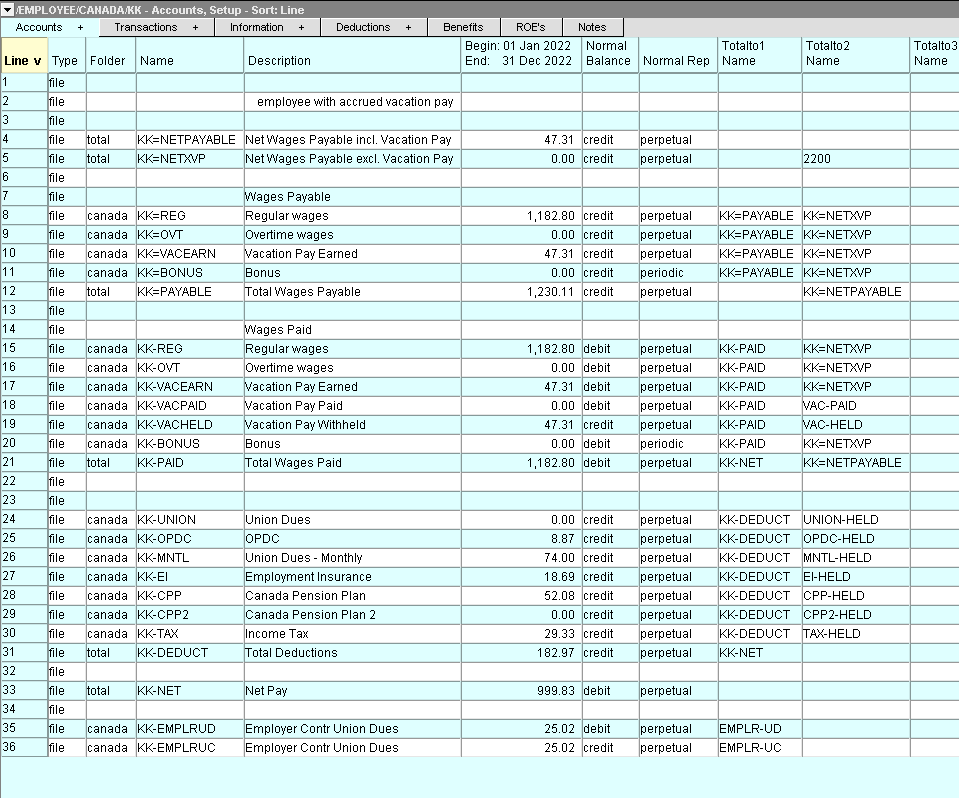
To pay an employee, the earnings and deductions are posted to a group of accounts that are specific to that employee. For example, a salaried employee, who has EI, CPP, and Income Tax deducted, would require four accounts; one for the salary earnings, and three for the deductions. An employee can have an unlimited number of earnings and deductions accounts.
Earnings accounts have a debit normal balance, and total to expense accounts such as Wages Expense or Salaries. Deduction accounts have a credit normal balance, and total to liability accounts such as the Employee E.I. accrued account.
Amounts posted to earnings accounts increase the net amount of the paycheck. Amounts posted to deduction accounts reduce the net amount of the paycheck.
Each account has a set of Pay Codes that control the type and/or amount of the earning or deduction.
Employee accounts are viewed and edited in the Accounts Setup window, which is a split pane window. The top half (middle pane) displays a table of payroll accounts for the active employee. The bottom half (bottom pane) displays either a Pay Code window or a Ledger window for the active account. The window tabs below the title bar that reads ACCOUNT/PAYROLL/CANADA/(payroll account name) are used to switch between these two windows.
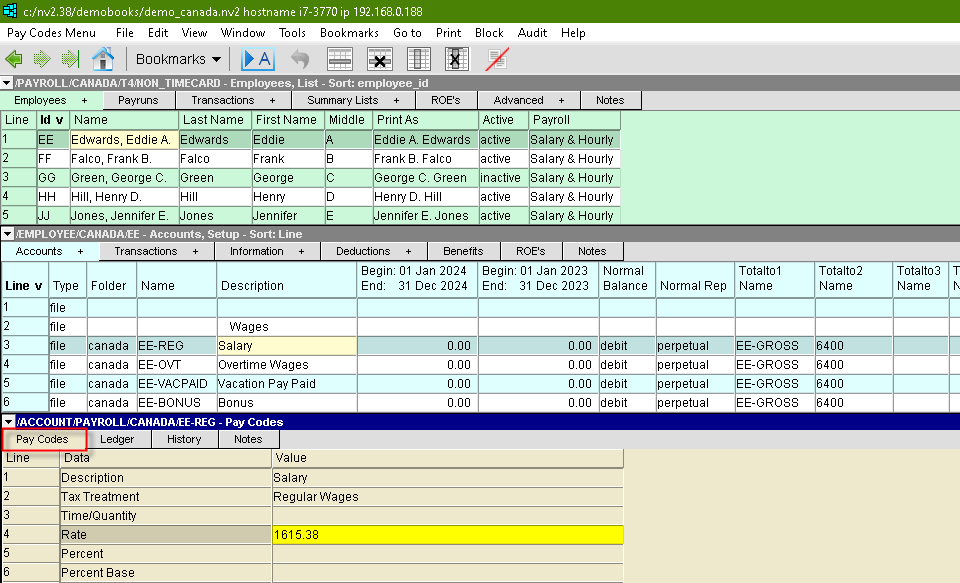
The account structure for using timecard payroll differs slightly. Notice in the picture below the "Wages Payable" section. Also notice that the separator character for this section is a equals (=) character.