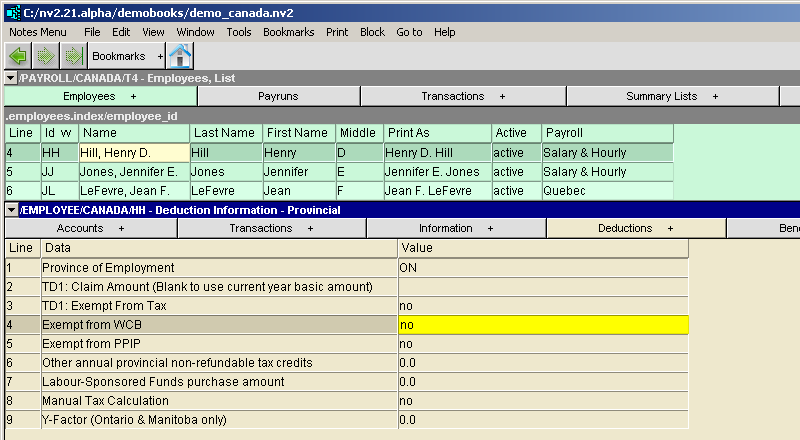
Employee - Provincial Deduction Information Window
|
Line
| Field
| Value
|
1
| Province of employment
| The employee's province of employment (2 letter code) (press <F3> to select.)
|
2
| TD1: Claim amount (blank to use current year basic amount)
| This field specifies the claim amount from the employee's provincial TD1 form. Only enter an amount if it is different from the current year's basic amount.
|
3
| TD1: Exempt from tax
| This field (from the TD1 form) specifies whether the employee is exempt from provincial tax.
|
4
| Exempt from WCB
| This field specifies whether the employee is exempt from the Workers' Compensation Board employer payroll tax.
|
5
| Exempt from PPIP
| This field specifies whether the employee is exempt from the Provincial Parental Insurance Program (PPIP).
|
6
| Other annual provincial non-refundable tax credits
| The total amount of any provincial non-refundable tax credits is entered in this field.
|
7
| Labour-sponsored funds purchase amount
| The annual amount of labour-sponsored funds is entered in this field.
|
8
| Manual tax calculation
| If the tax deduction is to be entered manually for every paycheck, enter yes is in this field.
|
9
| Y-Factor (Ontario, Manitoba, Saskatchewan and British Columbia only)
| The number of dependents used to calculate the Y factor for an employee, if applicable, in Ontario, Manitoba, Saskatchewan or British Columbia.
|