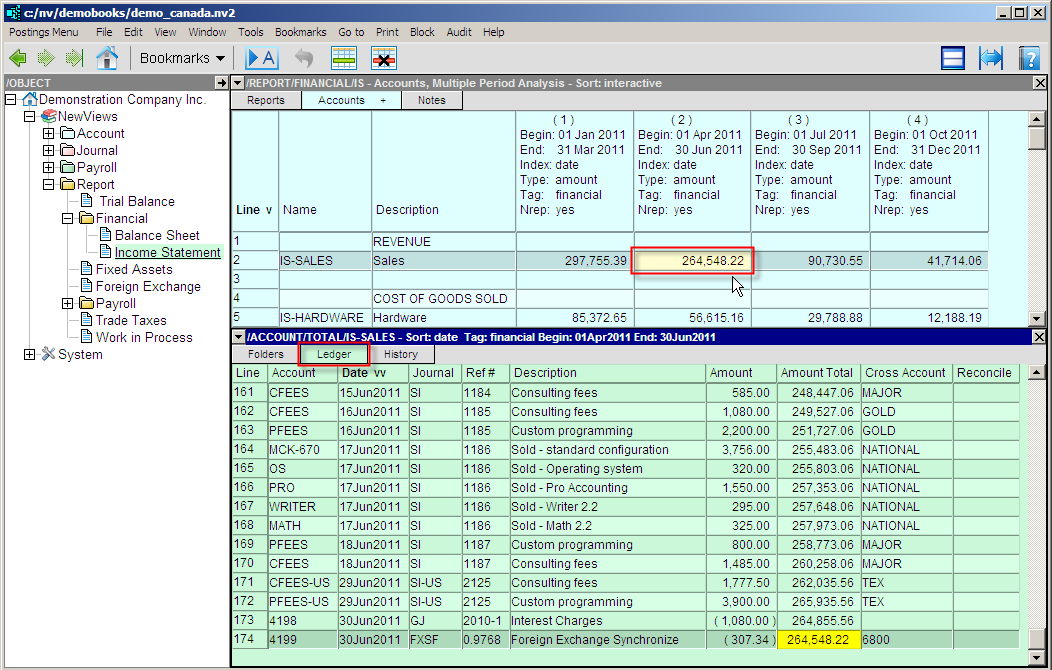
To look at the details of the Income Statement, you click the Income Statement Report in the NewViews Database Explorer. Here, we are looking at the Income Statement in the top right window. The bottom window displays the account ledger for the active account, which is the Sales account. The ledger that is displayed for the Sales account on the Income Statement (which is a total account) contains all transactions from all accounts that total to the Sales account.
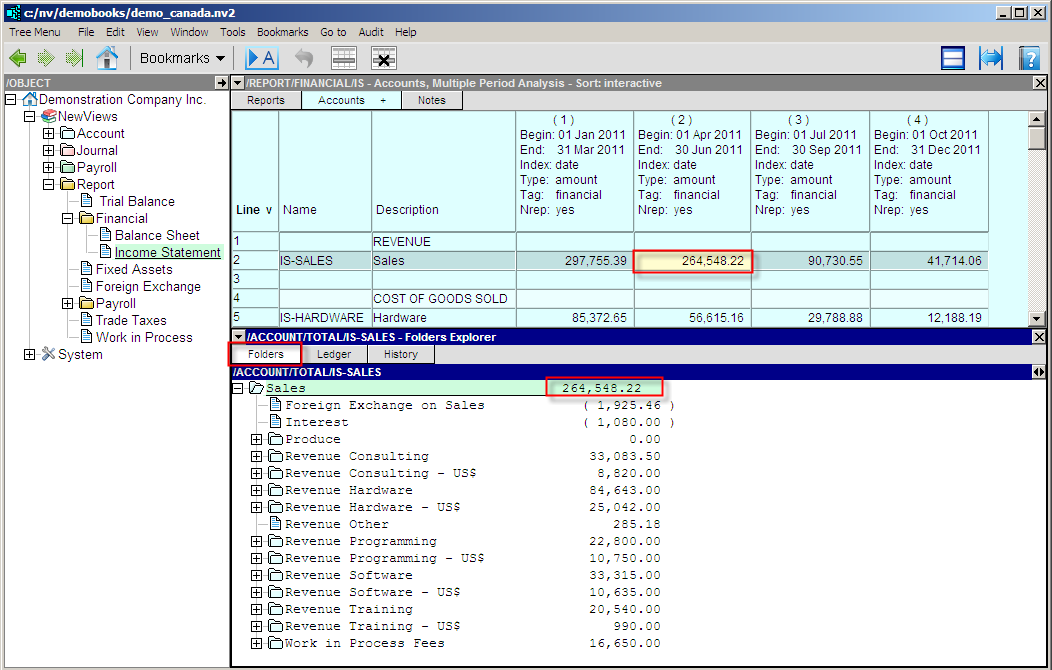
You can also look at the accounts that total to the Sales account on the Income Statement by displaying the Total To Explorer window. This window shows you exactly what accounts contribute to the account balance of the Sales account.
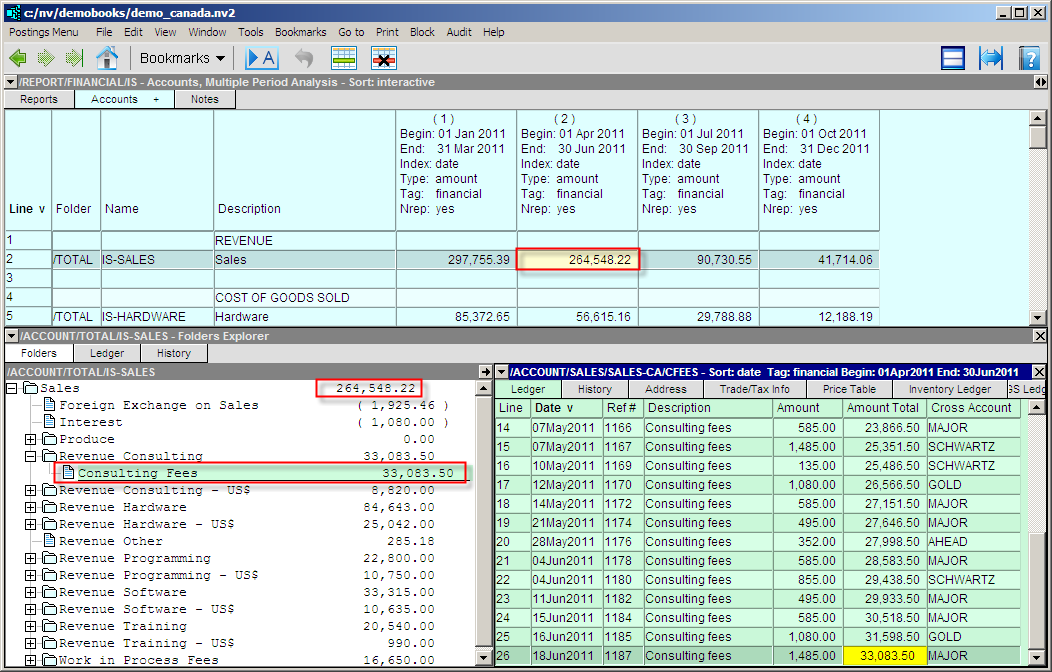
You can always see what accounts contribute what amounts to any total account in your books. Since NewViews allows you to control the size and position of all windows, here we have hidden the window displaying the NewViews Database Explorer in order to see more accounting data on the screen. We have also chosen to show transactions detail for the accounts displayed in the Total To Explorer (i.e. the bottom right window displays an account ledger for the active account in the Total To Explorer).