A journal that is type "general" is commonly used as a catch all for transactions that don't really have a type, like an adjusting entry to recognize something for period end statements.
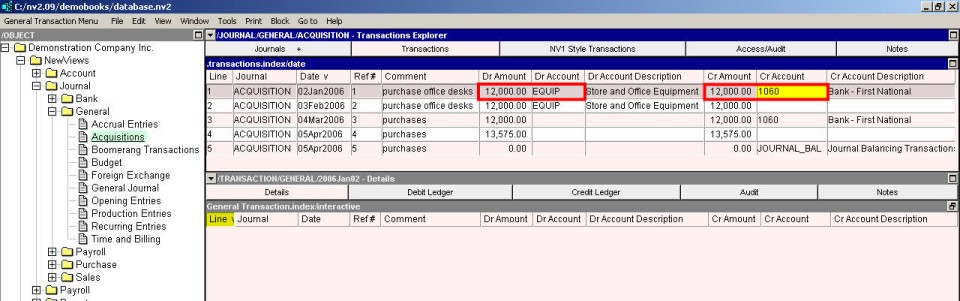
Shown below is an example of the simplest form of general journal entry. One account is debited and one account is credited by an equal and opposite amount.
Shown below is an example of a "complex" general journal entry. One account is debited in the transaction header, and several accounts are credited in the transaction detail items. Note that once the header account is selected it is displayed on each item in the details, to show that it is inherited from "above". In this case it is an error the attempt to edit the debit account on the detail item.
The sum of the credits in the detail items is the amount of the single posting to the debit account.
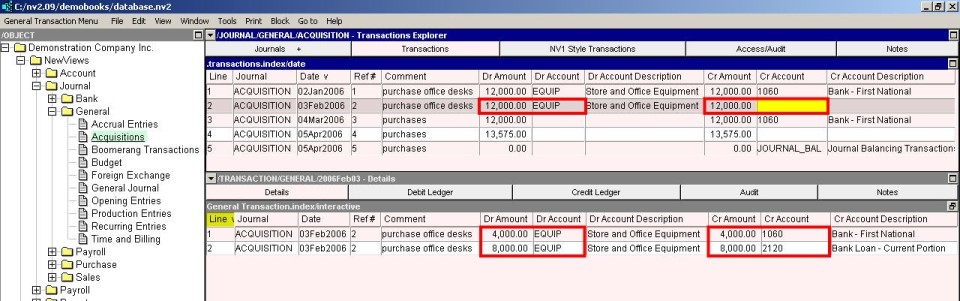
Shown below is the another example of a "complex" general journal entry. One account is credited in the transaction header, and several accounts are debited in the transaction detail items. Note that once the header account is selected it is displayed on each item in the details, to show that it is inherited from "above". In this case it is an error to attempt to edit the credit account on the detail item.
The sum of the debits in the detail items is the amount of the single posting to the credit account.
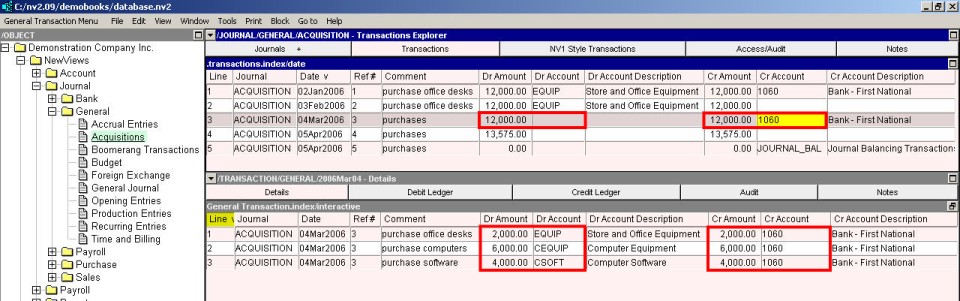
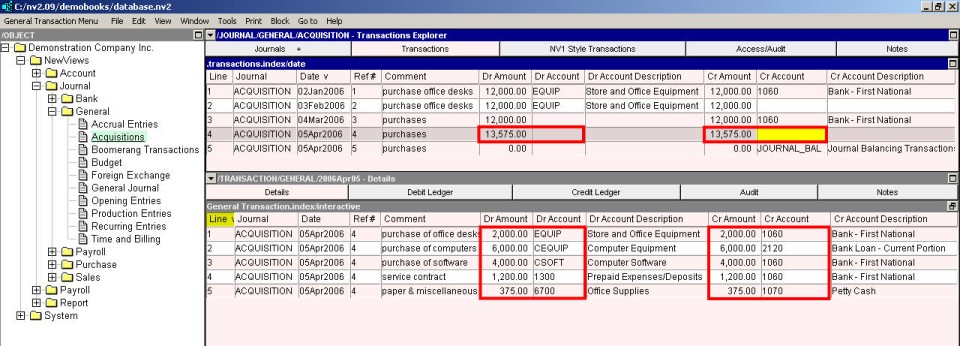
Shown below are two examples of the last type of "complex" general journal entry.
No accounts are selected in the transaction header. Instead, both a debit account and a credit account are selected in the transaction detail items.
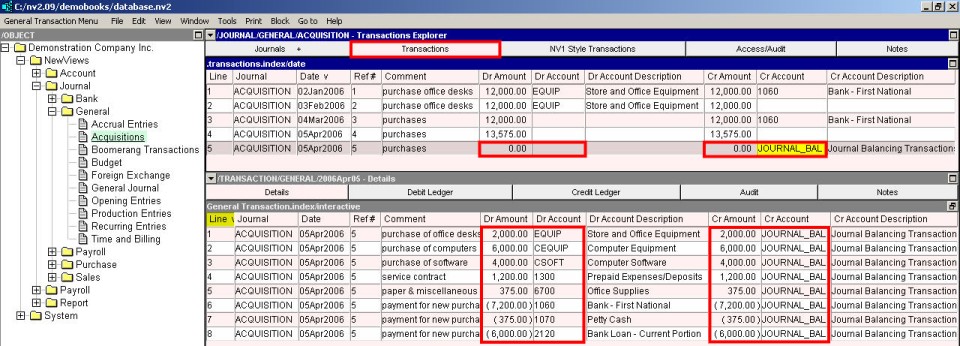
This style of entry can be cumbersome and is exposed to errors by a sloppy operator. So, another style of entry is provided (it was available and popular in NV1 - hence the name).
In this case, the header credit account is filled in automatically, to a "JOURNAL_BAL" account, and it is not displayed. The idea is that each detail item debits an account if the amount entered is positive, or credits an account is the amount entered is negative.
A running balance is provided and it should be zero at the end of the detail items. Note also that the running balance can be edited directly, and the posting amount will be adjusted accordingly. This provides a convenient way to "finish off" a transaction (i.e. punch the running balance to zero).
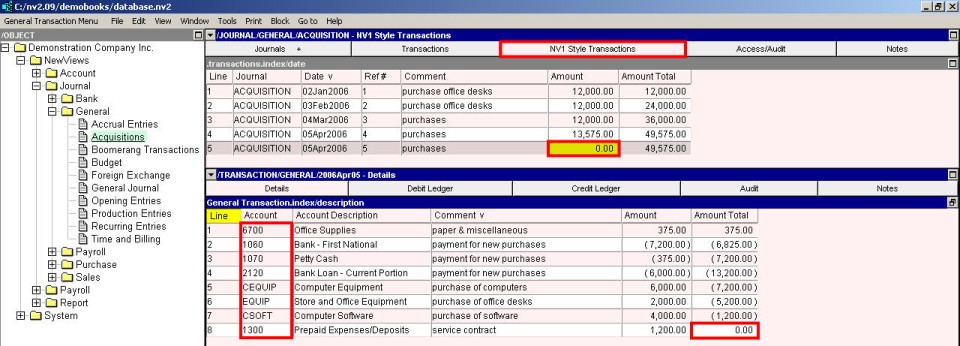
For completeness, the same transaction is shown again below, this time displayed using an NV2 style format.