Activate NewViews/Report in the NV2 Database Explorer.
If a table of reports is not displayed in the window on the right side of your screen, use the window select button at the left of the title bar that reads /REPORT to choose the Sub Reports window.
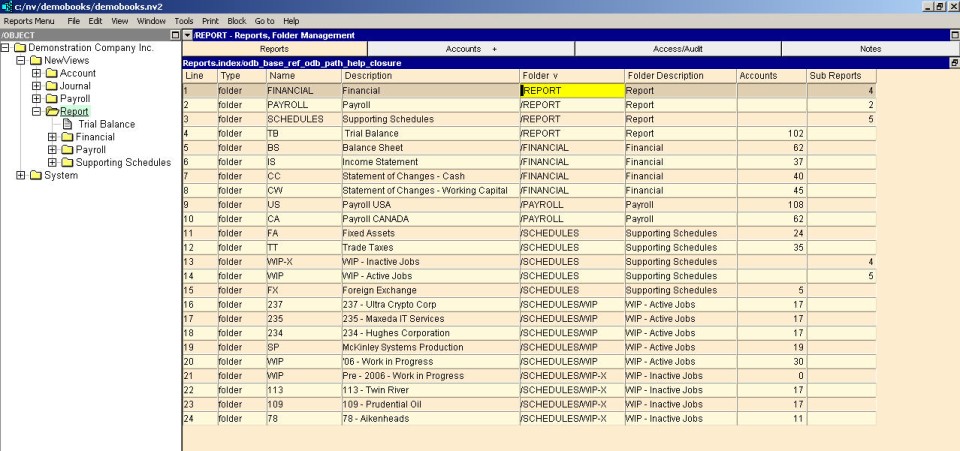
Activate the line above or below where you want to add the new report. (This step is not crucial as the report can always be moved later, see Moving Accounts for more information.)
Issue the command Edit>Insert to add the new report above the active line or Edit>Append to add the new report below the active line. NOTE: The positioning of the new report is only an issue if the report table is in line (interactive) order. If the report table is in name or description order, the Edit>Insert and Edit>Append commands can be used interchangeably since the report will automatically be placed in the proper position.
Fill in the name and description fields for the report (the number displayed in the number of accounts field is generated automatically).