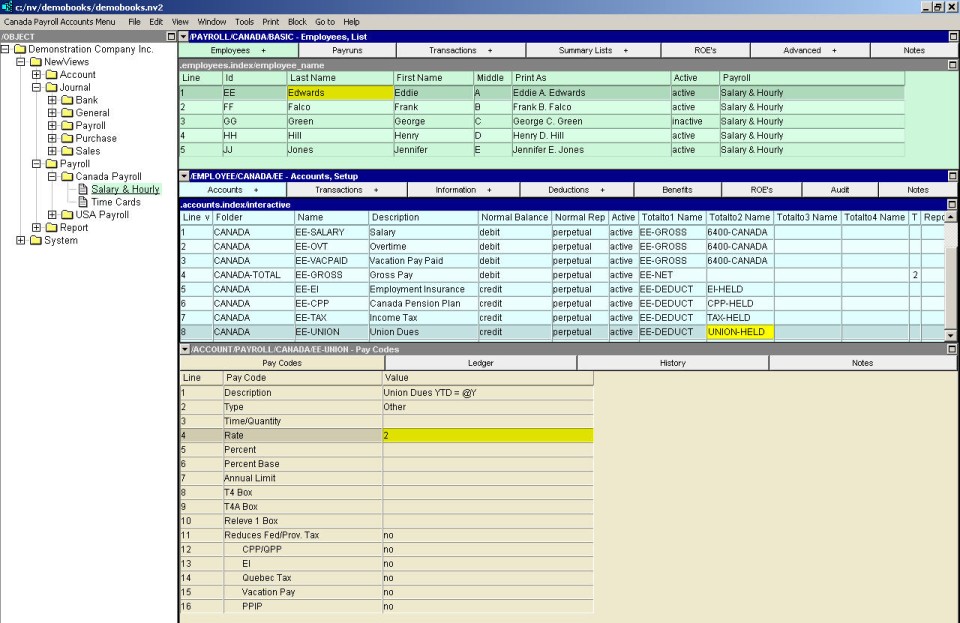
In the Employees-Required Information window (top pane), activate the employee for which the deductions account is to be added.
In the Accounts-Setup window (middle pane), issue the command Edit>Insert to add the deductions account above the active line or Edit>Append to add the deductions account below the active line. NOTE: If necessary, the account can be moved later using the Block>Move command.
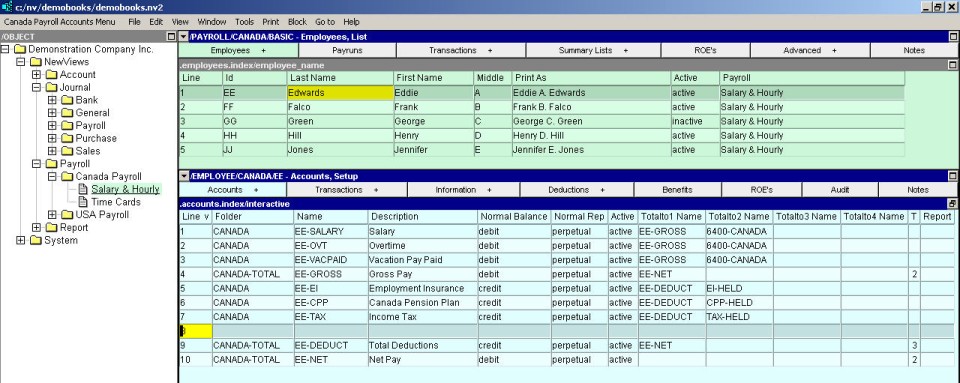
Enter the deductions account name in the Name field; the deductions account description in the Description field, and credit (press <F3> to select) in the Normal Balance field.
Enter the appropriate total account names in the Totalto Name fields to ensure that the report totaling structure includes the new deduction account. (See Report Arithmetic for more information on totaling).

Pay codes for the new account are added in the Pay Code window in the bottom pane. (NOTE: If the Pay Code window is not displayed, use the window tabs in the bottom pane to select it.)