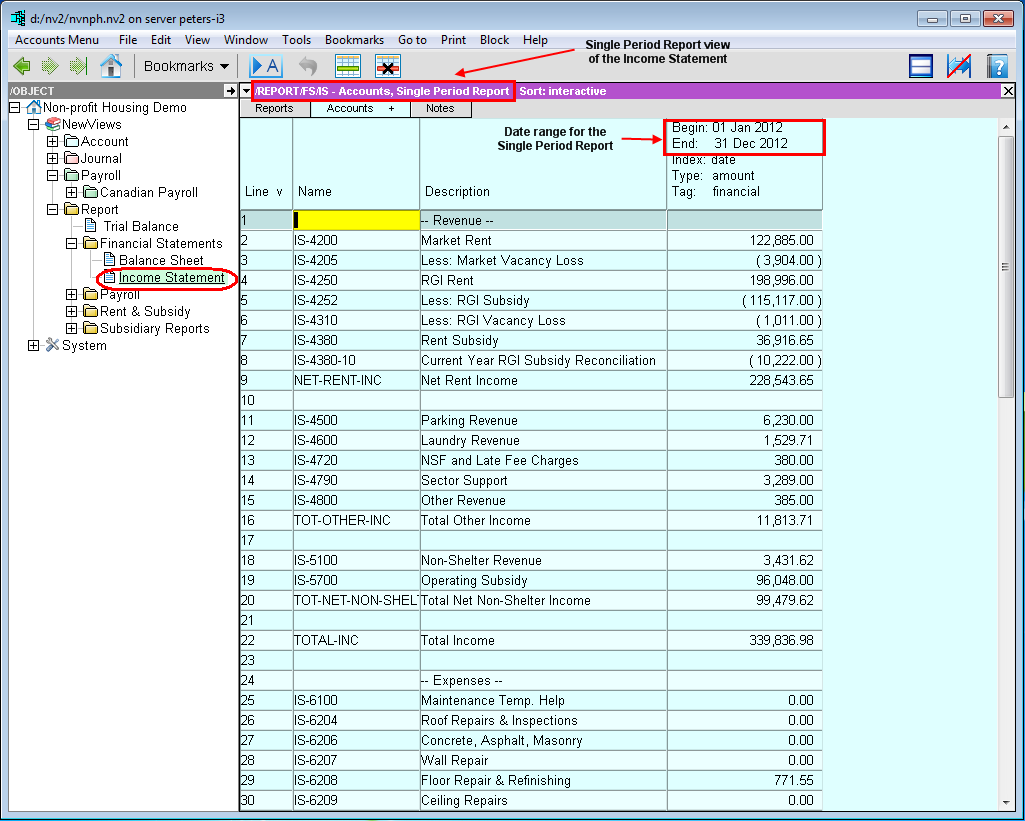
There is a rich mixture of financial and non-financial information associated with accounts, and NewViews uses Views to display different types of information. A variety of views are available for accounts at both the summary and detail level.
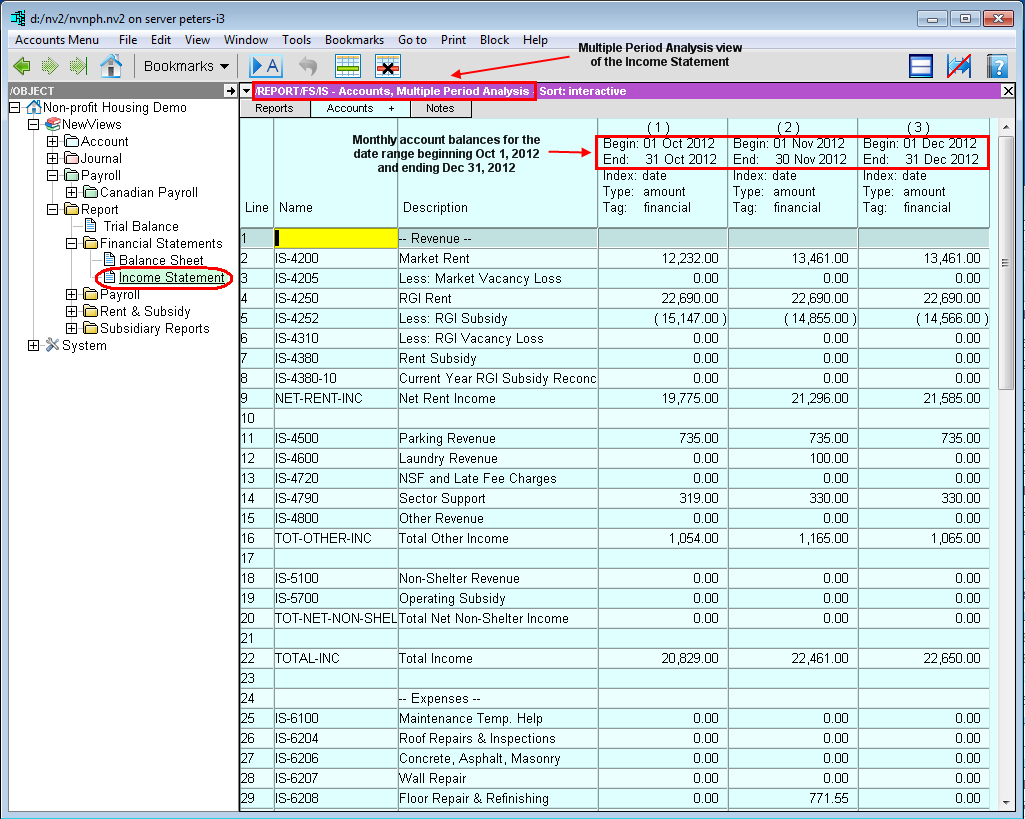
As an example, let's consider an Income Statement, which is essentially a collection of revenue and expense accounts. The Single Period Report view shows income statement account balances for a specific period. You could also choose to see account balances on a monthly basis for three months by using the Multiple Period Analysis view.
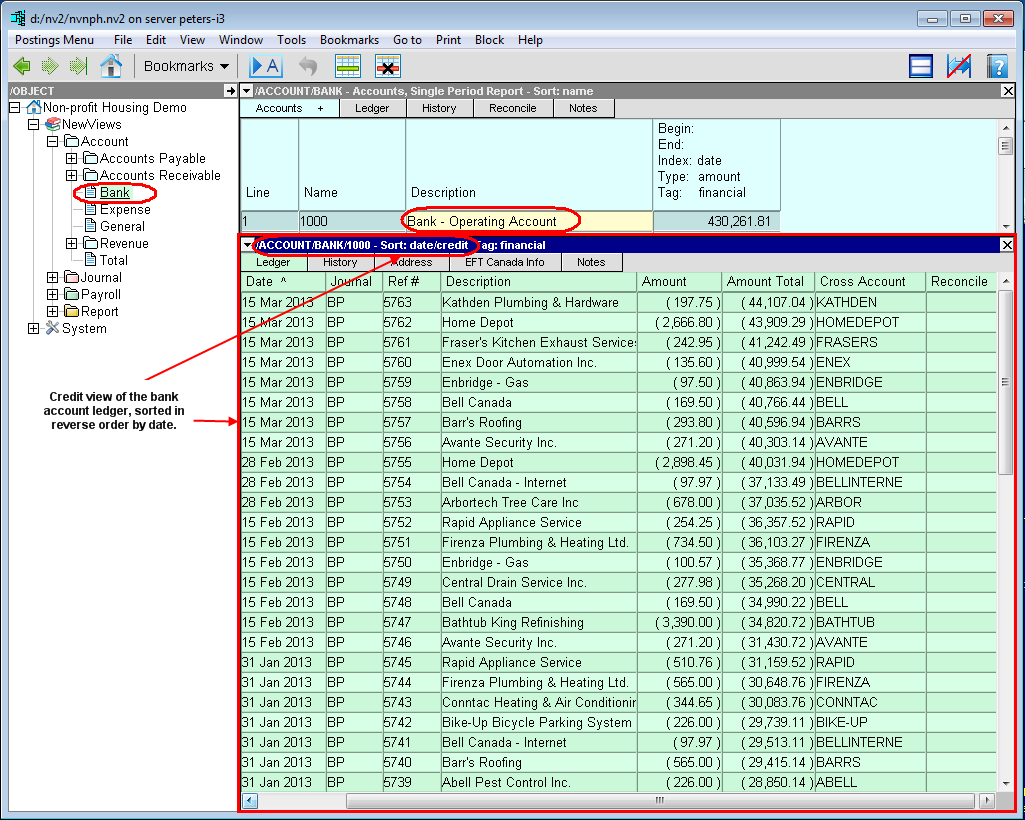
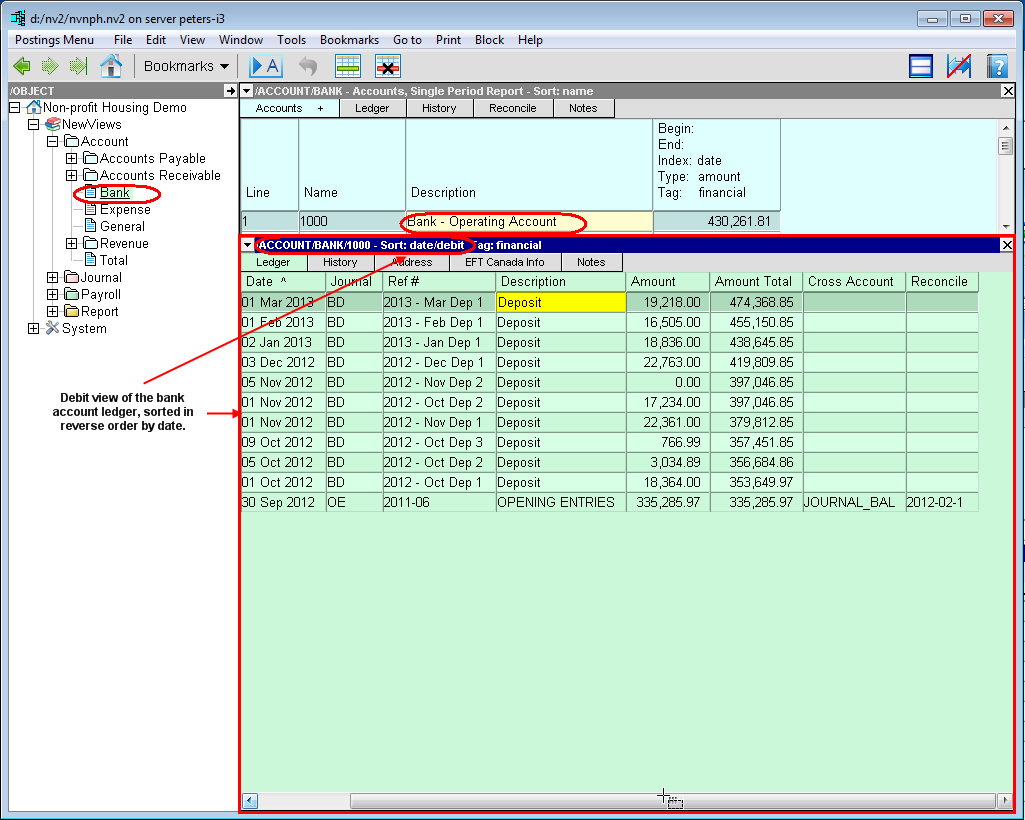
As another example, let's consider a bank account. The ledger view displays all transactions attached to the bank account. To view those transactions more selectively, you can change the view. On the credit view of the bank account, you will only see credit transactions, such as payments by cheque, withdrawals and service charges (i.e. cash disbursements). On the debit view, you will only see deposits and other debit transactions.
The Tabs displayed at the top of a window are used to change the view. Additional views may also be accessed using the View command.