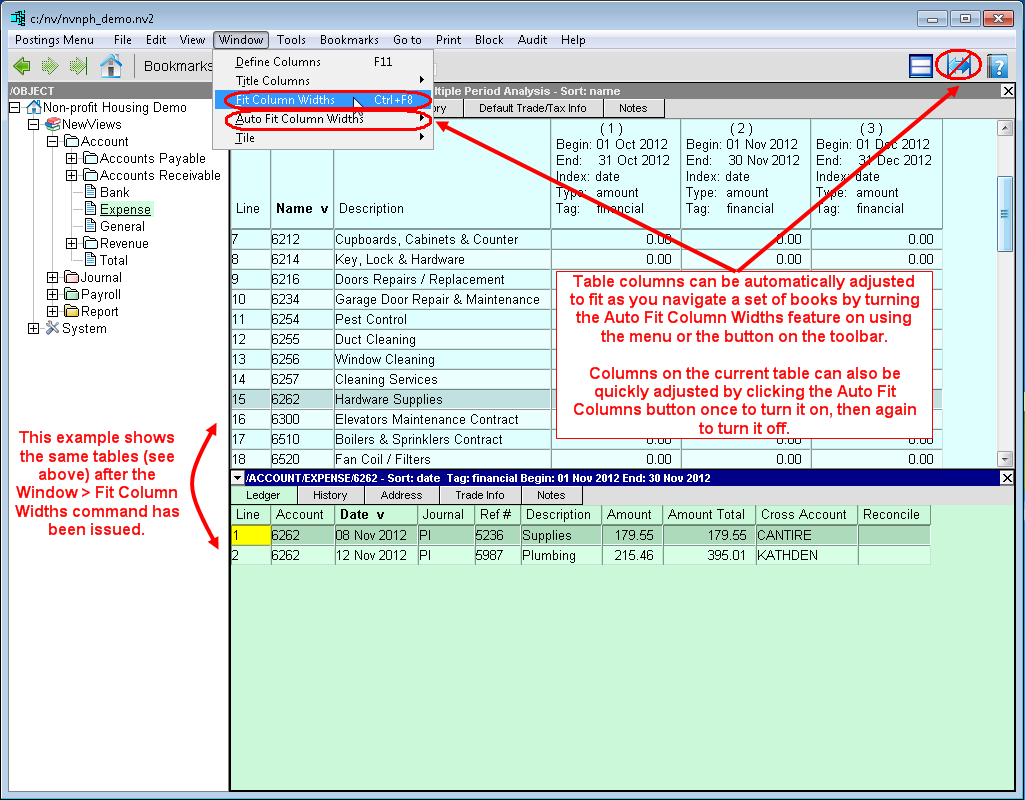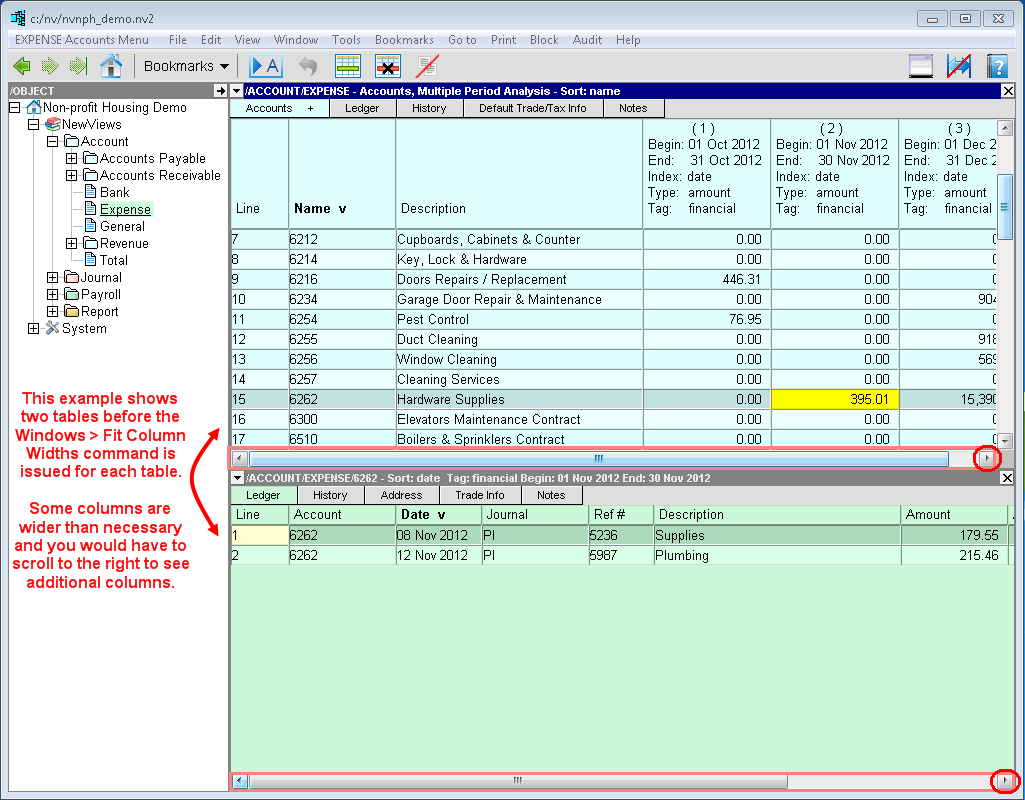
The Window>Fit Column Widths command (<Ctrl+F8>) is used to adjust the width of all columns in the active table so as much data as possible fits on the screen.
The Window>Auto Fit Column Widths command (which has a corresponding button on the toolbar), toggles this feature on or off. When this feature is turned on, columns in tables are automatically adjusted to fit as you navigate within a set a books.