Examples of where these windows can be found are shown below, followed by an explanation of how to create an account sub-folder. (Other examples of sub-folders are omitted because they function exactly the same way.)
IMPORTANT NOTE: Only users granted "Folder Management" access rights will be able to access the views shown below. Setting User Options
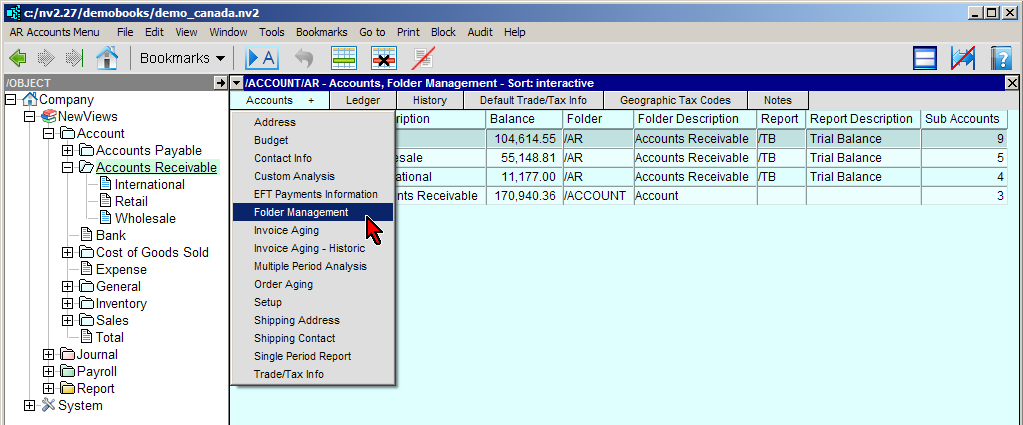
The example above shows how to position windows for sub-foldering accounts.
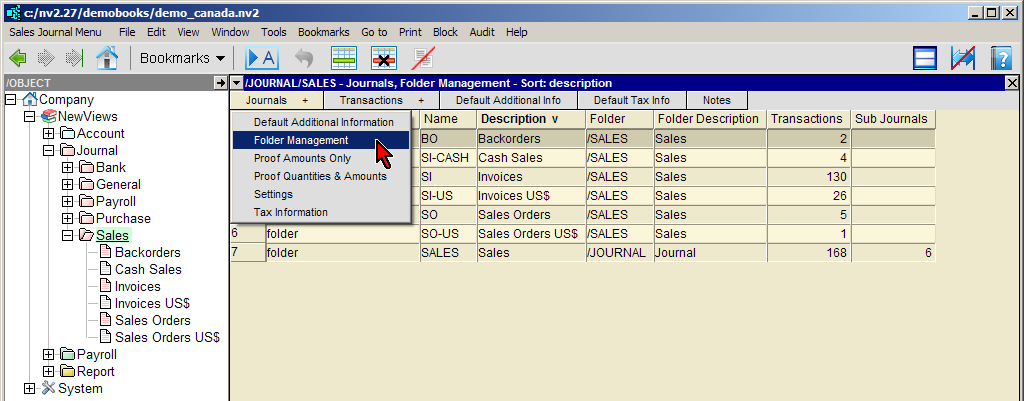
The example above shows how to position windows for sub-foldering journals.
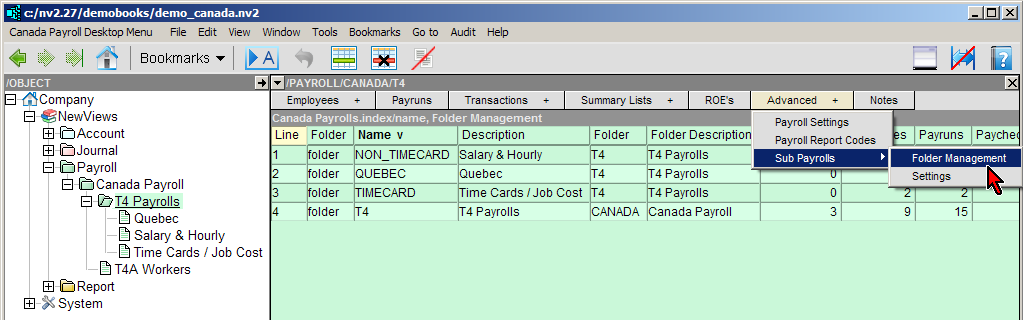
The example above shows how to position windows for sub-foldering payrolls.
Click on the Window List Button to display the drop down menu, then click on Reports.
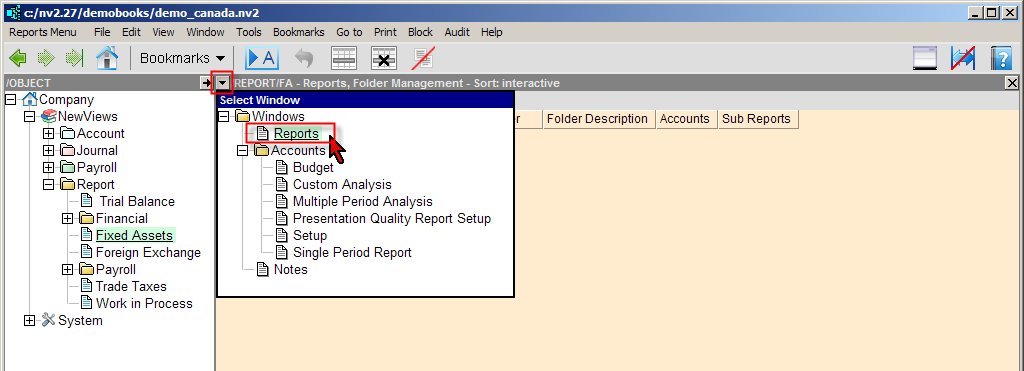
The example above shows how to position windows for sub-foldering reports.