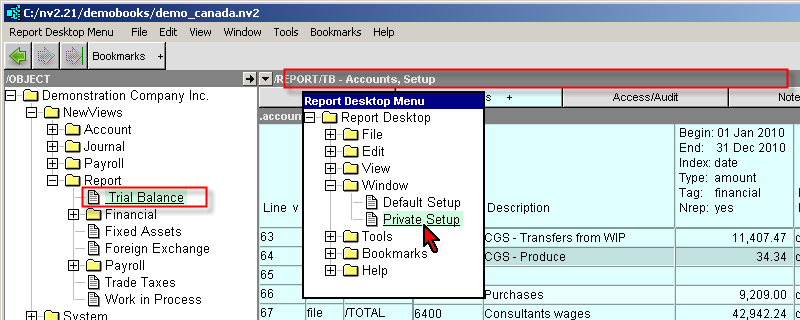
When you explore folders of the same type (e.g. vendor accounts) a set of windows is reused to display different accounts. The same is true when you explore reports, or anything else. NewViews determines the type of objects in a folder and swaps in the set of windows needed to display objects of that type. As long as you explore objects of a given type the windows are reused over and over again.
However, there are times when you want customized views, column setups and titles, etc. (This requirement is common when exploring reports). The private window setup command will create a set of windows that will only be used by the folder you execute it on.
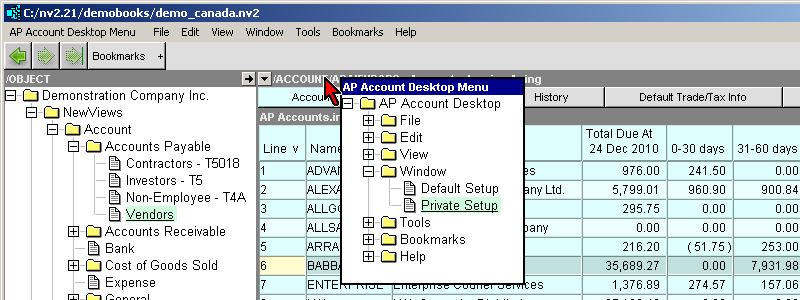
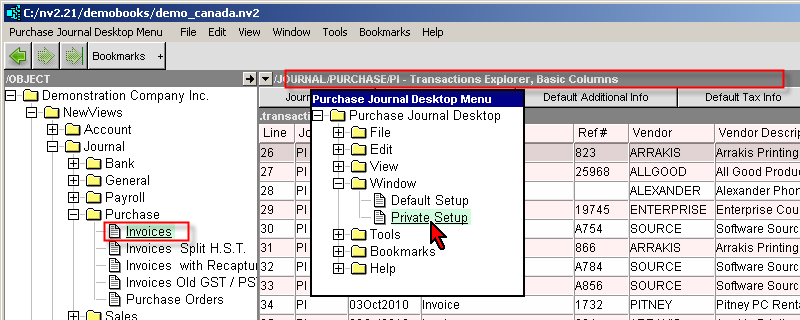
Position the mouse over the title bar of the Database Explorer desktop to be setup. Right click to access the desktop menu.
Issue the command Window>Private Setup.
A confirm prompt will appear.
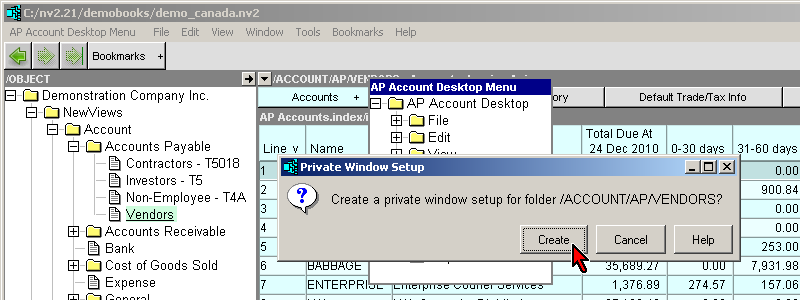
NOTE: Private window setup will only create new windows. It will not delete or alter the default setup.
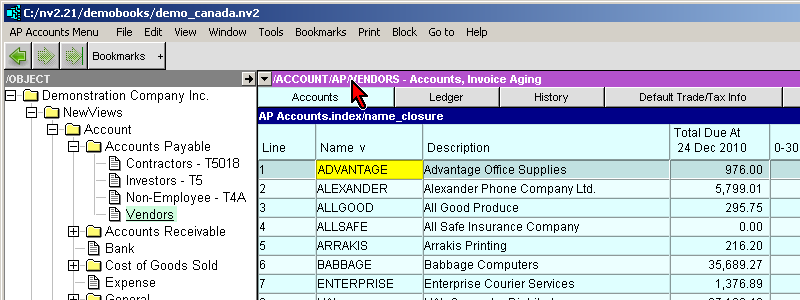
A private window setup title bar is displayed with a mauve background to provide a visual cue. Finally, executing a Window>Private Setup command on a private window setup will do nothing.
Private Desktops can provide you with the ability to have private pick roots and private views. For example, you constantly switch back and forth between a simple cash Sales journal (no quantities or backorders) and a Sales journal with all columns.
Private Desktops can provide you with the ability to have private views. For example, you constantly change reporting periods. When you create a private desktop for a report, any views and date range settings become private and are not shared with other reports.