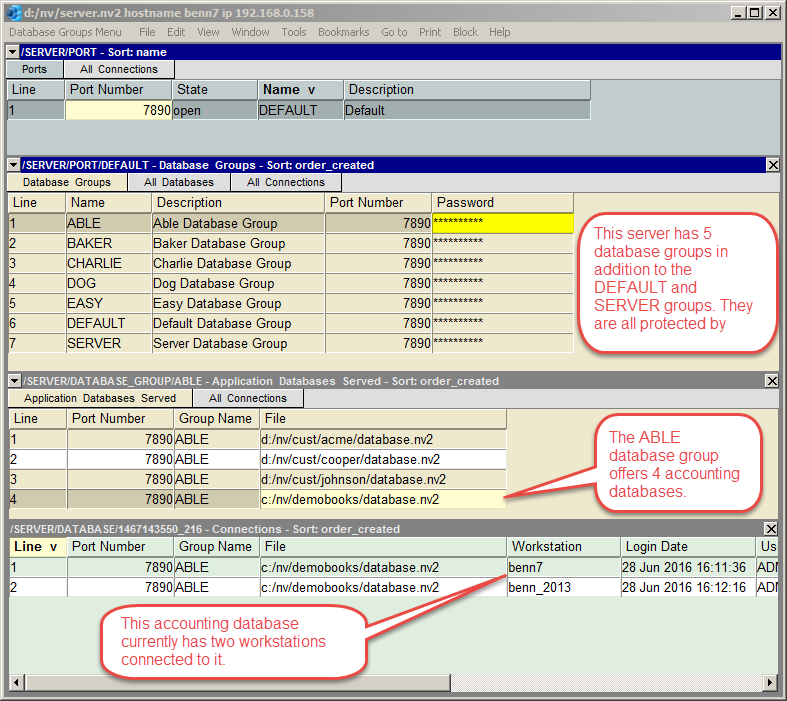
To offer access to a database you add a row to the database table in the top pane and fill in the file field. You must enter the full path to the database by typing it into the field. Remember to use forward slashes for separators instead of backslashes, and give it the file type ".nv2". You cannot use <F3> to pick from a file explorer because even if a file explorer were launched, it would be exploring the directory system of the workstation computer, not the server. We hope to resolve this issue in an upcoming release.
Typically, a company has a single company database and will therefore add a single row to the database table. However, a server can offer simultaneous access to any number of databases by adding any number of rows to the database table.
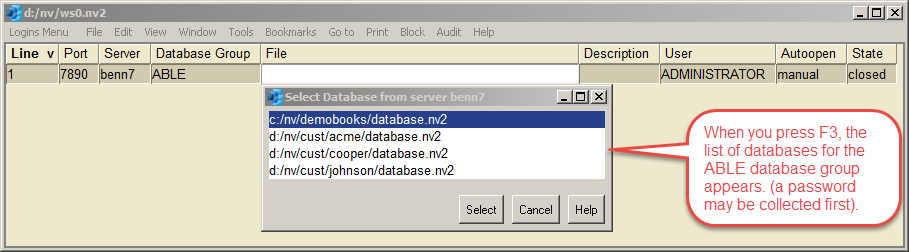
On a workstation, the user fills in the server field of a workstation login row to identify the server. When the user then positions on the file field of the login row and presses <F3>, the list of databases they are offered is exactly the set of databases in the server's database table. As mentioned earlier, for a typical company, there will be only one database in this list, but any number of databases can in fact be offered by a server.
The table of databases offered by a server is persistent. When you shut the server and run it again, the same table of databases will appear in the server's database table. To stop offering a database, just delete the corresponding row from the database table.
You can offer any accounting database that is on the server computer but you can run into problems trying to offer databases that are on another computer, and accessed through a local area network. The reason is that the other computer must offer access to a shared folder and that is usually set up for a specific user and password. The server is running as a Windows service under a SYSTEM user and likely does not have access to the shared folder because it is a different user from one that was originally given access.
This is probably not an incorrectable problem because you can move the database file to the server computer and the result is also usually more efficient. At present we have no other workaround for this problem.