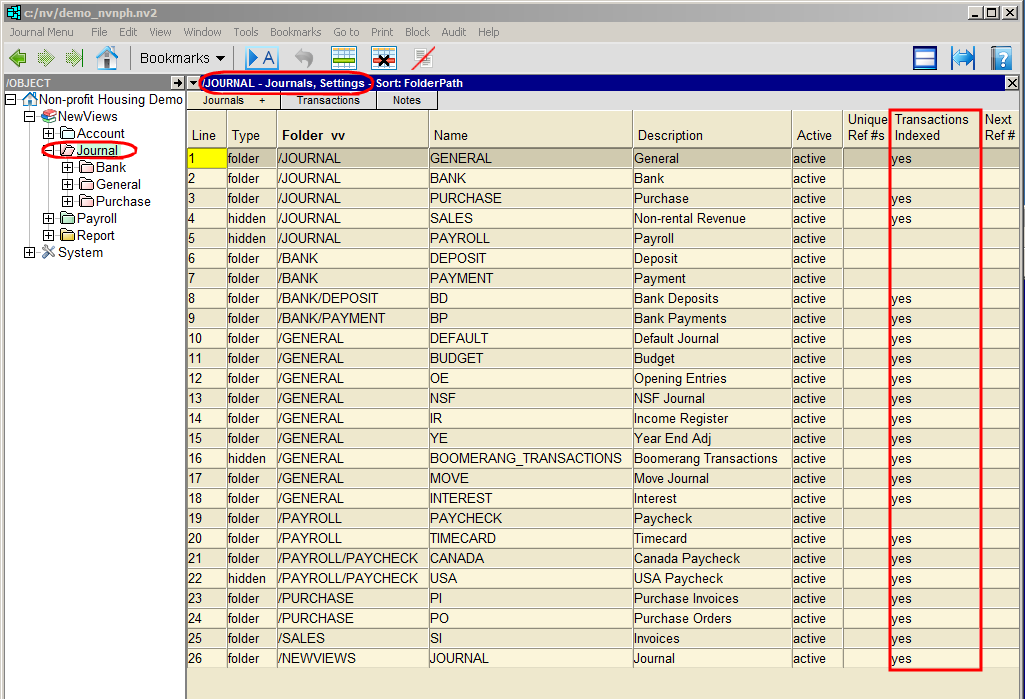
Journal transaction indexes can be turned off and on for individual journal folders on the Settings view.
When a journal folder's transaction index is turned off, transaction detail for the journals contained in that folder are not visible. When it is turned on, all the transaction detail can be seen.
To turn a journal's transaction index on or off:
In the Database Explorer, activate the Journal folder (which displays a table of all journals) or the folder containing the journals for which the transaction index is to be turned off.
Click the Journals tab and choose Settings.
Position on the journal folder's Transactions Indexed field and enter yes or no.
Note that this field is empty when no is specified, making it easier to distinguish which journals have their index turned on (or off).
Journal transaction indexes are turned off to save disk space and improve software performance.
You cannot turn off transaction indexes for journals to which transactions are added directly or the root journal (i.e. Journal in the Database Explorer).