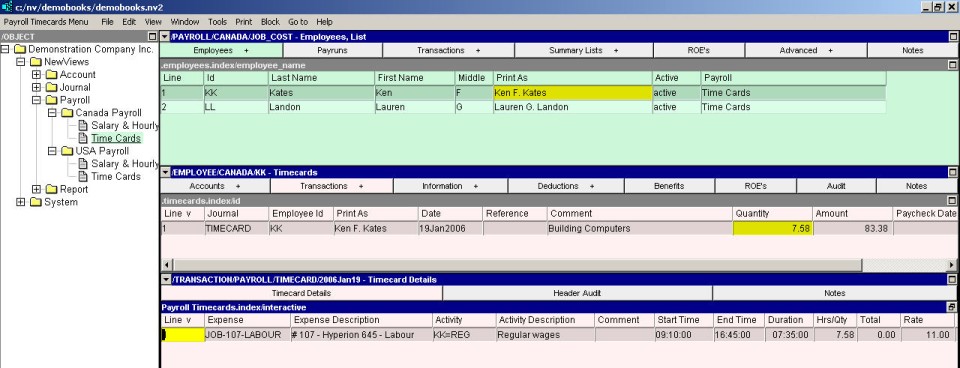
The timecards window allows you to add, edit and view timecards for a particular employee. The header of the timecard (top pane) contains the employee name, date, reference and description of the timecard, the total hours and total earnings of the timecard as well as the check date and check number that paid this timecard. For unpaid timecards these last two fields are empty.
The detail section of the timecard (lower pane) contains the expense/activity account (or job) that the employee's hours will be charged to, the wage type account that will be used to record the job performed and the hours worked and rate for the activity. Note that the hourly rate is a function of the wage type account.
For more information on creating timecards see Creating Employee Accounts for Timecard Payroll and Creating a Timecard