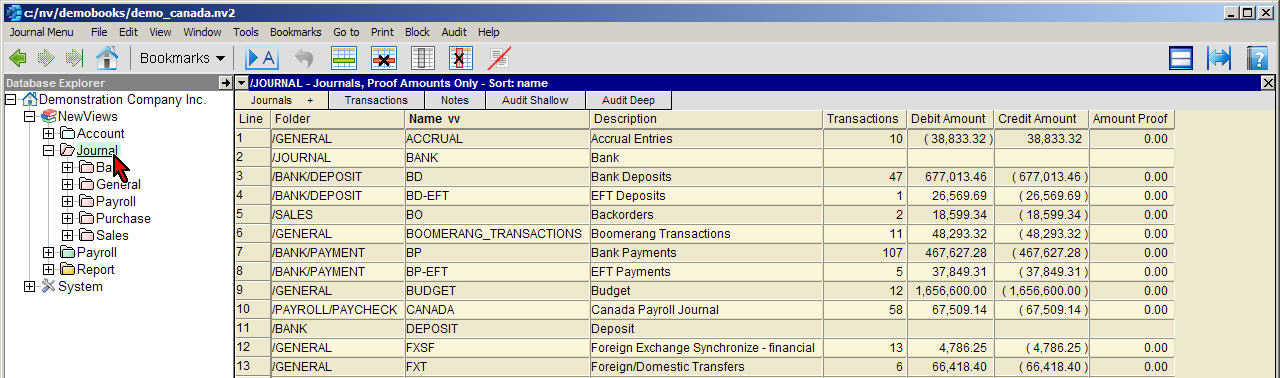
Typically, you explore a specific journal by activating it in the Database Explorer and using the Transactions view to display transactions associated with that journal.
Although there is usually no need to do so, you can also activate Journal in the Database Explorer and use the Journal, Proof Amounts view to display a table of all the journals in the books. In this view, you can see at a glance that all the journals balance to 0.00.
Note: The bottom row of the journal explorer with the folder name /NEWVIEWS is the total row for all journal balances.
| Journals, Proof Amounts | ||
| Table column | Sort | Comments |
| Line | Yes | The line number. |
| Folder | Yes | The path of the journal. |
| Name | Yes | The journal name. |
| Description | Yes | The journal description. |
| Transactions | | The number of transactions on the journal. |
| Debit Amount | | The total debit balance of the journal. |
| Credit Amount | | The total credit balance of the journal. |
| Amount Proof | | The difference between the debit and credit balances of the journal. All journals should proof to 0.00 |