A common Accounts Receivable task is to charge interest on one or more overdue accounts (i.e. accounts
with open and unpaid items).
-
Position on any table of accounts (blue).
This can be anywhere accounts appear as rows of a (blue) table, including reports.
-
Either position on the account you want to charge interest for or else mark a block of accounts.
If no block is marked then the current account is processed.
If you want to explicitly select a number of accounts to be charged then
use the Block>Start and Block>End commands
to mark the accounts in a block.
Note: total accounts and branch folders will be skipped.
-
Issue the Tools>Charge Interest>Open Items command.
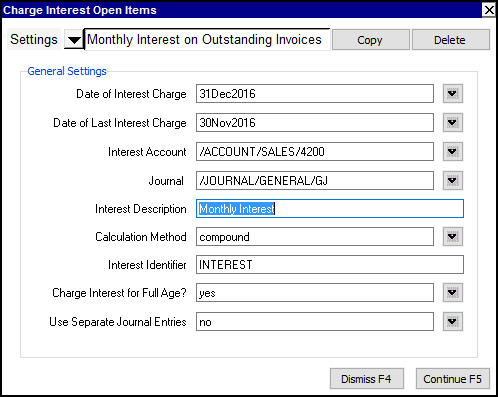
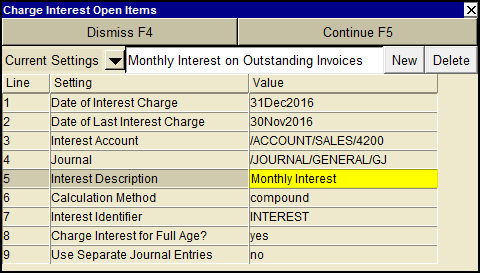
A charge interest open items settings window will appear such as that shown below.
-
Fill in the settings fields.
The meaning of each setting is described later in this section.
-
Click the <Continue> button or press <F5> to charge interest on open items.
When <Continue> is clicked, transactions are created to record the interest.
Line
| Field
| Values
| Comments
|
1
| Date of interest charge
|
| Interest transactions created, if any, will have this date.
|
2
| Date of last interest charge
|
| Interest amount calculated will be the incremental addition since this date.
|
3
| Interest account
|
| The name of the account to balance the interest charge transaction (e.g. for Accounts Receivable an Interest revenue such as "Charged on Overdue Accounts").
|
4
| Journal
|
| The journal used for interest charge transactions.
|
5
| Interest description
|
| The description on the customer's ledger interest charge posting.
|
6
| Method (simple, compound)
| simple
compound
| Simple interest will calculate interest only on the original overdue transactions. Compound interest will add to that any interest calculated on previous interest charges.
|
7
| Interest identifier
|
| This is a keyword which is used to identify prior interest charges. If this keyword is found in a transaction's description (case insensitive), then the transaction is known to be a prior interest charge.
|
8
| Charge interest for full age?
| yes
no
| yes will ignore the Trade/Tax Info value for the grace period. See Trade/Tax Settings for Customer Accounts for more.
|
9
| Use separate journal entries
| yes
no
| yes will create a separate transaction for each account.
no will create a single transaction with a distribution detail item for each account.
|
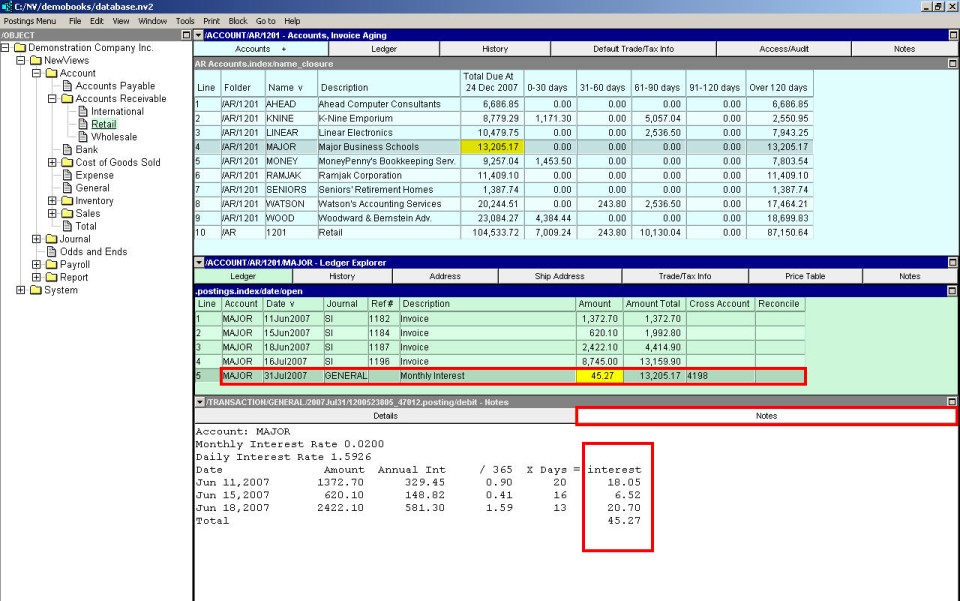
Above is a sample result showing a monthly interest charge.