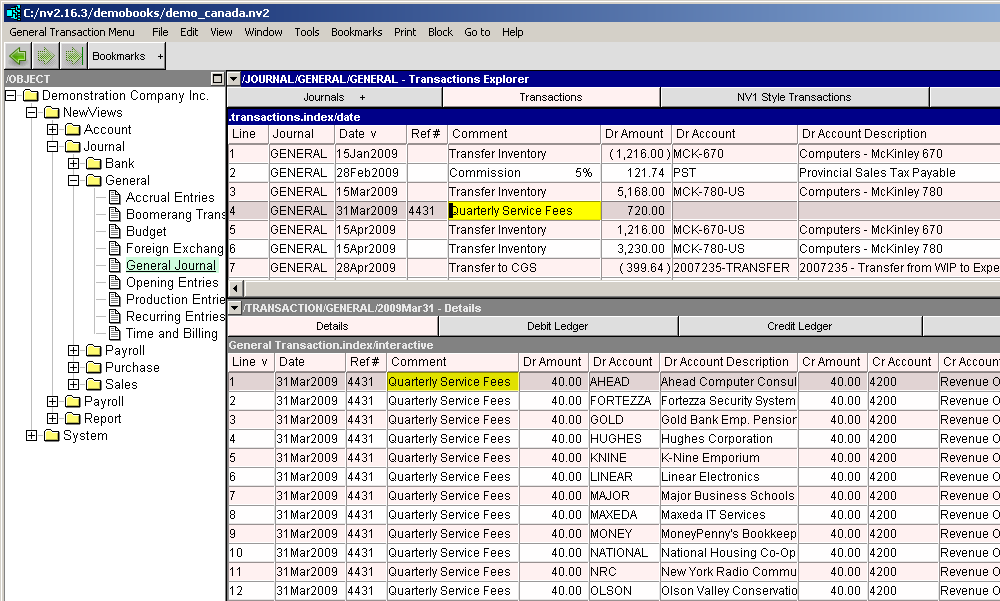
Create transactions is designed to be run from a block of accounts. It will create an identical transaction of type GENERAL for each account in the block (auto-incrementing the reference number if the auto next reference feature is used).
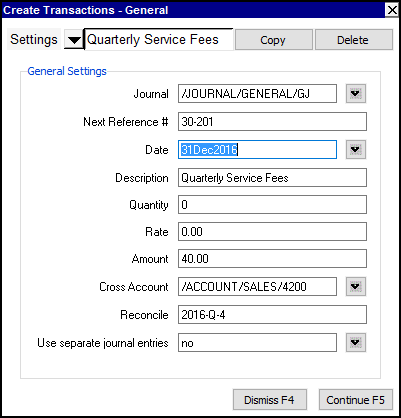
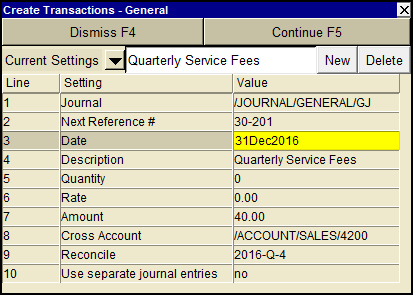
Shown below is the prompt that appears when you issue the Tools>Create Transactions>General command.
| Create Transactions - General Settings | |||
| Line | Field | Value | |
| 1 | Journal | The journal used for the transactions. | |
| 2 | Next Reference # | Set the journal's next reference number, which will increment automatically. | |
| 3 | Date | The date of the transaction. | |
| 4 | Description | The transaction description. Repeated on each distribution item when Use separate journal entries is set to no. | |
| 5 | Quantity | The quantity, multiplies by a rate to determine an amount. | |
| 6 | Rate | The rate, as entered, or calculated as the amount divided by the quantity. | |
| 7 | Amount | The amount of the transaction posted to each account, as entered, or calculated as the quantity multiplied by the rate. | |
| 8 | Cross Account | In the above example the Sales account that the transactions will be posted to. | |
| 9 | Reconcile | This value will be set in the posting to each account in the block. | |
| 10 | Use separate journal entries | yes no | yes will create a separate transaction for each account. no will create a single transaction with a distribution detail item for each account. |
With the Journal.