You can print/export 1099s from any folder of Accounts Payable that you can see accounts/recipients on.
If you activate Accounts Payable you have access to all accounts/recipients and can print/export any or all 1099s from there.
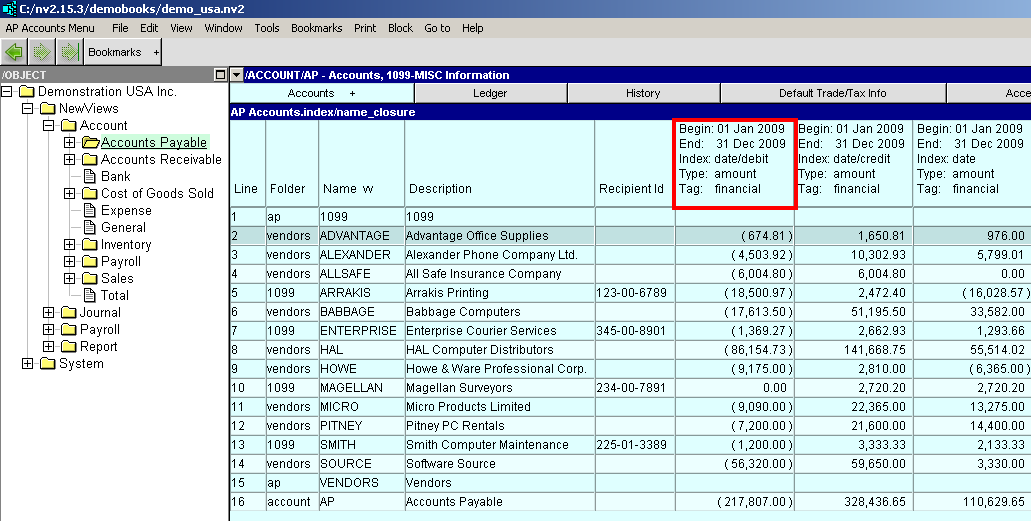
If you activate a sub-folder you can print/export 1099s for accounts/recipients of that sub-folder.
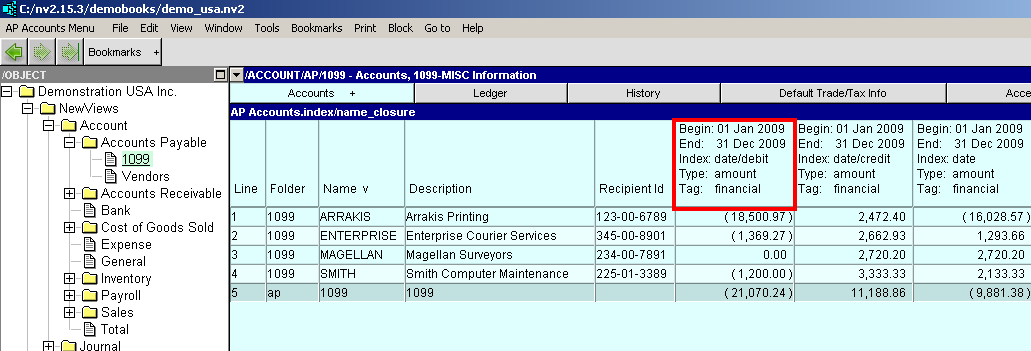
On whatever accounts payable folder you decide to print/export from you must set the 1099 Reporting Year.
Print>1099s will take the amount to print/export from the leftmost amount column. The 1099-MISC Information view is initially configured with three columns: financial debits, financial credits, and financial balance. Payments to vendors are debits (reducing the vendor balance) and display negative. Print 1099s will use the absolute value for comparison to the "Minimum Amount", and for print/export. The financial credits and financial balance columns are just there for a visual "sanity check", and can be deleted.
There are six 1099 templates.
Four print templates are intended to be used with Laser 1099-MISC forms.
Two export templates are designed to export 1099-MISC data to Excel. These templates can be used with 3rd party software for electronic filing.