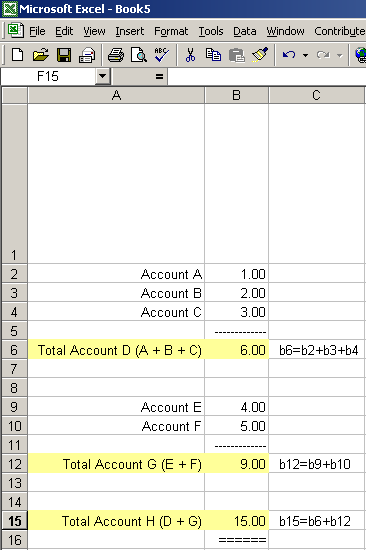
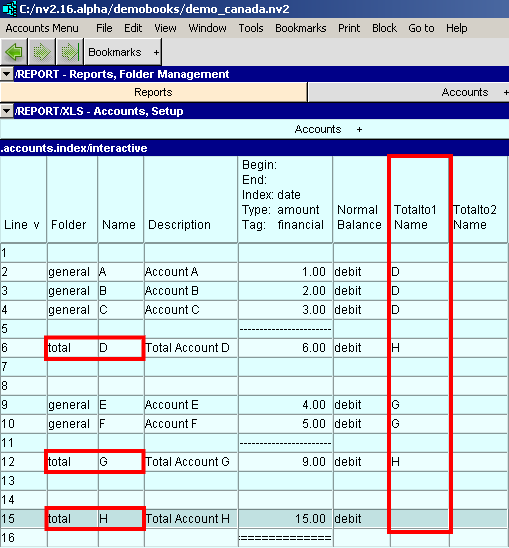
Shown below is an Excel spreadsheet with two groups of accounts and three formulas. In NewViews you use the Totalto structure to accomplish the same results.
With a spreadsheet the content of a formula is not always visible. In NewViews every account has four (4) Totalto fields that can be used.
| | |
| Totalto Structure | |||
| Line | Excel | NewViews | Comments |
| 2 | value | general account | Accounts A B and C totalto fields are set to account D |
| 3 | value | general account | |
| 4 | value | general account | |
| 6 | formula | total account | Account D's totalto field is set to account H |
| 9 | value | general account | Accounts E and F totalto fields are set to account G |
| 10 | value | general account | |
| 12 | formula | total account | Account G's totalto field is set to account H |
| 15 | formula | total account | Account H's totalto's are blank |
You can completely control your report arithmetic with the Totalto and Normal Balance fields of accounts on the account setup window.