Email log file
The email log file is a required field.
Each email send attempt will open the log file, append a log entry and close the file.
Maintaining a log file places an additional burden on the user, and points to understand/remember include:
-
The log file can be stored anywhere in the workstation's file name space.
-
It is not multi-user "safe".
Do not attempt to keep a single, common file (use the Email Archive List feature instead).
-
It is unencrypted text and can be read by anyone with access to it.
-
It is primarily for debug purposes, and can be discarded periodically.
-
However, a thorough administrator would periodically gather up all email log files from every workstation that sends mail, and archive them.
-
If the log file doesn't exist, because email has never been sent, or the file has been moved or delete, a new file will be created.
The log file is a formatted list of log entries, one per email send attempt, identified by a unique id, and containing:
-
The date and time of the attempt.
-
The tool or print command used and the options set for the command.
-
The result (i.e. "success" or "failure").
-
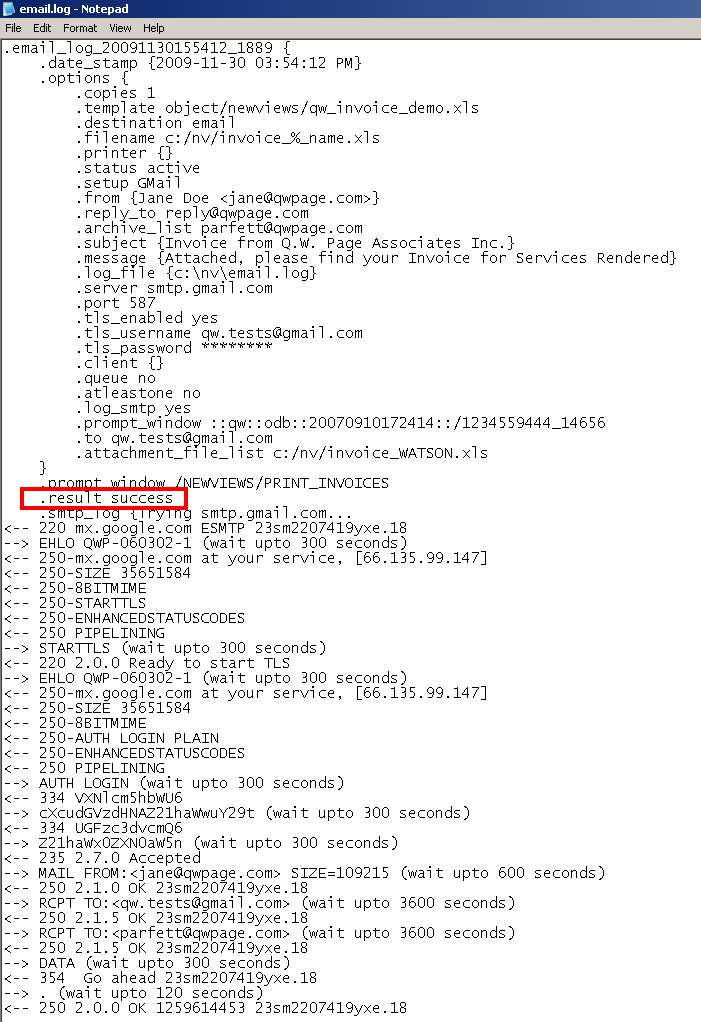
In the case of success, a "250 2.0.0 OK" return value with queue id is found in the .smtp_log (for tracing sent email).
-
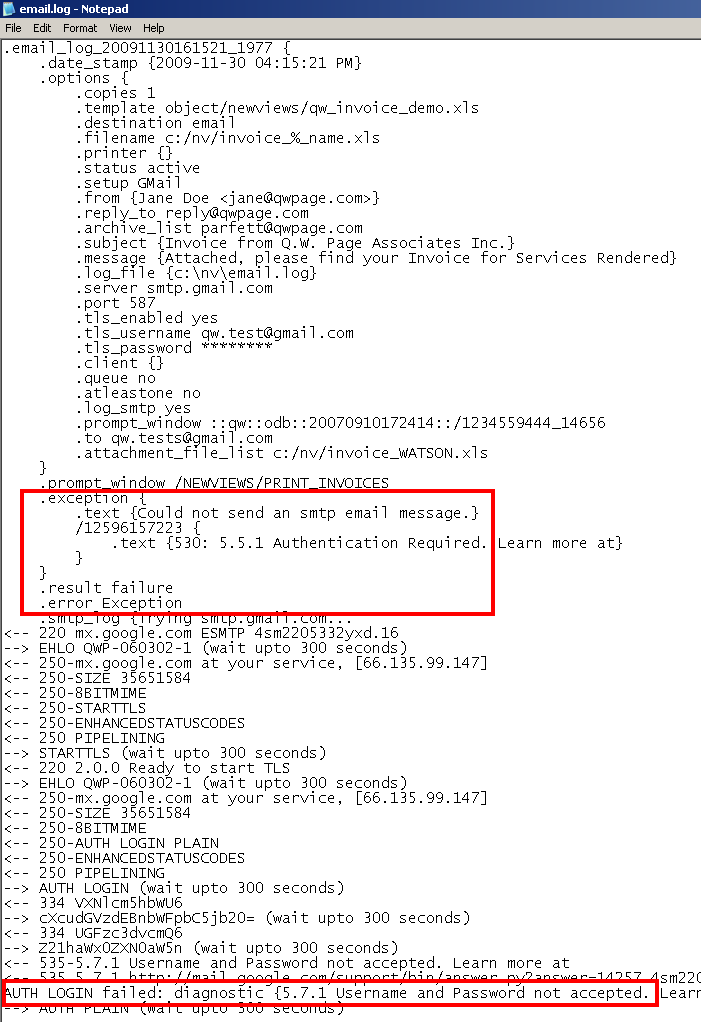
In the case of failure, the error code and reason for failure are recorded.
-
If Email Setup Log SMTP is set to "yes", the entire SMTP chit-chat is recorded (for debugging).

Failure
Success
Copyright (c) 2003-2026 Q.W.Page Associates Inc., All Rights Reserved.