The Tools>Email Setup command provides a table to enter your SMTP server settings.
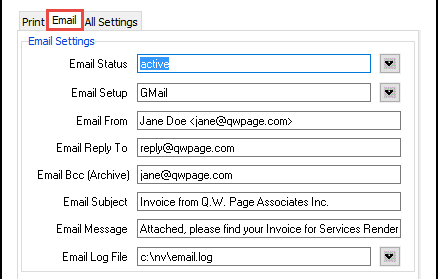
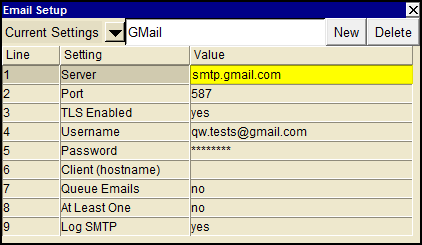
Use the User Option, Prompt Display Style to switch between modern and classic styles.
| Outgoing mail server SMTP settings | ||||
| Line | Field | Edit Assist | Values | Comments |
| 1 | Server | | SMTP mail server name. e.g. stmp.gmail.com Ask your IT person or Internet Service Provider for the name of your organization's outgoing mail server name. NewViews needs the name of a valid SMTP email server to transmit email. This should be set to a fully qualified domain name. | |
| 2 | Port | <F3> | The mail server's port number, the default Simple Mail Transfer port number is 25. | |
| 3 | TLS enabled | <F3> | yes | Turns on Transport Layer Security (supports the RFC 3207 TLS extension). Recommended. |
| no | Do not use TLS (Transport Layer Security) while sending email. | |||
| 4 | Username | | A valid email account username is required for connection authentication. | |
| 5 | Password | | A valid email account username's password is required for connection authentication. | |
| 6 | Client (hostname) | | The name to use as the hostname when connecting to the server. If left blank (try this first), the default is either localhost if one of the servers is localhost, or is set to the string returned by the tcl command info hostname. | |
| 7 | Queue Emails | <F3> | yes | Indicates that the SMTP server should be asked to queue the message for later processing. |
| no | Indicates that the SMTP server should not queue the message for later processing. Recommended. | |||
| 8 | At Least One | <F3> | yes | The SMTP server must find at least one valid recipient for the message to be sent. |
| no | All recipients must be valid (i.e. the "all or nothing" option). Recommended. | |||
| 9 | Log SMTP | <F3> | yes | All "chit chat" with the SMTP server is written to the log file (for debugging email failures). |
| no | Only the "250 2.0.0 OK" return value with queue id is written to the log file (for tracing sent email). | |||