Two Foreign Exchange reports are used to synchronize to the domestic currency.
Most foreign exchange setups include 5 total accounts to gather the period foreign values to convert. Assets (Bank & AR), Liabilities (AP), Sales and Expenses.


Use the View>Analysis>New_Column>Foreign_Exchange_Accounts command to add four columns to the setup view for linking the foreign exchange areas in the books.
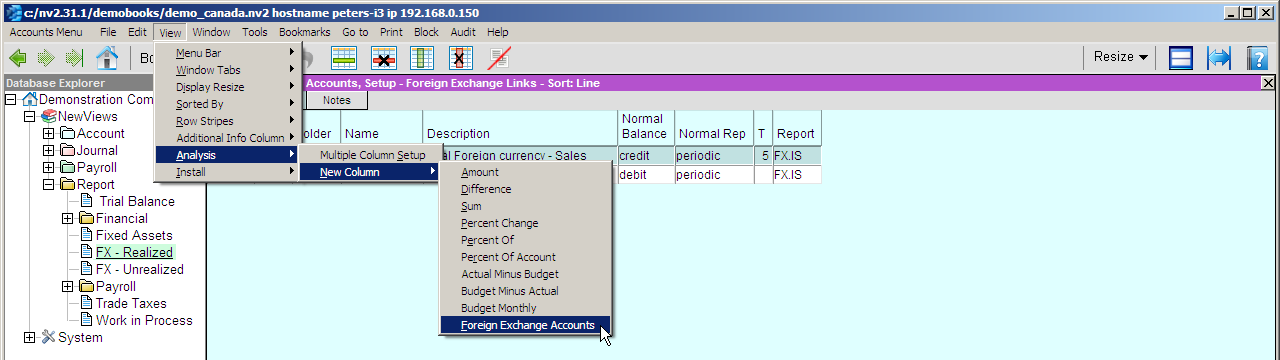
The resulting setup view is used to link the total accounts to the foreign exchange posting accounts.
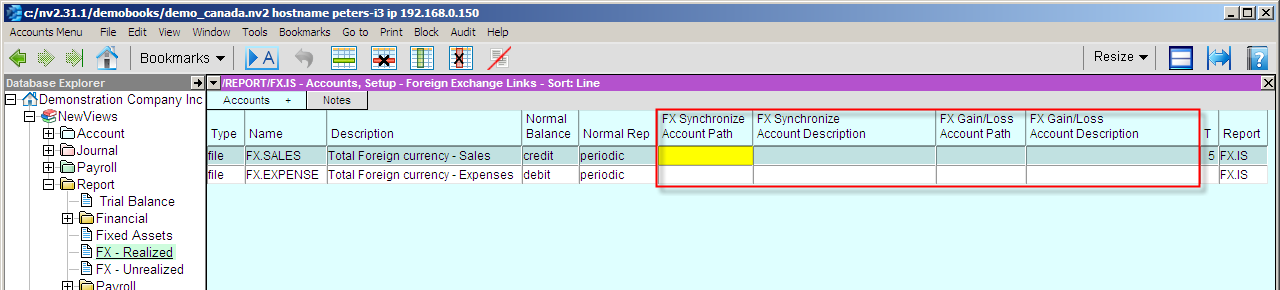

Below is a screen shot of the account links, as used in the demo books installed by NewViews.


Below is a sample Multiple Period Analysis report that needs to be setup. This report will display foreign currency values. It is used periodically by Tools>Foreign Currency to get the total values to be converted to the domestic currency.
Note: set the Respect Normal Rep to yes so that the synchronizer will calculate the appropriate balances.
With the report set to monthly resolution, you have all the required totals per month in each column.
Note: set the Respect Normal Rep to yes so that the synchronizer will calculate the appropriate balances.
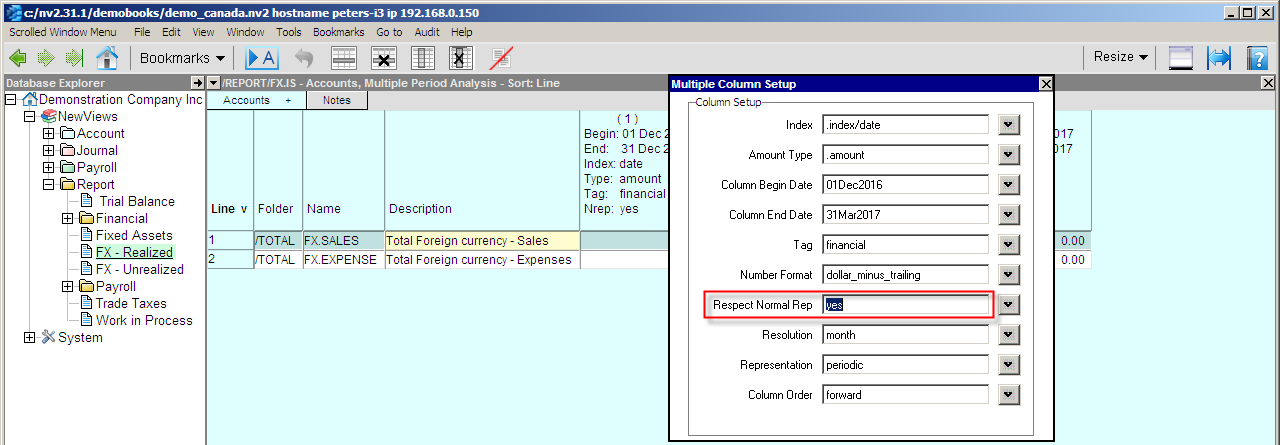
Note: If you do not lock (prevent editing of transactions) prior periods, please check the prior month totals. If the report totals have changed, please update the forex journal entry for that month.
Hint: Print the report to Excel and add a formula column in Excel with the current exchange rate and calculate the forex values to be posted in the monthly journal entry.
The sample below had no foreign currency purchases or outstanding AP balances during the period specified on the report, so the AP and Expense totals are zero.
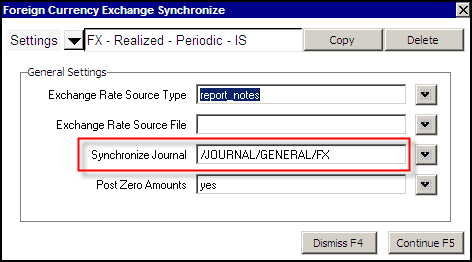
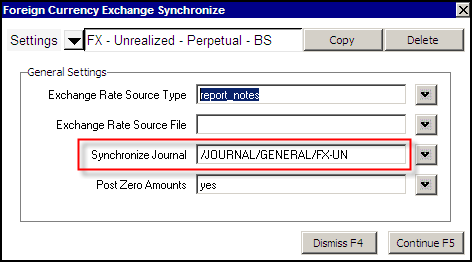
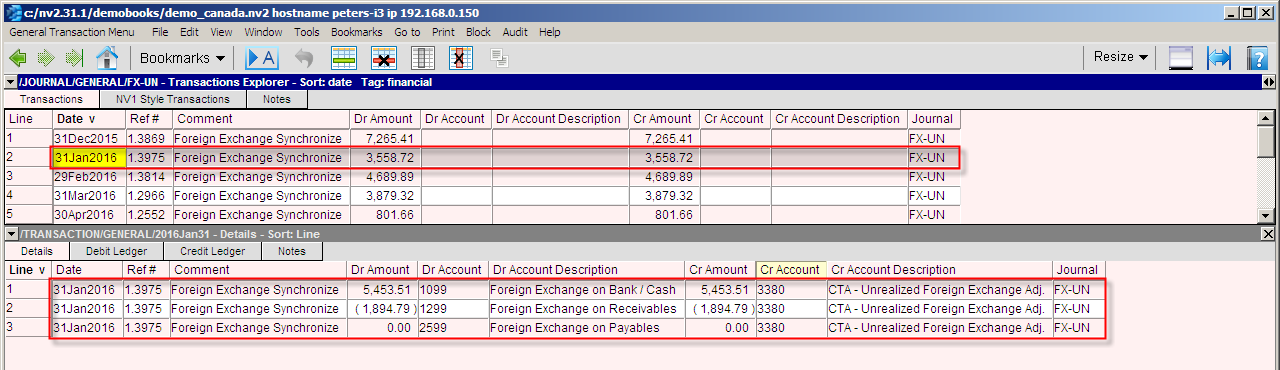
The above journal entries list the variances that are required to bring the foreign currency in line with the domestic currency. In this example we show monthly adjustments.