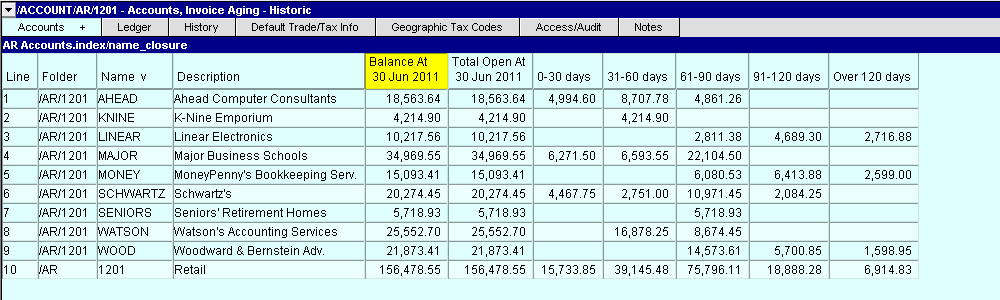
NewViews can display or print an aged receivable list for a prior period (i.e. the status of aged receivables several months ago). The same applies to an aged payables list.
The Invoice Aging - Historic view can be installed on any AR or AP table of accounts. The aging column values are generated on the fly. The historic date is set using the Windows>Define Columns command or (shortcut <F11>). The blue historic aging table can be printed using Print All. This report is generally used as part of the year-end financial reports.
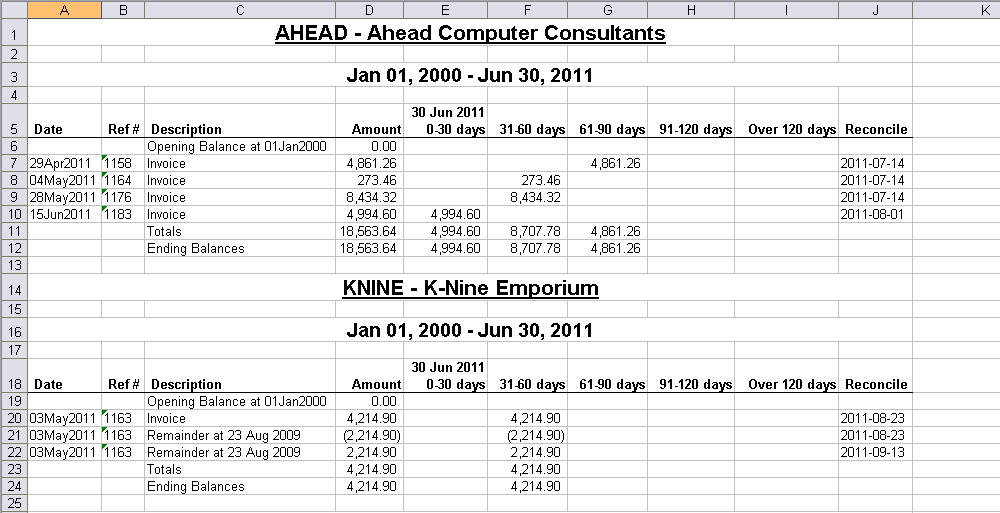
For greater detail, the print version produces full aging details for all invoices. The Print>Account Ledgers>Advanced command is used to generate this report.