Customer Sales Codes are additional names (aliases) for sales accounts. They are useful when customers have names for your products and services that are different from your in-house names. They are also useful if you are in an industry that has three or four lists of "standard" product codes.
In these situations, customers provide purchase orders using their codes. Entering these purchase orders as sales orders (invoices) in your books is a challenge without this alias mechanism.
Customer sales codes are added to customer account price tables. Shown below is an example of adding customer sales codes to a particular customer. Each line represents one product and shows the customer's sales code followed by your sales account name.
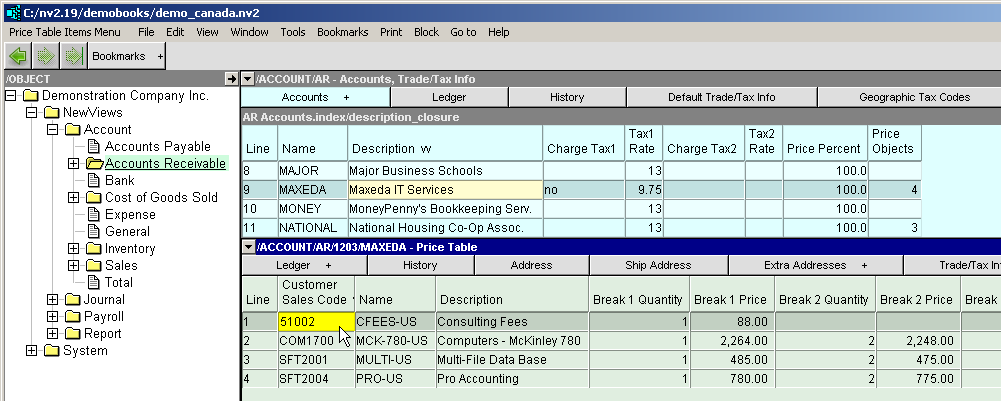
This is one extreme case (i.e. every customer has its own set of product codes). At the other extreme, there is one price table for all customers, with the standard sales codes listed.
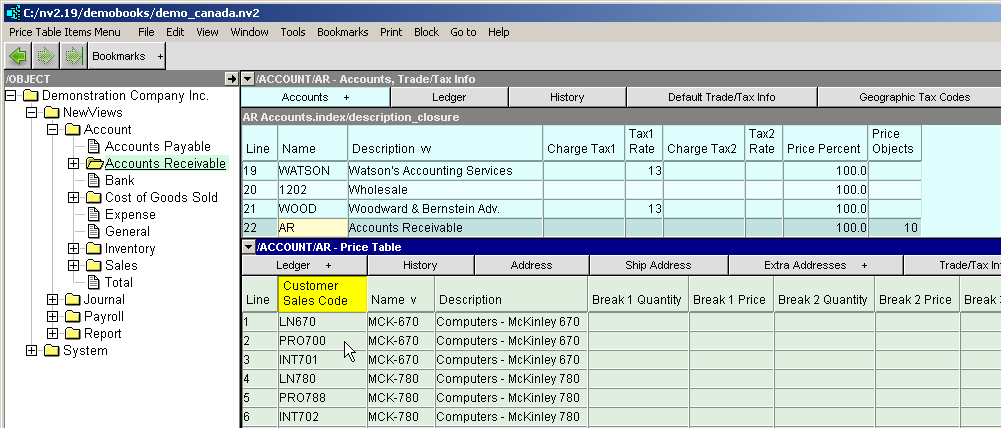
Shown below is an example of adding customer sales codes to the root AR account. Each product is known by one of three industry standard codes (so three items need to be added).
The example shows two sales accounts, MCK-670 and MCK-780. Each account has three aliases. From a sales transaction, any one of the three aliases (LN670, PRO700 or INT701) can be typed to find the MCK-670 account.
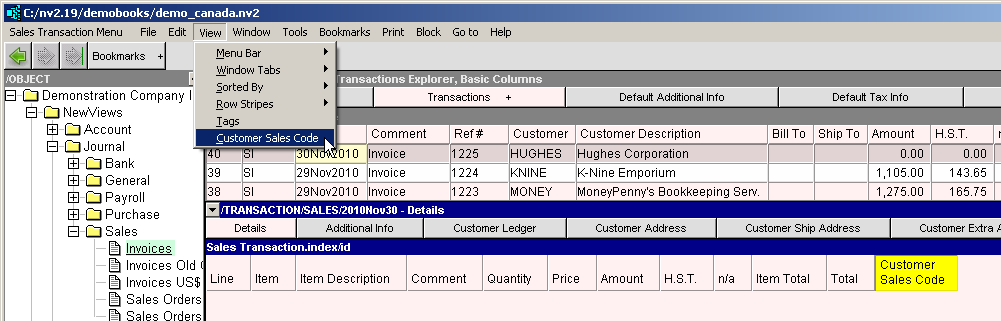
In order to enter a sales transaction using customer sales codes, you must first make the customer sales code field visible in your invoice details window. To do this, position on the invoice details window and execute the View>Customer Sales Code command. A new column will appear at the right hand side of the detail window. (You can later reposition this column by holding down the Ctrl key and pressing either the left or right arrow keys. Note that you can add the customer sales code column to either the invoice details window of a customer ledger or to the invoice details window of a sales journal, or both.)
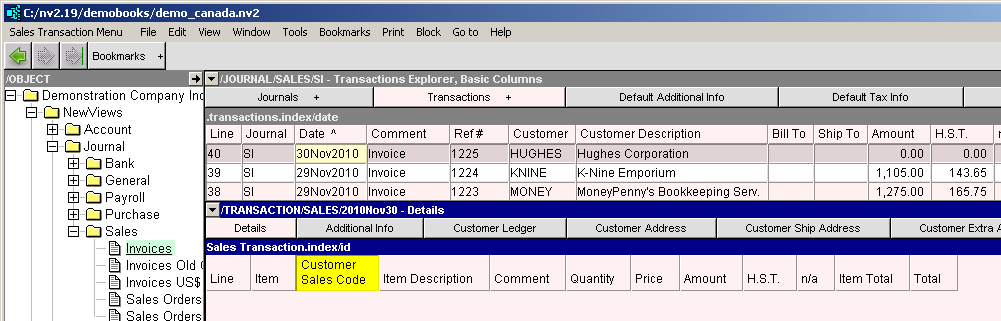
You can now add sales orders/invoices using either the sales account name or the customer's sales code. When you enter the customer's sales code a lookup occurs and the appropriate sales account is selected.
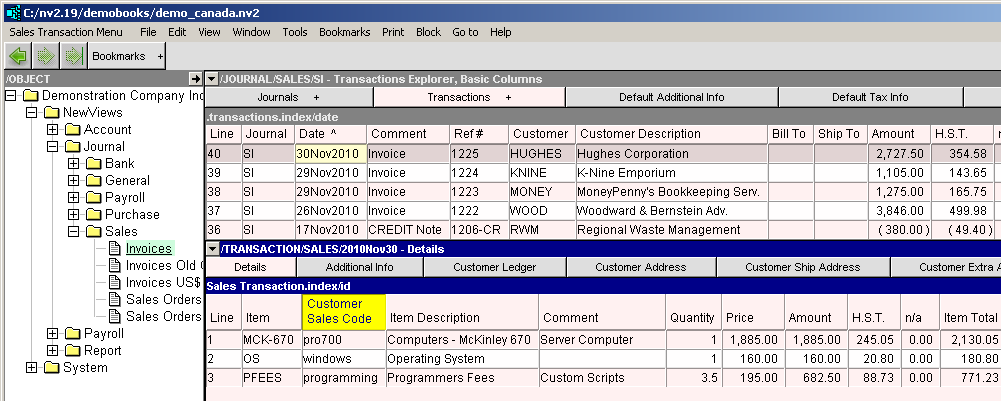
Customer Sales Code entry is like a "power edit assist", meaning the code you enter is used to lookup an in-house sales account. If you manually edit the account given, the Customer Sales Code value will not change.
For example, if you enter a sales item using the customer sales code PRO700, the sales account selected will be MCK-670. If you manually change the sales account to MCK-780, the Customer Sales Code will not change to PRO780.