You can print T5s from any folder of Accounts Payable that you can see accounts/recipients on.
If you activate Accounts Payable you have access to all accounts/recipients and can print any or all T5s from there.
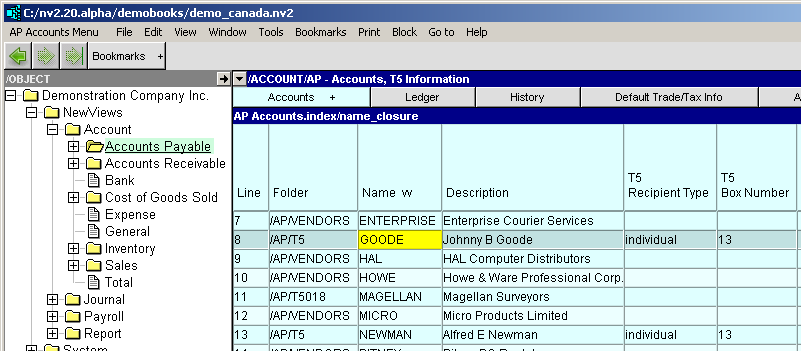
If you activate a sub-folder you can print T5s for accounts/recipients of that sub-folder.
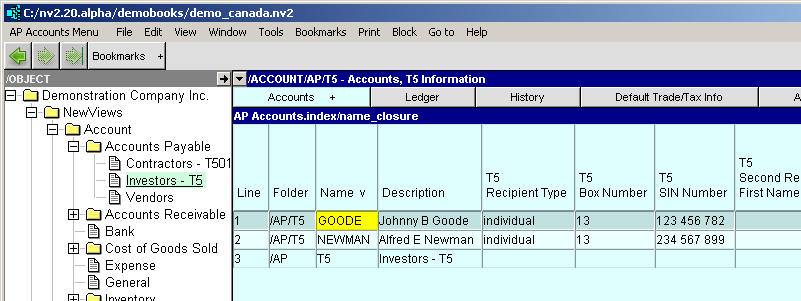
On whatever accounts payable folder you decide to print from you must set the T5 Reporting Year.
Print>T5s will take the amount to print from the leftmost amount column. The T5 Information view is initially configured with three columns: financial debits, financial credits, and financial balance. Payments to vendors are debits (reducing the vendor balance) and display negative. Print T5s will use the absolute value for comparison to the "Minimum Amount", and for printing. The financial credits and financial balance columns are just there for a visual "sanity check", and can be deleted.
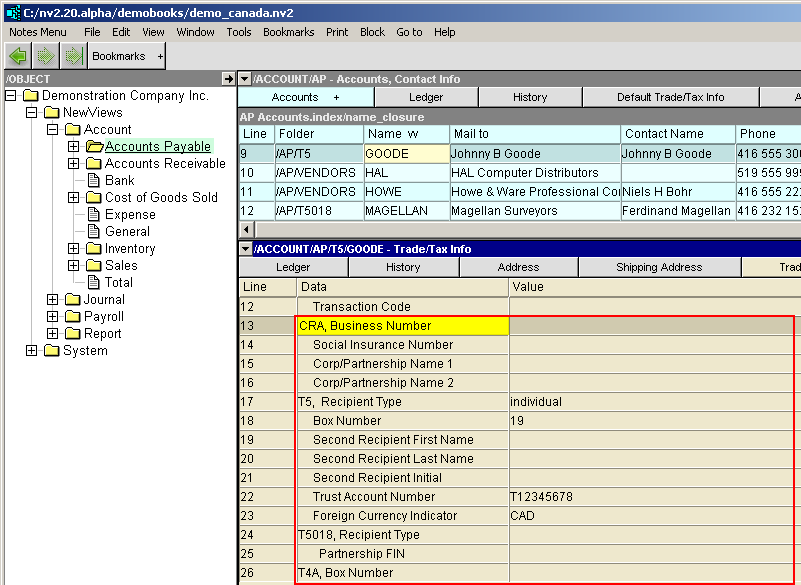
Shown below are rows 13 to 26 of the Trade/Tax Info table of Vendor accounts. Below the screen shot is a table explaining the various groups and rows. Note: CRA rows 13 to 16 pertain to all slips.
| Vendor Trade/Tax and CRA Information Slip Information | ||||
| Line | Form | Field | Description | |
| 13 | CRA | CRA, Business Number | Enter the recipient's 15-character Account Number that consists of three parts; the nine-digit Business Number, a two-letter Program Identifier and a four-digit reference number. | |
| 14 | CRA | Social Insurance Number | Enter the recipient's SIN if required to submit a T4A, T5 or T5018. | |
| 15, 16 | CRA | Corp/Partnership Name 1/2 | Enter the recipient's corporation or partnership name on line 1. Use line 2 if the name is longer than 30 characters or Trading name (if different from Line 1). | |
| 17 | T5 | Recipient Type | <F3> to select | individual, joint, corporation, partnership or government. |
| 18 | T5 | Box Number | <F3> to select | See list for selection, boxes 10 to 41. |
| 19, 20, 21 | T5 | Second Recipient Name | Enter the second recipient's first name, last name and initials. If there is only one recipient, leave this line blank. | |
| 22 | T5 | Trust Account Number | Enter the recipient's trust account number, it must correspond to the Trust account number assigned by the CRA. | |
| 23 | T5 | Foreign Currency Indicator | <F3> to select | Used if you are reporting in a foreign currency, see list for selection, CAD, EUR, USD, etc. If the foreign currency is not in the short list, you may enter any valid ISO 4217 three letter code. |
| 24, 25 | T5018 | not applicable for T5 | ||
| 26 | T4A | not applicable for T5 | ||