NV2 recognizes several types of accounts:
Each type of account has its own set of rules that govern how that account is treated.
An account in NV2 can appear in two places - in a table of accounts of a particular type, and, if required, on a report.
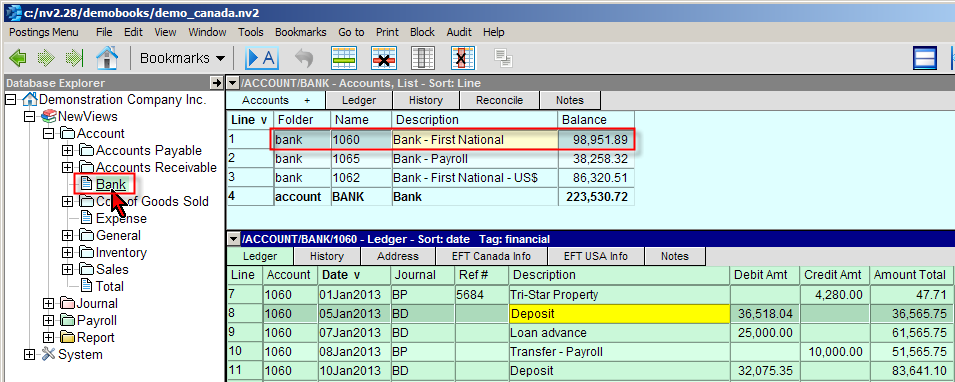
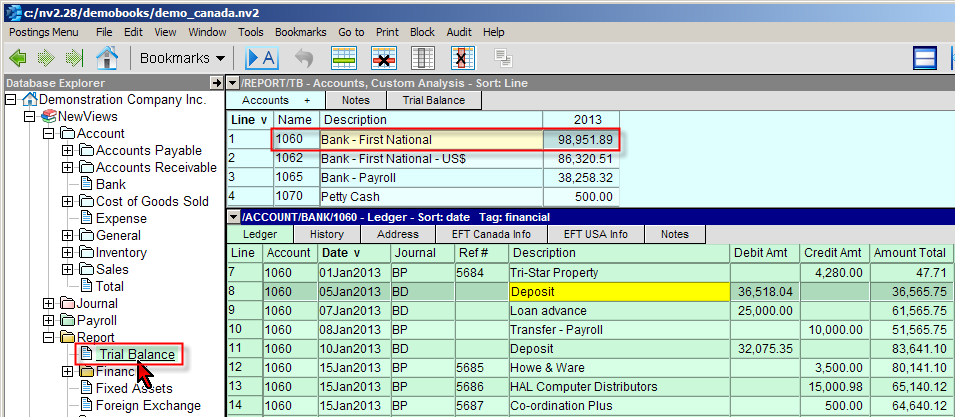
Independent of whether accounts are added to account tables or reports, they are added in the Accounts Setup window. Whether you add new accounts to account tables or to reports depends on:
Whether you add new accounts to account tables or to reports depends on:
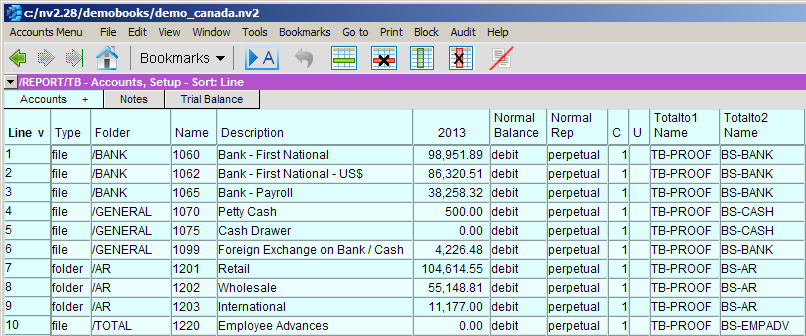
When adding new accounts, the following information is specified for each account:
| Account Setup | ||
| Table column | Sort column | Comments |
| Line | Yes | Used to sort the accounts in user-defined order. For more information, see Sorting Tables. |
| Folder | Yes | Used to indicate the type of account (AP, AR, BANK, EXPENSE, GENERAL, INVENTORY, PAYROLL, SALES and TOTAL). This column can be also be used to change the account type, providing the account does not yet contain transactions. |
| Name | Yes | The account name. An account name can be as long as required, and contain any combination of letters, numbers, hyphens ( - ) and underscores ( _ ). Account names are not case-sensitive and are automatically converted to upper case characters. Account names used for a particular type of account must be unique (for example, you can only have one inventory account called MCK-780). However, you can have duplicate account names for different types of account (for example, you can have an inventory account, sales account and expense (cost of goods sold) account all with the name MCK-780). |
| Description | Yes | The account description. Account descriptions can be as long as required, and contain any combination of characters and spaces. Most special characters can be used, except for open and closed curly braces (e.g. { and } ) and open and closed square brackets (e.g. [ and ] ). |
| Amount | | The account's amount column. |
| Normal Balance | | Indicates the normal balance of the account (debit or credit). Accounts payable accounts have a credit normal balance. Accounts receivable accounts have a debit normal balance. Bank accounts have a debit normal balance. Expense accounts have a debit normal balance. General ledger accounts can have a debit or credit normal balance, depending on the type of account. Inventory accounts have a debit normal balance. Sales accounts have a credit normal balance. Total accounts can have a debit or credit normal balance, depending on the type of account. |
| Normal Rep | | Every account has a normal representation that can be set to one of the following values:
|
| Active | | Indicates whether the account is active or inactive. When an account is inactive, postings cannot be made to the account. |
| Ledger Indexed | | Indicates whether the account displays postings, this is an option on total accounts. |
| Unique Ref #s | | Enforce unique transaction Ref #s. Includes control for uniqueness on the debit view, credit view, or both (i.e. the ledger view). See Unique Ref #s for more. |
| Total to (4 columns) | | The account names entered in the total to columns control the Totalto Structure. |
| Total | | Indicates whether the account is a posting or total account. For posting accounts, the total column displays 0. For total accounts, the total column displays the number of accounts that total to the account. |
| Report | | The path of the report that the account is on. |
For information on adding specific types of accounts, see: