The context sensitive menu bar across the top of the work area provides access to all NewViews commands. The menu is also available by clicking the right mouse button on any visible table.

For more, see Menu Commands & Commands and Shortcut Keys.
The toolbar provides navigation buttons (Back, Forward and Forward End) a Bookmarks button, a Home button, Go To Any Account button, etc.

When you open a NewViews set of books you are returned to the location in which you were last working. So you can close a set of books with the knowledge that when you re-open them you can pick up exactly where you left off.
The NewViews work area consists of multiple related windows. NewViews is designed to display a report, an account ledger and its transaction details at one glance.
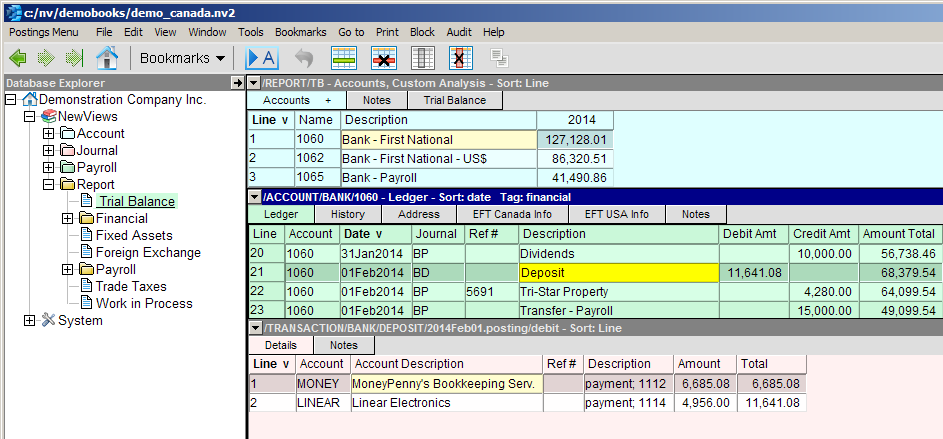
Although it is often beneficial to view several levels of detail on the screen simultaneously, at times you will want to focus your attention on one or two windows only.
If you are not familiar with a multiple document interface, please read Maximizing/Restoring Windows for further information and tips and techniques. For additional information on the NewViews Work Area, see:
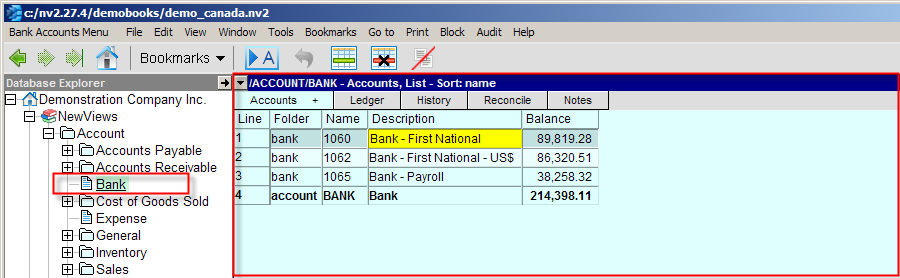
An account table (light blue) displays all the accounts of the same type. For example, the bank account table lists all the bank accounts. The AR account table lists all customer accounts, etc. All account tables can be sorted by line number, folder, name or description.
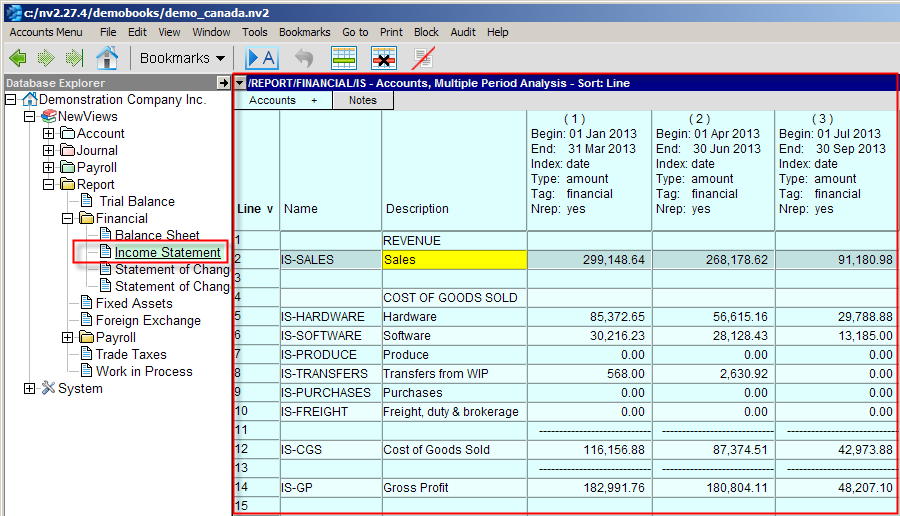
A report table (light blue) displays accounts of various types. The Income Statement lists all the accounts on the report. All account tables can be sorted by line number, folder, name or description.
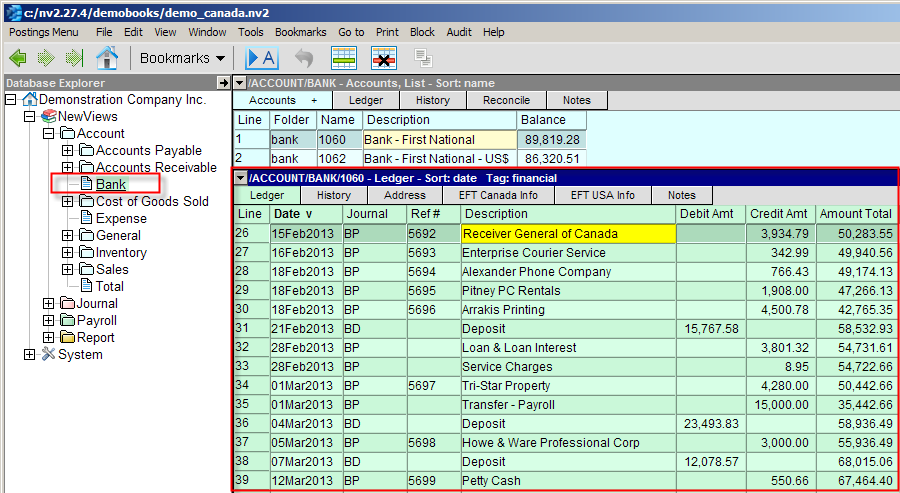
A ledger table (pale green) displays all the postings to an account. All ledgers can be sorted by line number, date, reference #, description or reconcile.
Shown below are the details of Line 11 above. It is a complex transaction that credits the bank $4,280.00 and debits accounts 6760 $3,000.00, account 6765 $1,000.00 and account GST-IN $280.00.
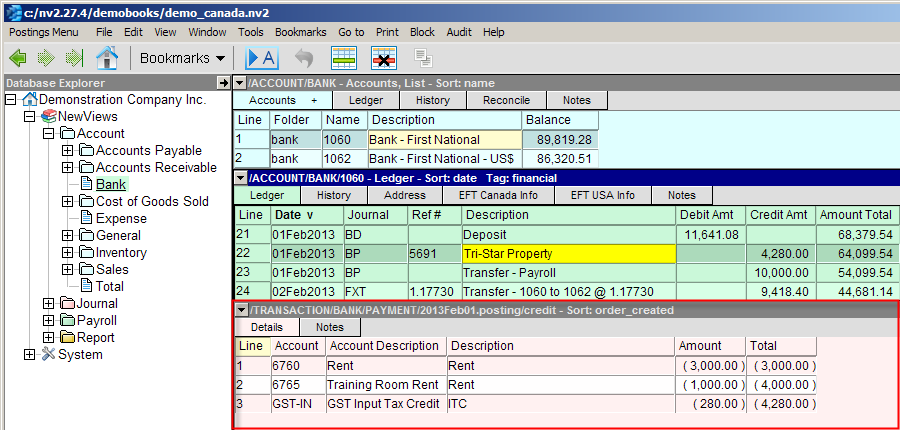
The database explorer is the navigation tool that allows you to go anywhere in a set of books in an instant. It is similar in appearance and operation to the Windows Explorer you would use to examine and manipulate the contents of your computer's hard drive.
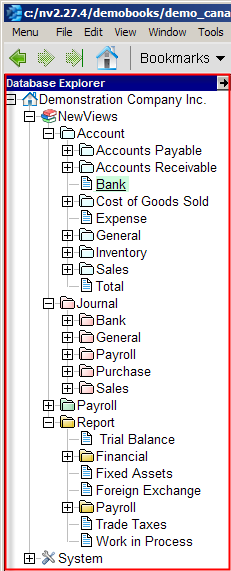
See Navigating NewViews - The Database Explorer for more.