All Accounts Payable accounts have an address tab. However when you wish to add cash transactions i.e. a payment from the bank directly to an expense or inventory account, there is no address tab.
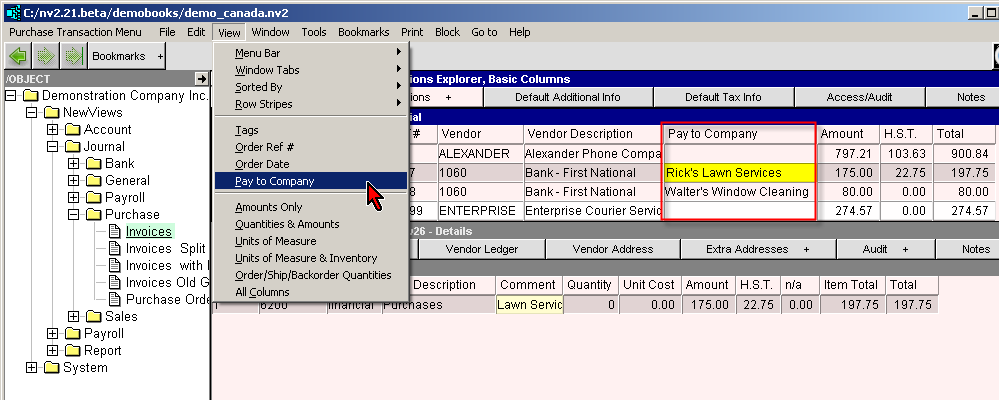
A column Pay to Company can be added to the Accounts Payable journal. This allows selections from the Extra Addresses list.
Company names and addresses can be added that have no corresponding account in NewViews. These addresses are used for cash transactions. Shown below are four samples, lines 7 to 10 on the address table. Note: the Account and Account Description fields are left blank.
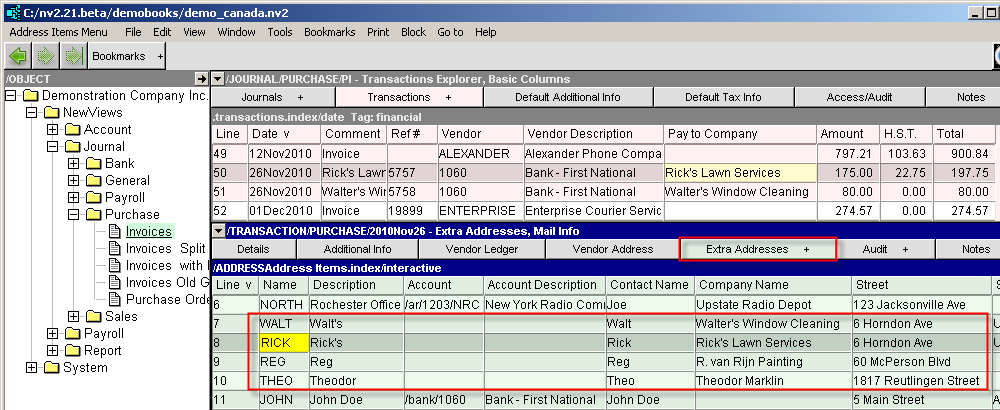
In the screen shot above, NewViews is positioned on an accounts payable journal. The screen below is showing the "Extra Addresses" table. Press <Insert> to add a new address. Fill in the appropriate information.
When creating a new Purchase Order, Purchase Invoice, Purchase Order or Purchase Invoice, the Pay to Company address can be selected by pressing <F3> in the corresponding Pay to Company field.