To print a paycheck with complex, freeform check stubs:
Customize your template. See Document Templates for details.
Activate the payroll containing the employees you want included in the paycheck print run.
Mark a block of employees.
Issue the command Print>Payroll Report to display the report settings window.
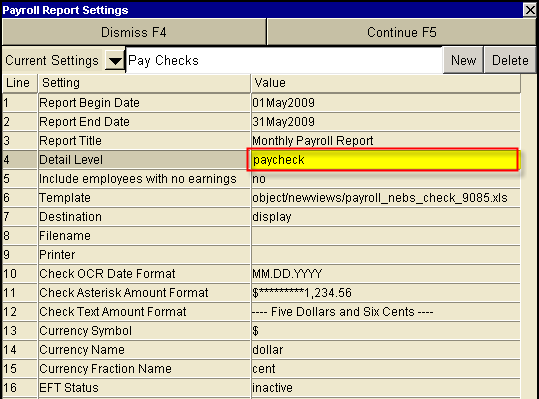
Fill in the settings and click <Continue>. Remember to specify paycheck as the Detail Level and select your new custom template as the Template.
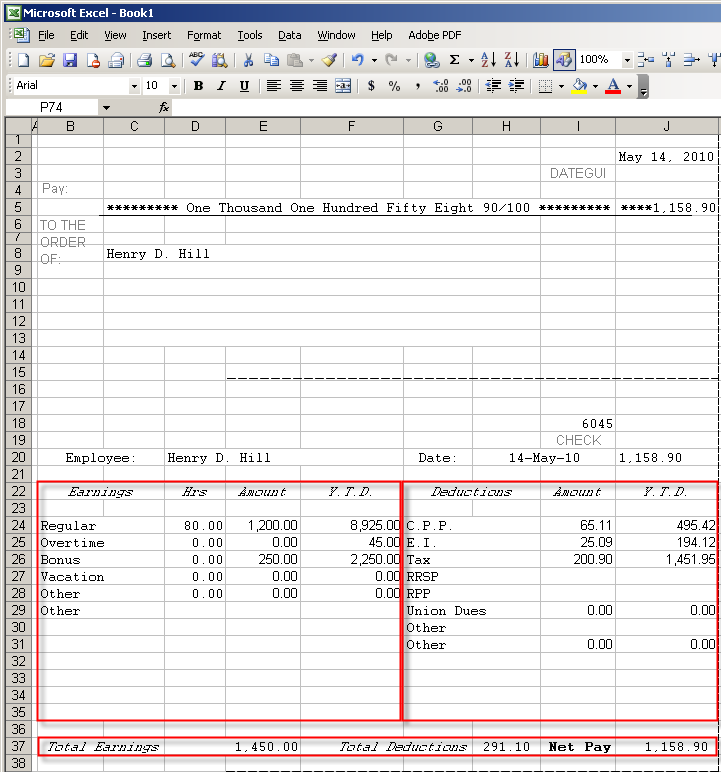
The sample check shown below was generated using the report settings above. Notice that detailed earning are printed on the left side of the stub, and detailed deductions are printed on the right side, with a total row below. The full laser check has two repeating stubs.