When you install NewViews, over 250 document template files are installed under the print_templates folder.
The print_templates folder is located in the NV2 installation folder so its path is generally something like c:/nv2/print_templates. The print_templates folder has a number of sub-folders used to organize the templates:
The sub-folders contain Excel® files that are used by NewViews when printing documents.
Note: When you re-install NV2, or install a newer version of NV2, these templates will be overwritten and any changes you made to customize them will be lost. However, the my_templates sub-folder (see below) is special and was created as a place the hold the templates that you use. During installation or upgrade, NV2 does not overwrite any files under the my_templates folder. For this reason we strongly suggest that you copy any templates that you intend to use to somewhere under the my_templates folder.
There are two sub-folders backup and qw_page_demo in my_templates. The backup folder has been created for your convenience to store copies of your customized print templates. The qw_page_demo folder contains printing templates used by the demo books that are updated on a regular basis. The my_template folder also contains one blank_small margins.xls template designed to used when issuing Print>All or Print>Block. The blank_small_margins.xls template forces Excel to use .25" margins instead of the default 1" wide Excel margins.
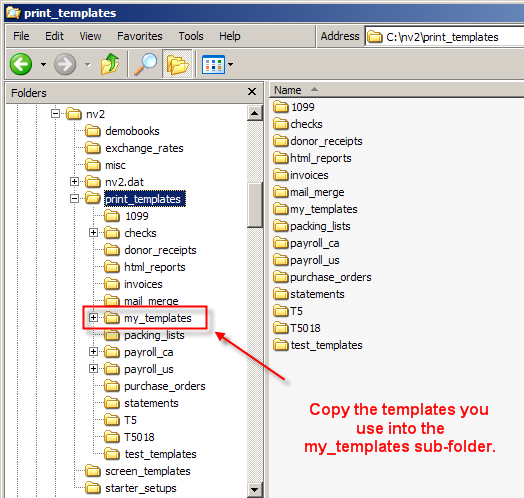
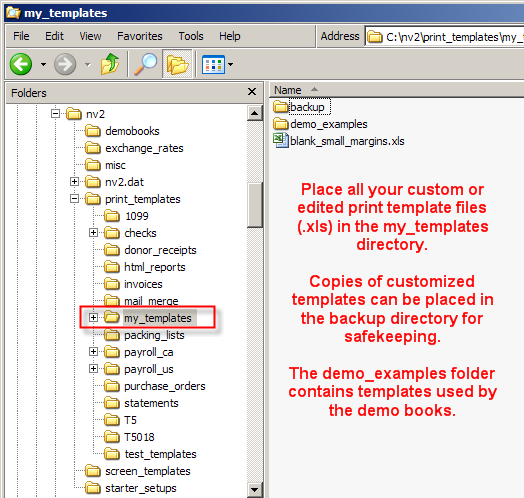
The my_templates folder should become your default directory for all your printing templates when running NewViews in single user mode.
If you are using NewViews in multi-user mode we strongly suggest that you place the my_templates in a shared folder on the NewViews server.
As mentioned above, during installation, NV2 copies many template files into various sub-folders of the print_templates folder and therefore can overwrite files already there. The my_templates folder is a special sub-folder of print_templates, used to hold the templates you intend to use, whether or not you have edited them. NV2 does not overwrite anything under the my_templates folder during installation.
You should always pick print template files from the my_templates folder. If you pick a file that is not under the my_templates folder NV2 will offer to copy the file to the my_templates folder. You are always prompted to confirm before any file is copied and also before overwriting an existing file in my_templates. Correspondingly, before customizing a template found somewhere under print_templates, you should copy the template to the my_templates folder before editing it.
All print templates that you use should therefore be found under the my_templates folder. You can also create sub-folders of my_templates to organize them, often for the purpose of keeping templates associated with different application databases in different sub-folders.