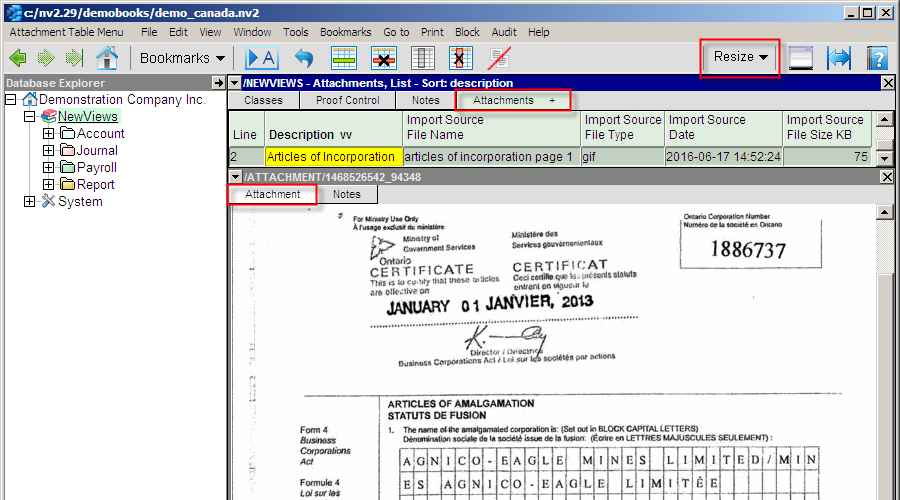
Attachments Views are used to manage attachment files, of any type, anywhere in a NewViews set of books. Attachment files of type PDF, Microsoft Office, photos, scanned images, etc. are all supported. Just like all items in NewViews (transactions, accounts, journals, reports, employees, etc.) have a Notes view, now all items can also have an Attachments view.
For more information, see Attachments.
The preferred way to run a NewViews server is now to run it as a service. Running a server from the start menu (or command line using the -server option) has been deprecated. It has been retained for backward compatibility but can be considered to be a legacy feature.
Running NewViews as a service, introduced in 2.28, has been improved in 2.29. Some of the changes in 2.29 services are listed below:
Efficiency improved - multiple processes are used.
The NewViews service now uses a separate Windows process for each database opened. In the past, if a service was currently serving say 5 databases, then these would all be served under the same single process. Now 5 separate processes will be launched; one for each database. This is faster because all processors of a multi-processor computer can now be fully utilized. Also, in the past, with only one process, a service could use a maximum of 2 gigabytes of memory, regardless of how many databases it was currently serving. In the example with 5 databases, under version 2.29, up to 10 gigabytes could be utilized.
Progress bars improved.
In the past if you had a remote database open on a server (even when using a service), progress bars would appear when long-running operations were being performed on other databases currently being offered by the same server. These could be databases that you did not even have open, as long as they were served by the same server. Under 2.29, when a service is used, progress bars appear only when other users are performing long-running operations on the same database that you also have open.
Server installation smoother for services.
When you install a NewViews upgrade on a computer running a NewViews service, you no longer need to shutdown the service to install the upgrade. The installer will stop running services and restart them after the installation is complete.
Server documentation changed.
The NewViews server documentation has been changed to reflect the change in policy whereby servers run as Windows services, and the running a server as a non-service regular Windows application has been deprecated. If you use servers you may want to review that documentation (see Getting the Server Up and Running). .
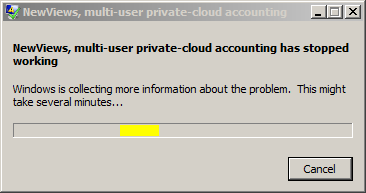
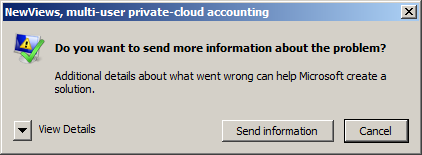
When you upgrade NewViews to replace version 2.28, and if you have a service running, it will be replaced by a upgraded service. However, due to conditions we cannot predict or resolve, after the upgrade Windows may display error windows as shown above. The upgrade actually completed successfully and you can simply dismiss the Windows error messages.
When a server database is upgraded, the special server database row, if any, is moved to the DEFAULT port. This only applies if you are currently running a multi-port server, and that server offers a server database for remote server login. You may have to adjust a port number on a workstation login row, specifically the server row used to open the server database. The port number should be set to the DEFAULT port number, i.e. usually 7890.
Past versions allowed a server to offer a single list of databases. This version (2.29) introduces database groups so that the server can offer any number of different lists of databases. Each database group has a name, and that name can be specified on each workstation login row. Each database group can be individually protected by a password, which thus restricts access to individual database lists. So the server can offer a list of selected databases to one set of users without exposing that list to other sets of users.
For more information on database groups, see Offering Databases
Canada July 01, 2016 tax calculation updates.
Includes British Columbia, New Brunswick, Newfoundland and Prince Edward Island.
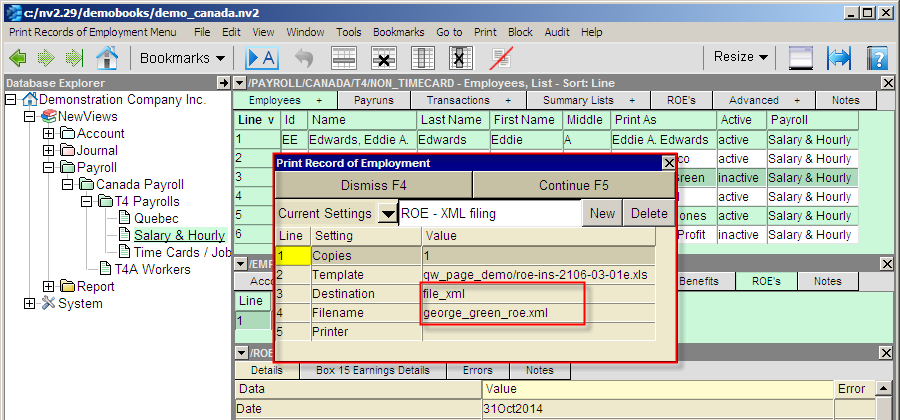
Canadian Payroll Records of Employment can now be submitted as XML files.
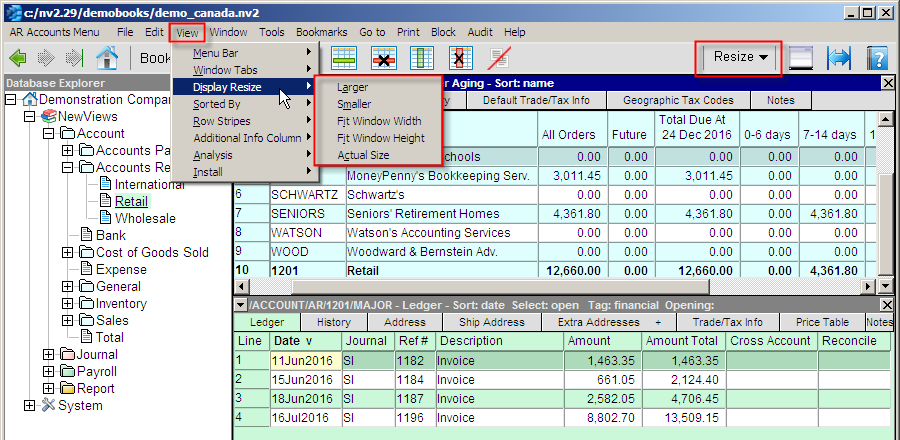
Prior to this version, font sizing was achieved by rolling your mouse wheel with the <Ctrl> key held down. This version (2.29) includes attachments and it was felt that a more accessible resize is required. The new menu commands to View>Display Resize and the new toolbar button were added for attachments and then extended to include all window types. Attachment images will shrink or zoom. For all other windows, the font is resized smaller or larger.
For more information, see Attachments.
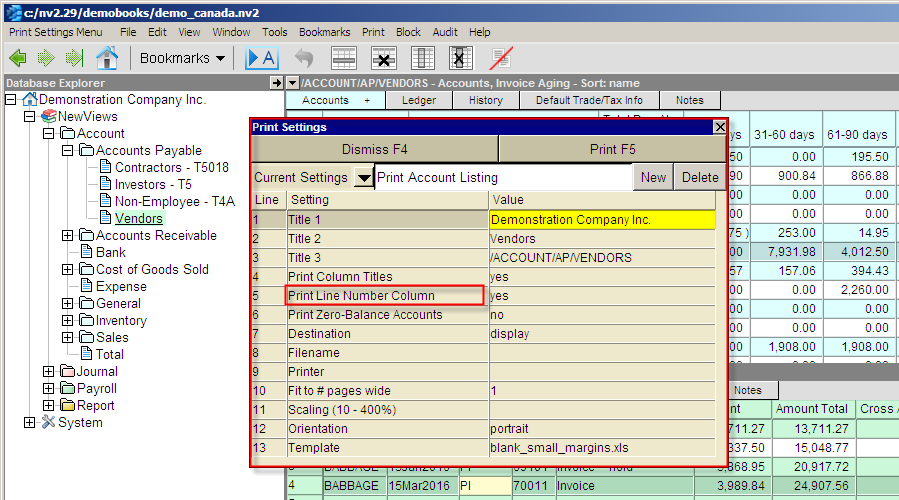
Line number columns are indispensable for knowing where you are and what you are doing. However, many users have asked for the ability to omit the column on printed output. This version (2.29) includes a new option on many prompts to include or omit the line number column.
Prior to this version, printing to PDF files required the installation of PDF Creator, a free, third party printer driver that "tricks" MS Office by capturing printed output and converting it to PDF format. Installing and maintaining a version of PDF Creator that is compatible with NewViews can be tedious.
This version (2.29) utilizes MS Office's ability to directly create PDF files via external program control. NewViews now tests the version of MS Office you are using and if it is 2007 or newer then Office's command to create a PDF file is called. For older versions of Office, PDF Creator is the only option and NewViews will continue to function as before.
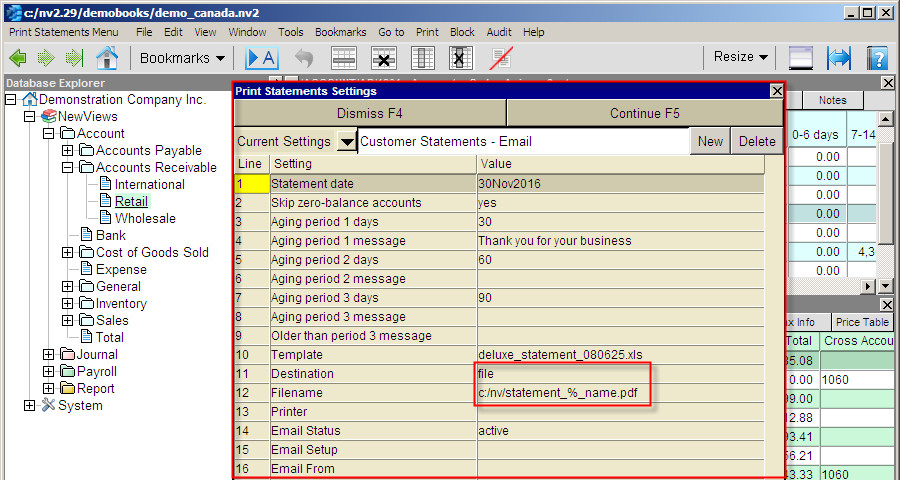
The sample shown below is just an example to remind you what prompts that support file output look like, Note that there are no new prompt fields. When you upgrade to version 2.29 the change in PDF file creation will happen automatically.
Email / Security upgrade
Transport Layer Security (TLS) technology for encrypted internet traffic has been through many versions in the past 20 years. The earlier versions (then named Secure Sockets Layer (SSL)) have been hacked by advancements in computer science and computer performance. In light of this, major internet users (banks and credit cards) and service providers are now refusing to interact with systems using older versions of TLS.
This version (2.29) incorporates a (currently) globally accepted protocol (TLS 1.2).
Auto reconcile had an occasional problem importing.
This problem appeared in 2.28.4 and this release fixes the problem.
NewViews Windows Service Installer - the Service Executable field was not persistent.
The field value you enter in the Service Executable field of the NewViews Windows Service Installer was supposed to be persistent and you were supposed to be able to set a new value by picking from a list of previous values. Neither of these features worked properly for the Service Executable field in the previous release.
Some sessions marked crashed are now marked disconnected.
When a workstation accessing a remote application database is unexpectedly terminated, say due to power outage or system crash, the current session in the application, which is on the server, was marked "crashed". It is now instead marked "disconnected". Note that the session is marked "closed" when properly shut, "crashed" if the server crashes, and "terminated" if the connection is explicitly deleted from the server's table of connections.