There are two parts to setting up the new CPP2 deduction accounts for employees. First, use the Setup View to add the new CPP2 deduction account for the employee and complete the Totalto fields as shown in the example below. For employers in Quebec, this account will be a QPP2 deduction account.
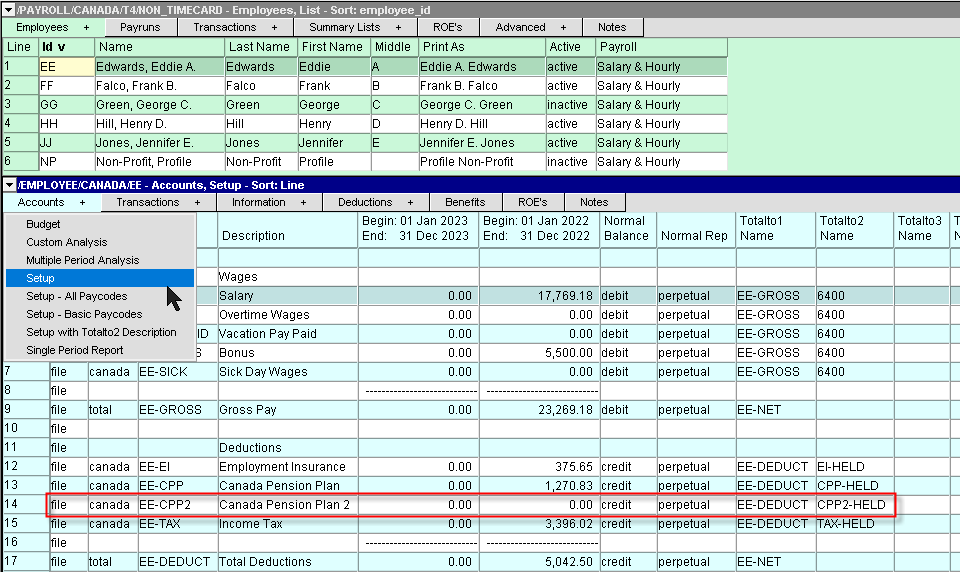
Once the account has been added, press <F6> and select the Paycode Tab. Activate the Type field and press <F3> to select Canada Pension Plan 2. If the T4 Box field is not set to 16A, press <F3> and select 16A.
For employers in Quebec, make sure that the Tax Treatment is set to Quebec Pension Plan 2.
