The Paychecks window is a split pane window. The top half (middle pane) displays a table of paycheck summaries for the employee that is currently selected. The bottom half (bottom pane) displays the transaction detail details for each paycheck.
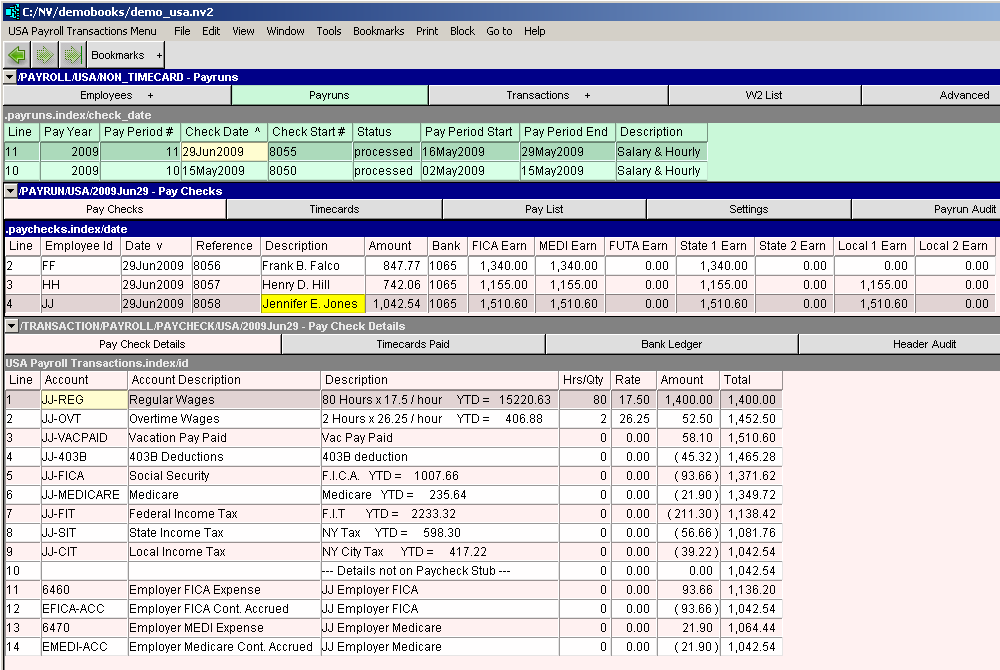
The paychecks table has the following columns:
| Employee - Paychecks Window | ||
| Table column | Sort | Comments |
| Date | Yes | The date of the paycheck. |
| Reference | Yes | The paycheck number. |
| Description | Yes | The description is taken from the print as field in the employee table (usually the employee name). |
| Amount | | The net amount of the paycheck. |
| Bank | | The bank account from which the paycheck is issued. |
| FICA Earn | | The Social Security earnings used to calculate the Social Security deduction. |
| MEDI Earn | | The Medicare earnings used to calculate the Medicare deduction. |
| FUTA Earn | | The wages on which FUTA was calculated. |
| State Earn | | The earnings applicable to State Income Tax. |
| Local Earn | | The earnings applicable to Local Income Tax. |