Earnings and deduction accounts for an employee are added in the Account Setup window. As with any other accounts you add, you must total the new accounts to appropriate accounts in your books. For example, if you add a new earnings account, it must be totaled to an expense account; otherwise earnings posted to the new account will not appear in your expenses.
See Total Arithmetic Graphs below for more.
If in the middle window the Accounts window tab is not selected (i.e. not blue), click the accounts window tab and select Setup.
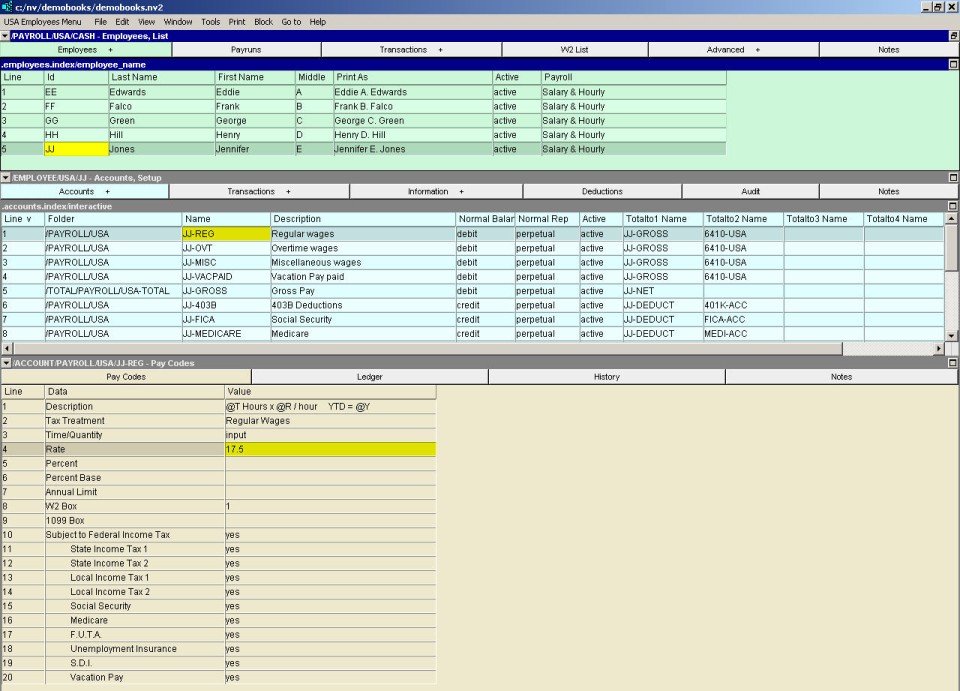
The name of each earnings and deductions account is composed as follows:
The employee id
A hyphen (-)
A suffix identifying the type of earning or deduction.
For example, KK-REG could be the regular earnings account for an employee with the Id KK. The choice of suffixes is up to you, but there should be consistency to your choices.
Other earnings and deductions accounts can have any suffix you choose. Since suffixes appear on the employees paycheck stub as well as on reports, choices should be meaningful to aid in comprehension.
In most cases, earnings accounts are placed above deduction accounts. This is because:
When an employee is paid, the employee's accounts are processed from top to bottom.
For each earnings and deduction account, a posting is created from the paycheck to the corresponding employee account. The amount of the posting depends on the pay codes set for that account. The amount could be a flat amount, such as a salary. The amount could be a tax deduction, which would depend on the earnings for that paycheck, and other factors such as the employee's province of employment. Because most deductions depend on the earnings amounts, the earnings accounts must be before (or above) the deduction accounts.
See Account Setup Window for more on setting up payroll accounts and payroll account paycodes.
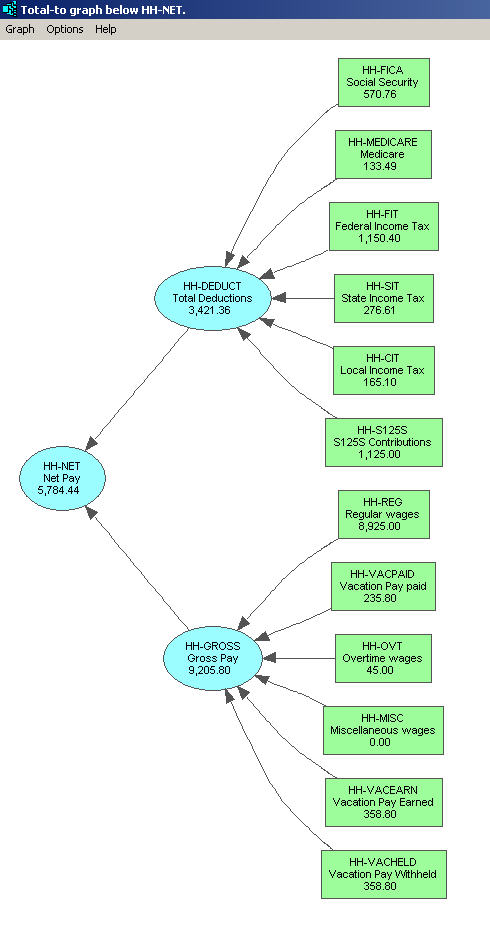
Shown below is a graph of a simple employee's report arithmetic. Gross pay minus deductions equals net pay. This is sometimes called "local arithmetic", and is accomplished using the <F3> key on the "Totalto1 Name" column to select accounts to total to. See the Account Setup Window shown above.
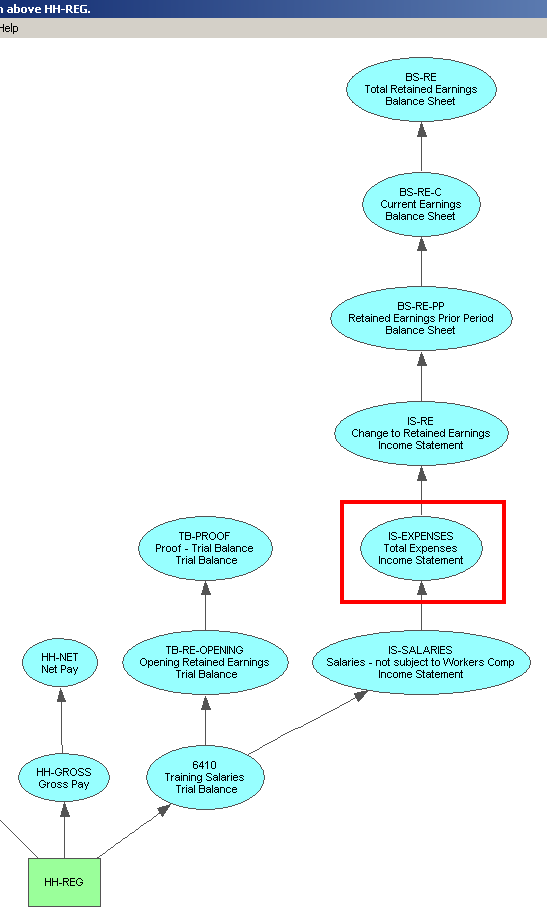
The important total to, in this example, is found in the "Totalto2 Name" column (again see the Account Setup Window shown above). The objective is to cause the employee's earnings to eventually total to expenses on the income statement. Shown below is a graph which demonstrates this. Account "HH-REG" is an earning account which is included in expenses.
For employee deductions, the objective is to cause the amounts to eventually total to liabilities on the balance sheet. Shown below is a graph which demonstrates this. Account "HH-FIT" is an income tax deduction which is included in liabilities.
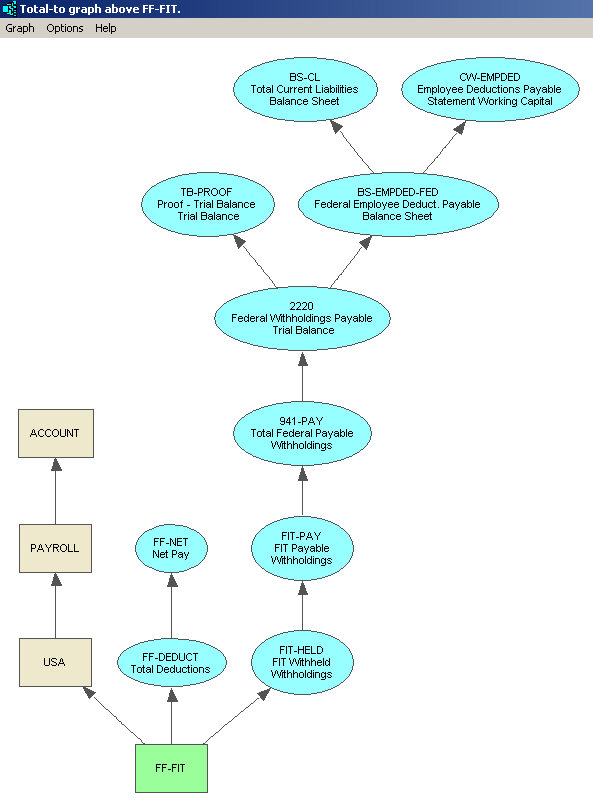
NOTE: These graphs were produced using commands available at all times in NewViews. They can be found on any table of accounts (blue). Issue the Tools>Totalto commands to explore/debug account total arithmetic.
There is a shortcoming when employee earning accounts are totaled to an expense account; there is no way to allocate earnings to different projects, jobs and so on. Many businesses and non-profits require the ability to allocate earnings, and it is for this reason that NewViews includes what is called "Timecard Payroll".
See Creating Employee Accounts for Timecard Payroll for more.