The Account Sales folder displays all sales accounts within the system including account name, description and balance.
Below we display the inventory values and profit view which includes the account name, description, and inventory quantity and value on hand. We also display price, total value sold, cost of goods sold and profit for each item.
The date range column can be set to any period. i.e. current quarter, last year, current week, etc. Setting the dates and ranges for the column is done using the Windows>Define Columns command or (shortcut <F11>). See setting dates on reports/blue tables for more information.
For more information on changing the views please see Information Views.
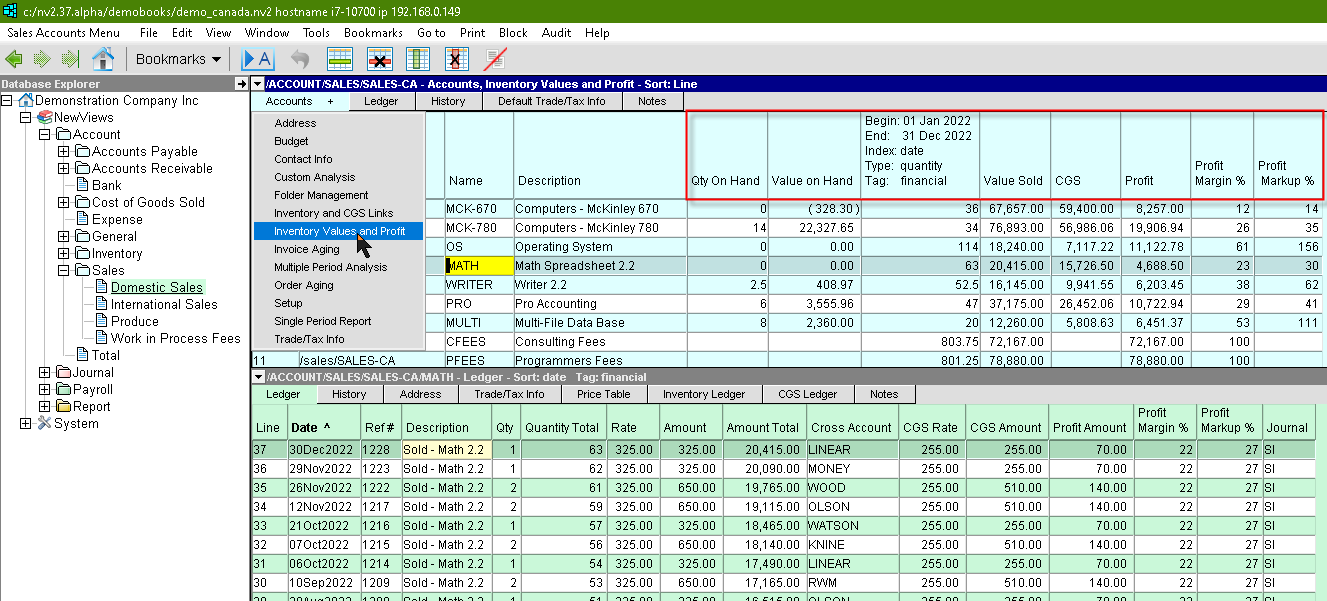
The account ledger view above is sorted in reverse date order.
For more information on changing the ledger views please see Ledger/Posting Table Views.
| Sales Accounts - Inventory Values and Profit view | ||
| Table column | Sort | Comments |
| Line | Yes | The line number. |
| Name | Yes | The account name. |
| Description | Yes | The account description. |
| Qty On Hand | | The Quantity currently on hand for that account. In this example there 6 units for sale. The quantity displayed is from the inventory account linked to the sales account. |
| Value on Hand | | The Value currently on hand for that account. The amount displayed is from the inventory account linked to the sales account. |
| Begin: End: Index: Type: Tag: | | The quantity sold for that account. Setting the dates and ranges for the column is done using the Windows>Define Columns command or (shortcut <F11>). See setting dates on reports / blue tables for more information. |
| Price | | The price set on the sales account. |
| Value Sold | | The balance for that account. |
| CGS | | The cost of goods sold for that account. This column displays the CGS account ledger balance linked to the sales account. |
| Profit | | The profit for that account. This column is a formula. (Value Sold) less (Cost of Goods Sold). |
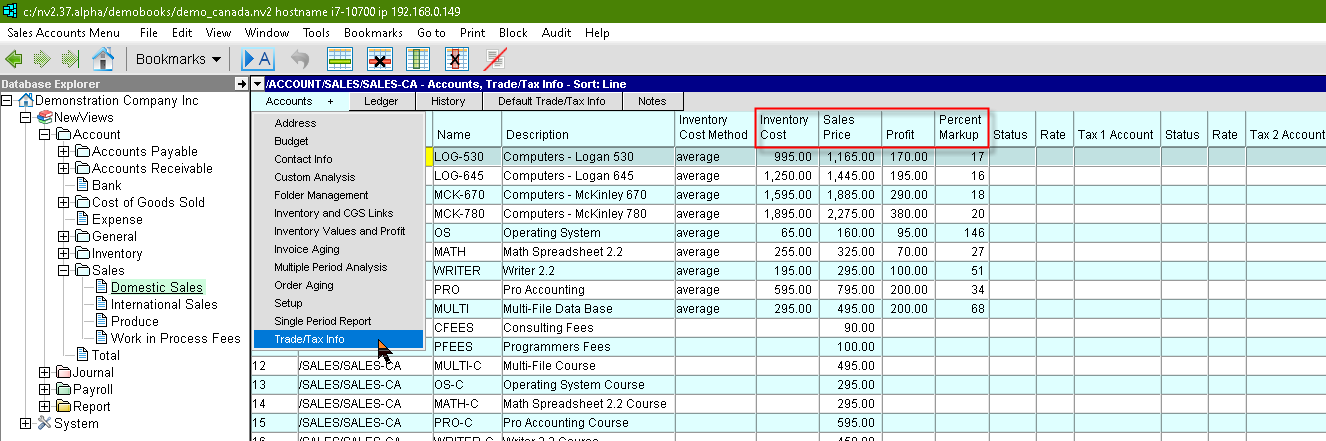
The Trade/Tax Info view has the individual item cost and selling prices side by side.
| Sales Accounts - Cost Price, Sale Price & Markup | ||
| Table column | Sort | Comments |
| Line | Yes | The line number. |
| Name | Yes | The account name. |
| Description | Yes | The account description. |
| Inventory Cost | | The Cost amount entered for the Linked Inventory account. |
| Sales Price | | Sales Price entered for the account under Trade/Tax Info. |
| Profit | | Sales Price less the Inventory Cost of the item account. |
| Percent Markup | | Profit divided by the Inventory Cost multiplied by 100 for the item account. |
The Profit Columns can be added by executing the menu command View>Profit Columns on the ledger table.
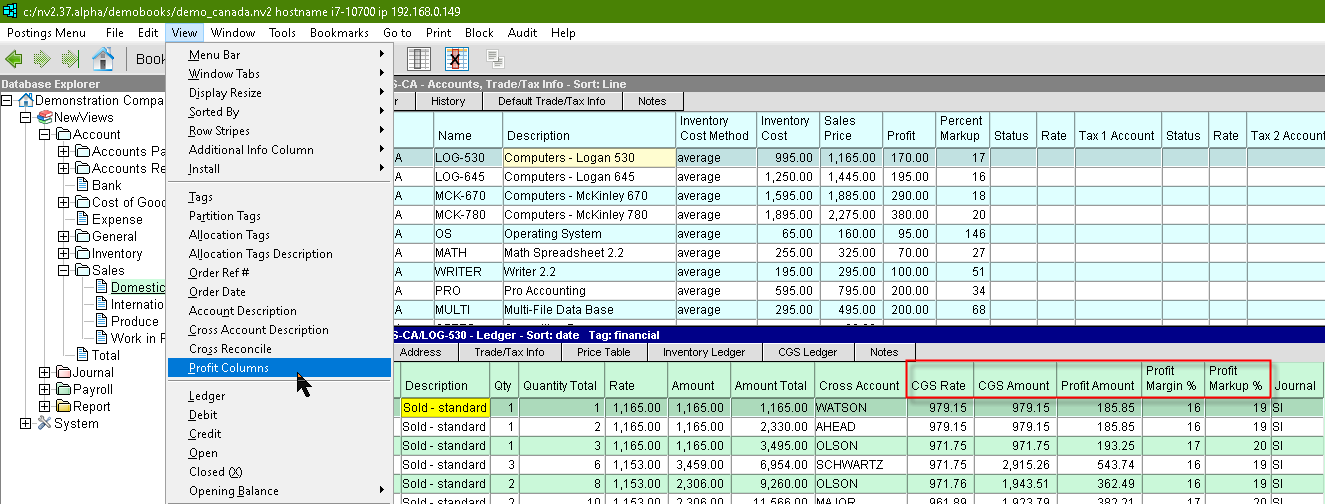
For information on adding profit columns to Inventory accounts, see Adding Profit Columns to Inventory Accounts.
For information on adding profit columns to Receivable accounts, see Adding Profit Columns to Customer Accounts.