Local fields introduce the basic setup options. The other fields have the basic options and add more detail.
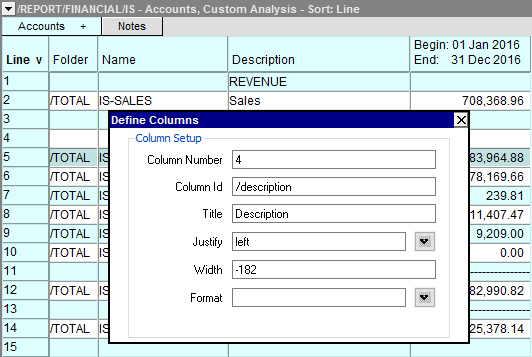
| Setup Columns | ||
| Line | Field | Value |
| 1 | Column Number | The column number is assigned by the system and cannot be edited. However, it can change if you move the column (activate it and <Ctrl+Left Arrow> or <Ctrl+Right Arrow>). |
| 2 | Column Id | The column id is assigned by the system and cannot be edited. |
| 3 | Title | All columns have a default title, which can be edited. To create a multi-line title use the special character sequence \n to split the title into pieces. |
| 4 | Justify | Left or right. Press <F3> to select. |
| 5 | Width | The character width of the column. If the column is resized with a mouse, a negative number will be displayed (it is the pixel width of the column - with this ability, smooth column widths can be created, without the border jumping left or right a full character width). |
| 6 | Format | This field is under construction. Currently, only numbers are supported. Press <F3> to select a number display format. |