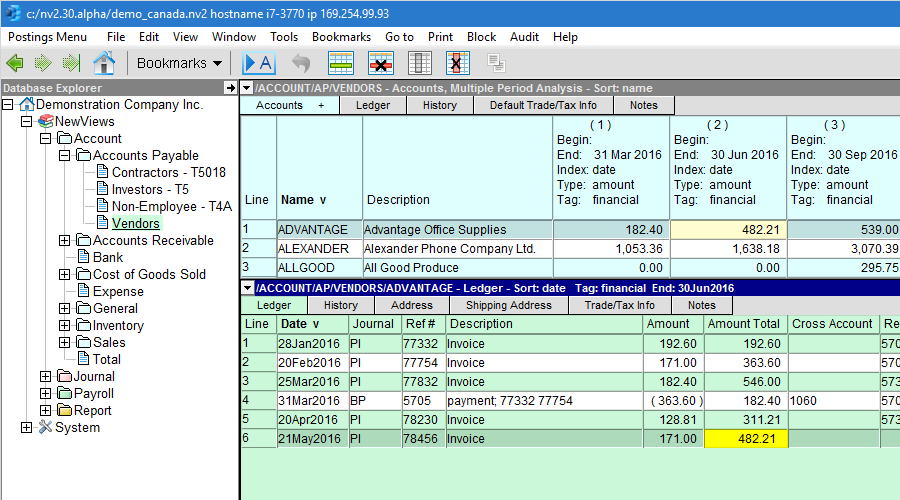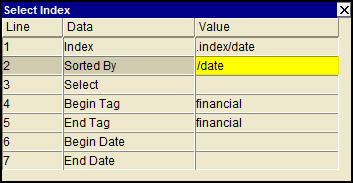
Use the User Option, Prompt Display Style to switch between modern and classic styles.
The vast majority of index selection (sort order) is accomplished by clicking a column title. If the table can be sorted by that column value, the items will be sorted and the chevron ^ or v will appear beside the column title. See also:
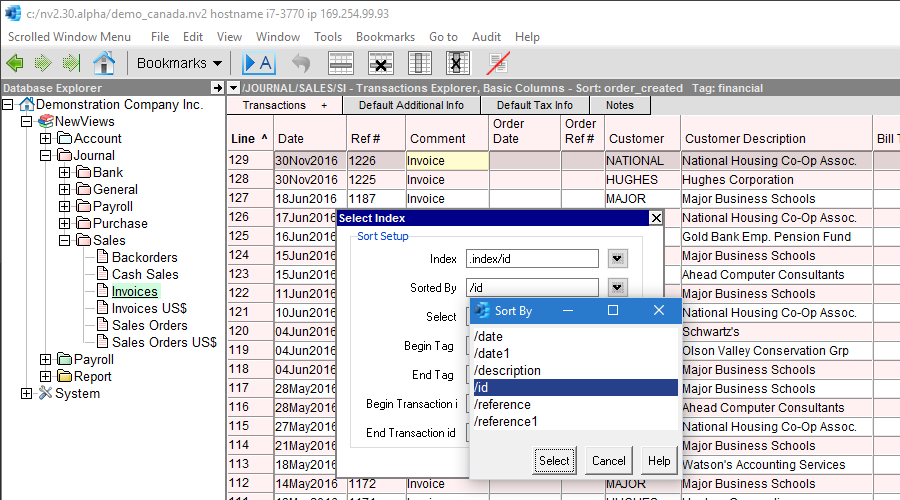
However, there are cases were the table can be sorted by a column not displayed. Shown below is a perfect example of this. Transactions can be sorted by id, but the id is a meaningless machine generated number, so the column is not displayed. If transactions are sorted by date, or reference, for example, a group of entries performed at one time tend to "spray" out over the journal. To keep as a block the journal items you are currently adding, issue the View>Sorted By>Select Index command, position on the index value cell and press <F3>. Select the /id index and all transactions in your current block of additions will appear together as a block.
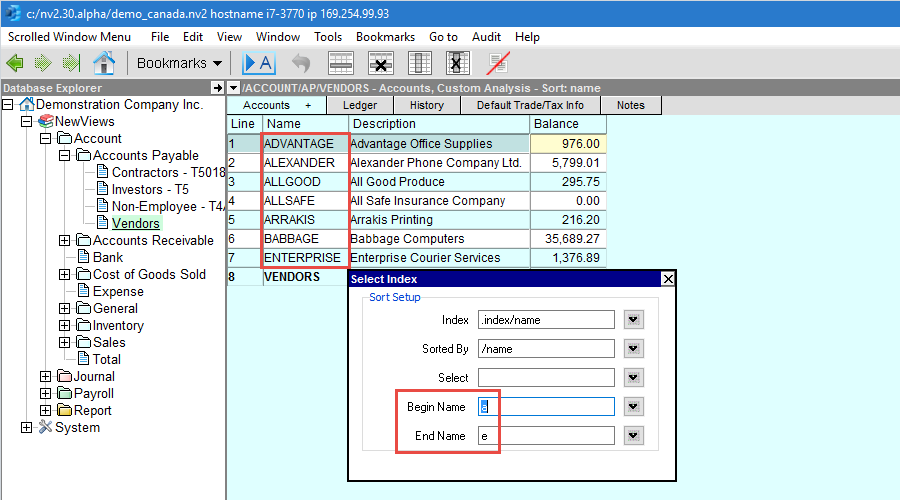
In addition to selecting an index, you can select a begin and end range. For example, you can display only the AP accounts with names that begin with "a", up to and including the AP accounts with names that begin with "e". See the example below.
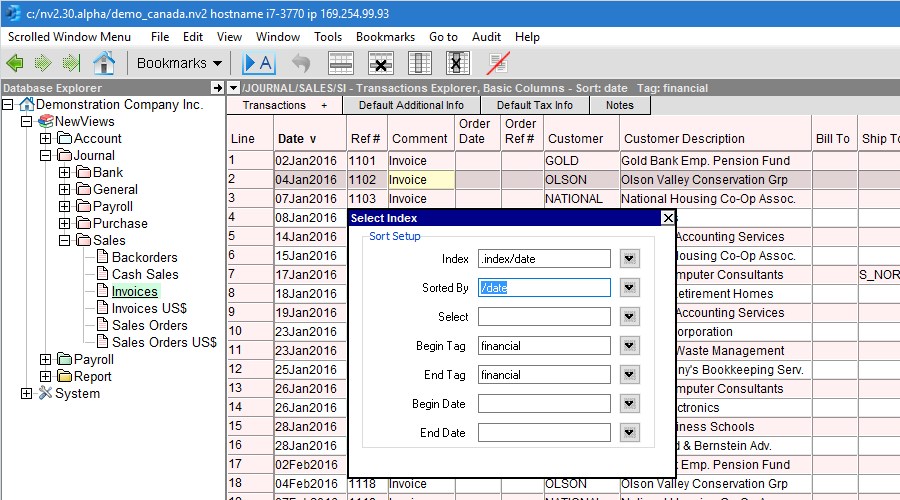
Below are two examples of using ranges for transactions. The first example demonstrates the most important range you will ever need to understand. All transactions have one or more "tags". Tags partition transactions and their postings by type and are used to manage (separate) financial transactions, orders, budgets, etc., all with a single set of accounts. Many activities on tables of transactions and postings require a tag to be set (e.g. Block>Delete and Go to>Item). In this version of NewViews, most ranges for tables of transactions and postings are defaulted to .tag financial.
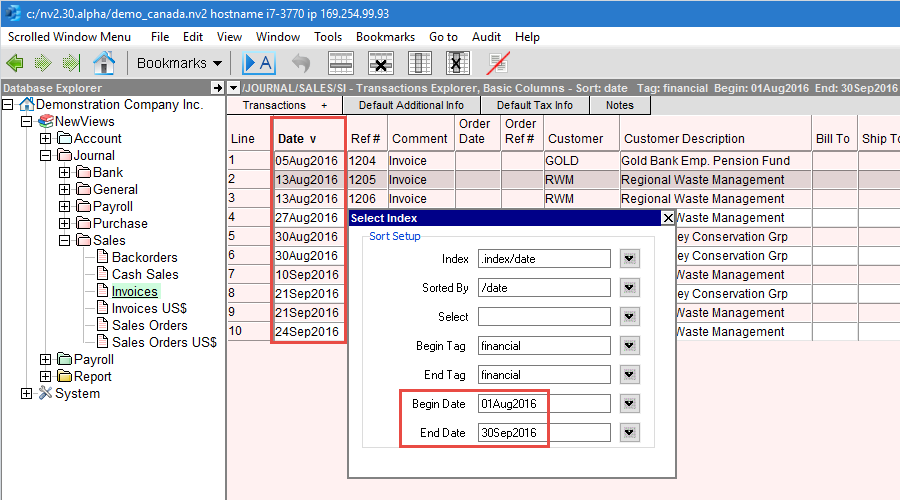
The second example demonstrates restricting the range of transaction dates to August 2006. If you review the Help Database command screen for transactions above, you will confirm that the range key components are .tag and .date
It turns out the most common use of indexes and ranges is account amounts and postings. Shown below is a typical example. All information needed to specify the postings of interest for a column is incorporated in the Window>Define Columns setup. Once the table of account columns are set up, selecting the index and range for the postings is as simple as activating a cell in the table of accounts.