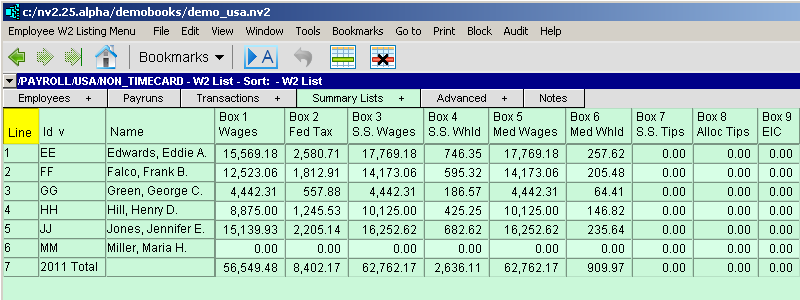
The W2 Form window contains an employee table with columns displaying the amounts and other items that will (or did) appear on the employee's W2 form. The total row at the bottom contains most of the information required to complete the W3 summary form.
The table can be set to display amounts for any year by changing the W2 Reporting Year on the payroll settings window.
You cannot edit the values in the table as they are the totals of amounts posted to the employee's earnings and deduction accounts.
For instructions on printing/exporting W2s, see the manual page Print/Export W2s.