The Records of Employment window is an explorer in which you can view, edit, and print all of the Records of Employment (ROEs) issued to employees on the selected payroll.
Note: You cannot create ROES on this table - ROEs must be created on the individual employee's ROEs Window.
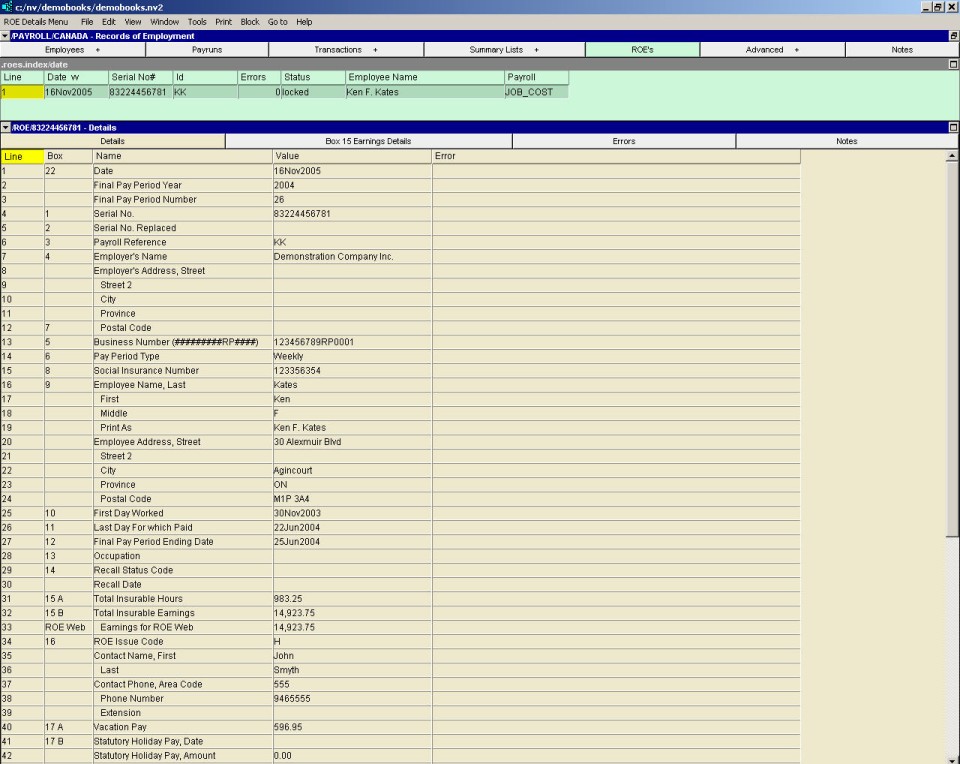
The top pane of the explorer is a table of ROEs issued to employees on this payroll.
The bottom pane of the explorer has four windows:
Details - A table on which you edit the information to be printed on the ROE.
Errors - A table listing errors or omissions that must be corrected before the ROE can be printed.
Box 15 Earnings Details Window - A text window that contains a complete explanation of the calculation of the insurable earnings and hours amounts that will be printed in box 15.
Notes - A notes window in which you can type any notes you wish to keep with the ROE.
For complete instructions on issuing ROEs, see the manual section Issuing Records of Employment.