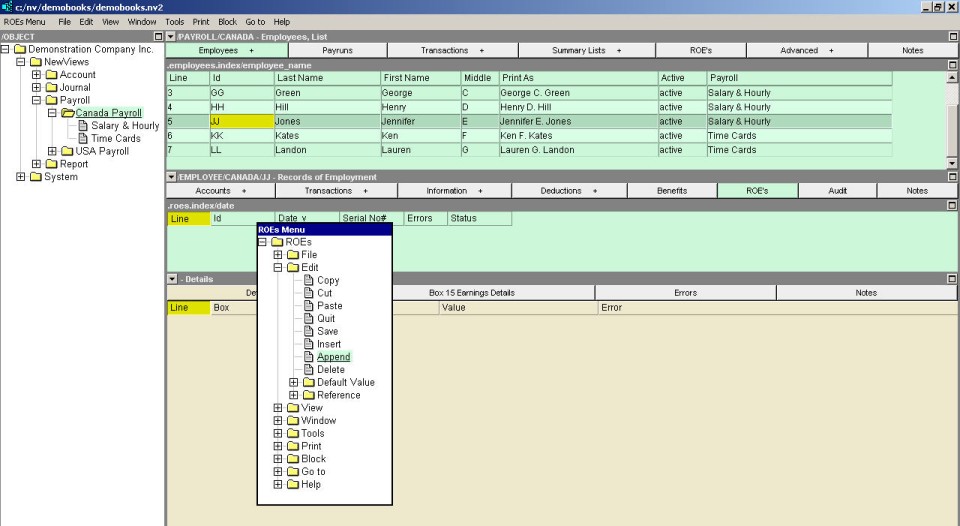
ROEs are created on the employee's Records of Employment Window.
Move to the Employees list on the appropriate payroll.
Click on the employee that is being issued the ROE.
In the pane below the employee list, select the Records of Employment window.
In the (green) Records of Employment table, use the menu command Edit>Insert (or Alt+E+I) or Edit>Append (or Alt+E+A) to create a new row on the table.
(There will be a slight pause (and a progress window may appear) while the earnings and hours are calculated for box 15 of the ROE.)
Edit the date if necessary.
If you are using a pre-printed ROE form, enter the serial number of the form in the table cell provided.
The next step is to edit the information that is to appear on the ROE.