After an ROE is issued, you should "lock" the ROE to prevent accidental changes to the information, or the deletion of the ROE itself.
Locking the ROE is akin to the Reconcile Safety mechanism for transactions, but is set on an individual ROE basis as follows.
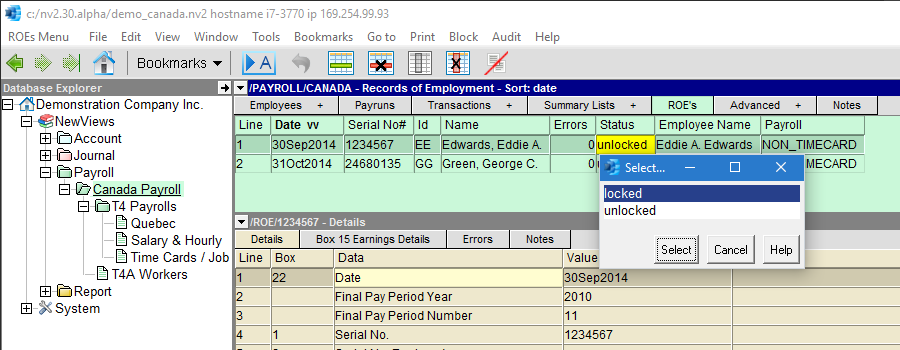
(You can always unlock an ROE by simply changing its status back to "unlocked" from "locked".)